TradingView remains one of the most widely used technical-analysis and charting platforms in the world, with a community that has grown past 100 million traders and investors as of 2026. It keeps its place among the best trading platforms by combining speed, reliability, deep charting power and a genuinely useful free tier that both day traders and swing traders lean on daily.
- TradingView Review: Quick Verdict & Ratings
- TradingView Pricing 2026: Plans at a Glance
- What is TradingView?
- Who is TradingView For?
- TradingView Features
- 1. Charts and Technical Analysis
- 2. Screeners
- 3. Alerts
- 4. Community
- 5. New AI Tools (2026)
- Exploring TradingView Memberships
- Free vs. Paid: Which should you choose?
- Detailed comparison of the paid plans
- What’s New in TradingView for 2026
- Cross-platform Accessibility
- TradingView Web & Desktop: Advantages and Disadvantages
- TradingView Mobile App: Advantages and Disadvantages
- How to Choose the Right TradingView Plan
- Common Mistakes to Avoid
- TradingView for Malaysia & Singapore Traders
- Pros and Cons of TradingView
- Final Word: Is TradingView the Right Platform for You?
- Frequently Asked Questions (FAQs)
The platform packs a huge feature set: 17–21 chart types, dozens of timeframes, 110+ drawing tools and 400+ built-in indicators (plus 100,000+ community-built Pine scripts), all backed by data across stocks, ETFs, futures, forex, CFDs and crypto sourced from 150+ exchanges in 50+ countries. You can screen markets, set server-side alerts, backtest strategies, and — new for 2026 — lean on a set of AI tools that summarise filings and news and even read your charts.
For many people the free Basic plan is enough. Active traders usually move up to Essential, Plus, Premium or the new Ultimate tier for more charts, indicators and alerts. Below is our fully updated 2026 review: what has changed, what each plan really costs, where TradingView still falls short, and how Malaysian and Singaporean traders can get the most out of it.
Verified July 2026. Prices are quoted in USD and can change — always confirm the latest on TradingView’s official pricing page before you subscribe.
TradingView Review: Quick Verdict & Ratings
TradingView is a highly regarded charting platform with a strong reputation for usability, research quality and value. Here is our updated 2026 scorecard.
Accessibility: 5/5
The design is user-friendly and supports both day traders and swing traders, with a wide range of chart types, drawing tools and asset classes (stocks, ETFs, cryptocurrencies, futures and CFDs). Because it is web-based and fully synced across web, desktop and mobile apps, the TradingView desktop experience carries seamlessly to any device.
Quality of Research / Analysis: 4.5/5
TradingView aggregates dozens of technical indicators — moving averages, Ichimoku Cloud, RSI, Stochastic, CCI, ADX and more — into a Technical Ratings summary that points to potential trades. Its in-house Pine Script lets you backtest and run strategies live, and the new 2026 AI tools add filing summaries, fast news digests and a conversational chart assistant. The platform sensibly warns against relying on any single signal in isolation.
Price / Value: 4/5
TradingView offers a strong free plan plus four paid tiers, with each step up adding charts, indicators, data and alerts. The free tier remains excellent value, but paid prices have crept up over the years and live exchange data is sold as separate add-ons, so real-world costs can climb for serious users. A 30-day free trial (14 days on Ultimate) lets you test the paid features before committing.
Overall: 4.5/5 — still the benchmark charting platform for most retail traders.
TradingView Pricing 2026: Plans at a Glance
TradingView now runs five tiers: a free Basic plan and four paid plans. If you subscribed a few years ago, note the rename — Pro is now Essential, Pro+ is now Plus, Premium keeps its name, and a new top-end Ultimate plan sits above it. Monthly prices are shown below, with the effective per-month cost when you pay annually.
| Plan | Monthly | Annual (per mo) | Charts / tab | Indicators / chart | Price alerts | Free trial |
|---|---|---|---|---|---|---|
| Basic | Free | — | 1 | 2 | 3 | Free forever |
| Essential (was Pro) | $14.95 | $12.95 | 2 | 5 | 20 | 30 days |
| Plus (was Pro+) | $29.95 | $24.95 | 4 | 10 | 100 | 30 days |
| Premium | $59.95 | $49.95 | 8 | 25 | 400 | 30 days |
| Ultimate (new) | $199.95 | $159.95 | 16 | 50 | 1,000 | 14 days |
Paying annually saves roughly $24 to $480 a year depending on the tier (up to ~17% off). Only the Ultimate plan qualifies for professional-use market data. Prices verified July 2026 against TradingView’s official pricing page; confirm before subscribing.
What is TradingView?
TradingView is a web-based charting and technical-analysis platform that has become a core tool for day and swing traders thanks to its depth, reliability and low entry cost. It is optimised to run identically whether you are on a Windows PC, a Mac, or the mobile app, keeping your layouts, watchlists and settings fully synced.
You can add indicators, analyse real-time data, and chart price action to build a view on where a market might head next. Flexible extras — paper trading, fundamental data, screeners and broker connections — make it useful to traders across every experience level. If you are still weighing whether you belong in the charts at all, our guide to trading vs investing is a good place to start.
The community now spans over 100 million traders, and TradingView connects to more than 3.5 million instruments worldwide through institutional-grade data partners. It offers stock, ETF, forex and crypto screeners so you can sort securities by technical and fundamental criteria, plus server-side alerts that fire even when your browser is closed. The social layer — public ideas, scripts and the newer “Minds” feed — lets you learn from more experienced traders and sharpen your own approach.
Who is TradingView For?
TradingView serves a broad spectrum of market participants. Because it covers many asset classes — global stocks, futures, forex, cryptocurrencies and more — it works as a flexible tool for very different strategies, from long-term investing to fast-paced day trading.
Pricing is designed to scale with you. Casual and beginner traders can do a lot on the free Basic plan; active traders step up to Essential or Plus for more charts, indicators and alerts; and professionals or power users choose Premium or Ultimate for second-based intervals, deeper history and near-unlimited alerts. Paid plans start at $14.95/month (or $12.95/month billed annually), which stays competitive against rivals such as TrendSpider and MetaStock.
It is worth remembering that non-paying users see ads and face some feature limits — capped indicators, fewer alerts, and delayed data on many exchanges. Even so, the free tier is generous enough for real-time market monitoring, in-depth research and social interaction, making TradingView an easy recommendation for beginner-to-intermediate traders who want room to grow.
TradingView Features
Here are the standout features that keep more than 100 million traders coming back — across stocks, ETFs, crypto, futures and CFDs.
1. Charts and Technical Analysis
Charting is where TradingView shines. You get 17–21 customisable chart types, more than 20 timeframes, 110+ drawing tools, and 400+ pre-built indicators on top of 100,000+ community-powered scripts. For real-time charting, the desktop app adds native multi-monitor support and tab linking, so speed and dependability scale with your setup. If you want to go deeper on the toolkit, see our roundup of the best stock trading technical analysis tools.
2. Screeners
TradingView’s screeners are a genuine edge. Stock, ETF, forex and crypto screeners let you filter by 500+ technical and fundamental fields across 150+ exchanges. The newer Pine Screener (added in 2025) goes a step further, letting you build screener columns from any Pine Script — ideal for composite scores or custom logic TradingView doesn’t ship as a built-in filter.
3. Alerts
Server-side alerts let you track markets without watching them all day. You can set price, technical, multi-condition and even webhook alerts (handy for connecting to AI trading bots and automation). Alert capacity scales by plan — from 20 on Essential to 1,000 on Ultimate.
4. Community
The community layer is a big part of the appeal. Traders publish annotated chart ideas and scripts, and others follow, comment and replicate setups. The “Minds” feed adds a lighter, faster stream of market takes. In today’s connected market, sharing ideas often leads to sharper, more disciplined strategies.
5. New AI Tools (2026)
In early 2026 TradingView rolled out its first wave of AI features: AI-powered document summaries that condense SEC filings (10-K, 10-Q and earnings transcripts) for US companies; AI-powered news that generates summaries within minutes across seven categories of corporate events; and the headline act, AI Chart Copilot (public beta since April 2026). Copilot runs in a side panel and can read your chart, switch symbols and timeframes, add or remove indicators, and create or manage alerts through conversational commands. It is promising but still beta — it currently ships as a separate Chrome extension and can be slow to respond.
Exploring TradingView Memberships
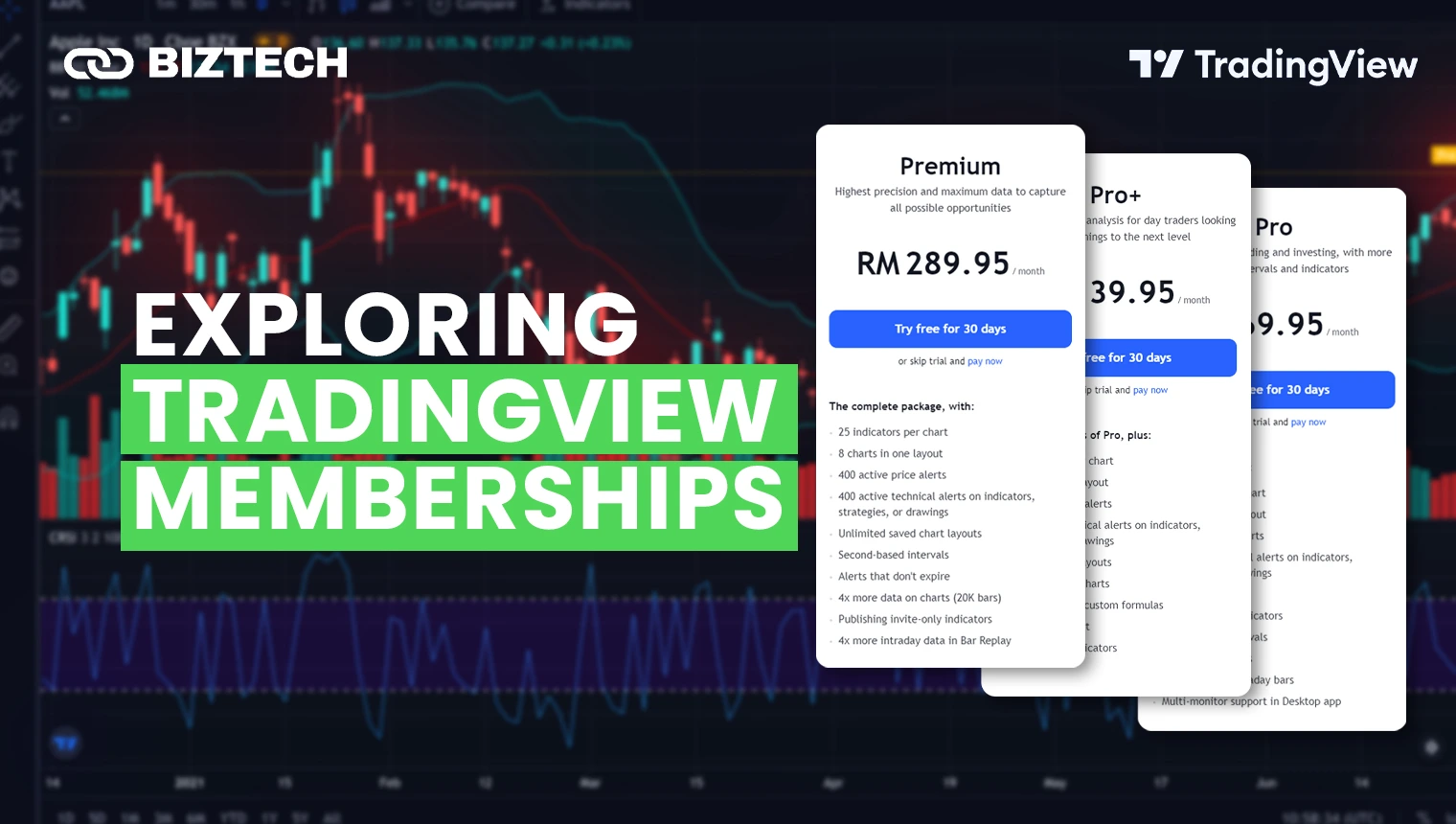
TradingView offers five membership levels to match very different needs: Basic (Free), Essential, Plus, Premium and Ultimate. Monthly costs range from $0 to $199.95, and paying annually trims the effective monthly rate on every paid tier. Each step up unlocks progressively more powerful tools.
Free vs. Paid: Which should you choose?
The free Basic plan includes a solid range of chart types, timeframes, drawing tools and indicators — enough for many casual traders. Its main limits are one chart per tab, two indicators, only three price alerts, ads, and delayed data on many exchanges. Upgrading to any paid plan removes ads, expands screeners and alerts, and unlocks deeper history and features.
The Plus plan (formerly Pro+) is the popular sweet spot for active traders at $29.95/month (or $24.95 billed annually), adding four charts per layout, 10 indicators per chart and 100 alerts. Essential suits lighter users, while Premium and Ultimate target professionals who need second-based intervals, 8–16 charts per tab and hundreds to a thousand alerts.
Your choice comes down to how actively you trade. The free plan is fine for beginners; the paid tiers pay off once more indicators, cleaner layouts and reliable server-side alerts start saving you real time and missed moves.
Detailed comparison of the paid plans
- Essential ($14.95/mo) — the entry paid tier: 2 charts per tab, 5 indicators per chart, 20 price alerts, ad-free, with volume profile and custom timeframes.
- Plus ($29.95/mo) — built for active traders: 4 charts per tab, 10 indicators, 100 alerts, and intraday tools like volume footprint.
- Premium ($59.95/mo) — for power users: 8 charts per tab, 25 indicators, 400 alerts, second-based intervals and 20K historical bars.
- Ultimate ($199.95/mo) — the new top tier: 16 charts per tab, 50 indicators, 1,000 alerts, tick-based intervals, 40K historical bars and first-priority support. It is also the only plan eligible for professional market-data use.
Across all tiers you get access to more than 3.5 million instruments worldwide, secure payments (cards, PayPal, Apple Pay and crypto), and the freedom to cancel anytime — with annual-plan refunds available within 14 days.
What’s New in TradingView for 2026
TradingView’s big 2026 story is AI. The AI Chart Copilot beta lets you interrogate a chart in plain language, automate routine chart tasks, and batch-create or clean up alerts. Alongside it, AI news summaries surface market-moving filings within minutes, and AI document summaries turn dense 10-Ks and earnings transcripts into quick reads.
Beyond AI, the Pine Screener (2025) brought custom Pine Script logic into screening, exchange and data coverage kept expanding toward 3.5 million+ instruments, and the mobile and desktop apps gained further syncing and widget improvements. The through-line is the same as ever: deliver fast, reliable, real-time analysis that helps traders act quickly — now with a layer of automation on top.
Cross-platform Accessibility
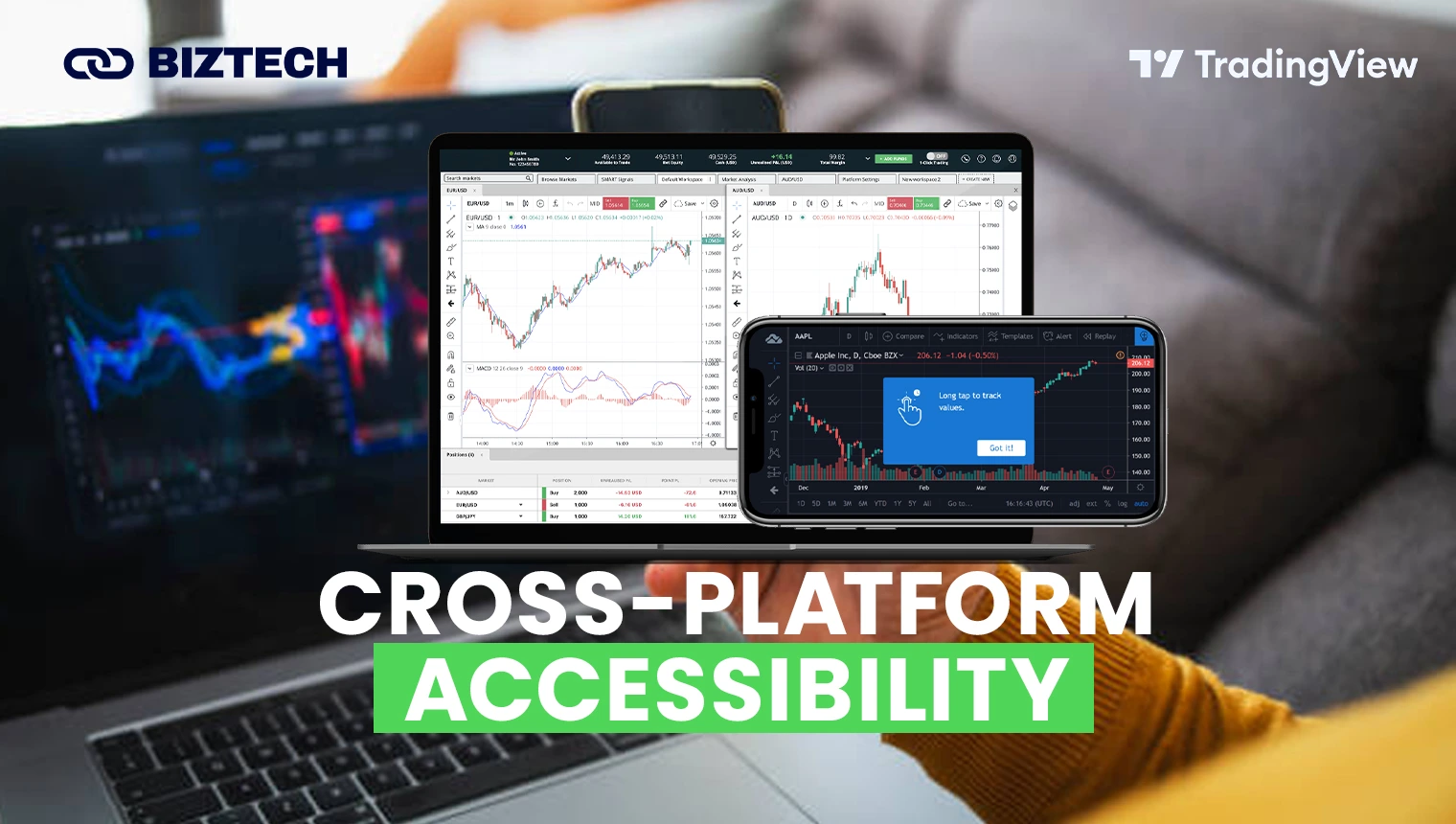
Cross-platform access is central to the TradingView experience. Your account, charts and tools follow you to any device with an internet connection, fully synced.
TradingView Web & Desktop: Advantages and Disadvantages
The web platform offers broad market access and a clean, modern interface that suits beginners and pros alike, backed by excellent analysis tools. The dedicated desktop app adds native multi-monitor support and symbol-linked tabs for serious multi-chart setups. The main trade-off: TradingView is primarily an analysis platform, so order-entry depth is lighter than a purpose-built execution terminal like MetaTrader.
TradingView Mobile App: Advantages and Disadvantages
The mobile app is fully synced with your desktop layouts and supports direct broker integration, native push alerts, custom Pine Script indicators and home-screen widgets. The trade-off is screen size: complex multi-chart analysis and fine-grained drawing are simply easier on desktop, so most traders use mobile for monitoring and alerts, and desktop for deep work.
How to Choose the Right TradingView Plan
Rather than defaulting to the most expensive tier, match the plan to how you actually trade:
- Just exploring? Start on Basic (Free). It is enough to learn the interface, build watchlists and follow the community.
- Trade a few times a week? Essential removes ads and gives you a second chart and more alerts — the cheapest way to shed the free-tier friction.
- Active swing or day trader? Plus is the popular sweet spot: four charts, 10 indicators and 100 alerts cover most workflows.
- Multi-chart power user? Premium unlocks second-based intervals, eight charts and 400 alerts.
- Professional / full-time? Ultimate adds tick data, 16 charts and 1,000 alerts — and is the only tier for professional data use.
Two money-savers: always compare the annual price (it can cut 13–20% off), and start on a free trial so you can feel the difference before you pay. You can upgrade later with no lost value — remaining days convert across.
Common Mistakes to Avoid
- Overpaying on day one. Most beginners don’t need Premium or Ultimate. Start low and upgrade only when you hit a real limit.
- Forgetting the data add-on. Real-time exchange data (e.g., NASDAQ, NYSE) is billed separately from your plan — budget for it if you need live prices.
- Treating TradingView as a broker. It is a charting layer, not a broker. You still need a broker account to execute, and execution can lag the broker’s own app.
- Leaning on one indicator. Even the Technical Ratings tool is a signal, not gospel. Combine indicators with price action and risk management.
- Expecting the AI Copilot to trade for you. It is a beta assistant for analysis and alerts — not an automated strategy.
TradingView for Malaysia & Singapore Traders
TradingView works well in the region, with a few local nuances worth knowing:
- Data: SGX (Singapore Exchange) real-time data is available as a paid add-on. Bursa Malaysia (MYX) symbols are on TradingView for charting, but real-time Bursa data is limited, so quotes are often delayed — fine for analysis, less so for split-second entries.
- Execution: Pair TradingView with a broker that integrates directly. Interactive Brokers is widely rated the best TradingView broker for Malaysia in 2026 and now offers access to Bursa Malaysia (MYR-denominated equities and ETFs with automatic FX). Around 120 brokers integrate globally, including OANDA, FOREX.com and tastytrade.
- Currency: Subscriptions are billed in USD, so expect card FX and possible foreign-transaction fees. Compare the ringgit/SGD cost after conversion.
- Local platforms: For Bursa execution and CDS accounts, you’ll still use a local broker — see our guides to share trading platforms in Malaysia and the best forex brokers in Malaysia.
Pros and Cons of TradingView
In 2026, TradingView is a reliable, versatile platform used by more than 100 million people worldwide. Here is our honest balance sheet.
✅ Key advantages
- Best-in-class charting: 400+ indicators, 110+ drawing tools and highly customisable charts make deep technical analysis fast and flexible.
- Huge market coverage: 3.5 million+ instruments across 150+ exchanges, with global real-time alerts.
- Strong free tier + fair paid pricing: a genuinely usable free plan, and paid tiers that scale sensibly from $14.95/month.
- Community & education: millions of shared ideas and scripts to learn from and build on.
- Broker integration & paper trading: connect ~120 brokers to trade from the chart, and practise risk-free first.
❌ Limitations and drawbacks
- Real-time data costs extra: live exchange feeds are add-ons on top of your subscription.
- Not a standalone broker: you still need a broker account, and integrated execution can freeze or lag the broker’s native app — scalpers may prefer MT5 or the broker app.
- No built-in trade journal: there’s no native performance-analytics journal.
- AI Copilot is still beta: it runs as a separate Chrome extension and can be slow.
- Interface can get cluttered: pile on tools and the workspace fills up (though unused panels are easy to hide).
Final Word: Is TradingView the Right Platform for You?
Whether TradingView fits depends on how you trade. Weigh these five factors:
1. Price/value: The free plan suits casual and new traders; active traders get real returns from Plus or Premium. Always check the annual price and use the free trial first.
2. Range of tools: If you lean heavily on technical analysis, TradingView’s indicators, drawing tools and Pine Script are hard to beat.
3. Flexibility: As a synced web/desktop/mobile platform, it’s ideal if you trade across devices and locations.
4. Execution: Only ~120 brokers integrate, and execution can lag a broker’s native app — if you want research and execution in one place, confirm your broker is supported.
5. Security: Payments are encrypted and handled by trusted processors, with crypto and card options and cancel-anytime billing.
For most retail traders in Malaysia, Singapore and beyond, TradingView remains the default charting choice in 2026 — start free, then upgrade only when you hit a wall. New to markets? Build the basics first with our guide on how to invest in stocks.
Frequently Asked Questions (FAQs)
Disclaimer: This TradingView review is provided by KayaToday for general information and educational purposes only and does not constitute financial, investment or trading advice. Features and pricing were verified in July 2026 and can change — always confirm current details on TradingView’s official website before subscribing. Trading involves risk; do your own research and consider your circumstances before making any decision.