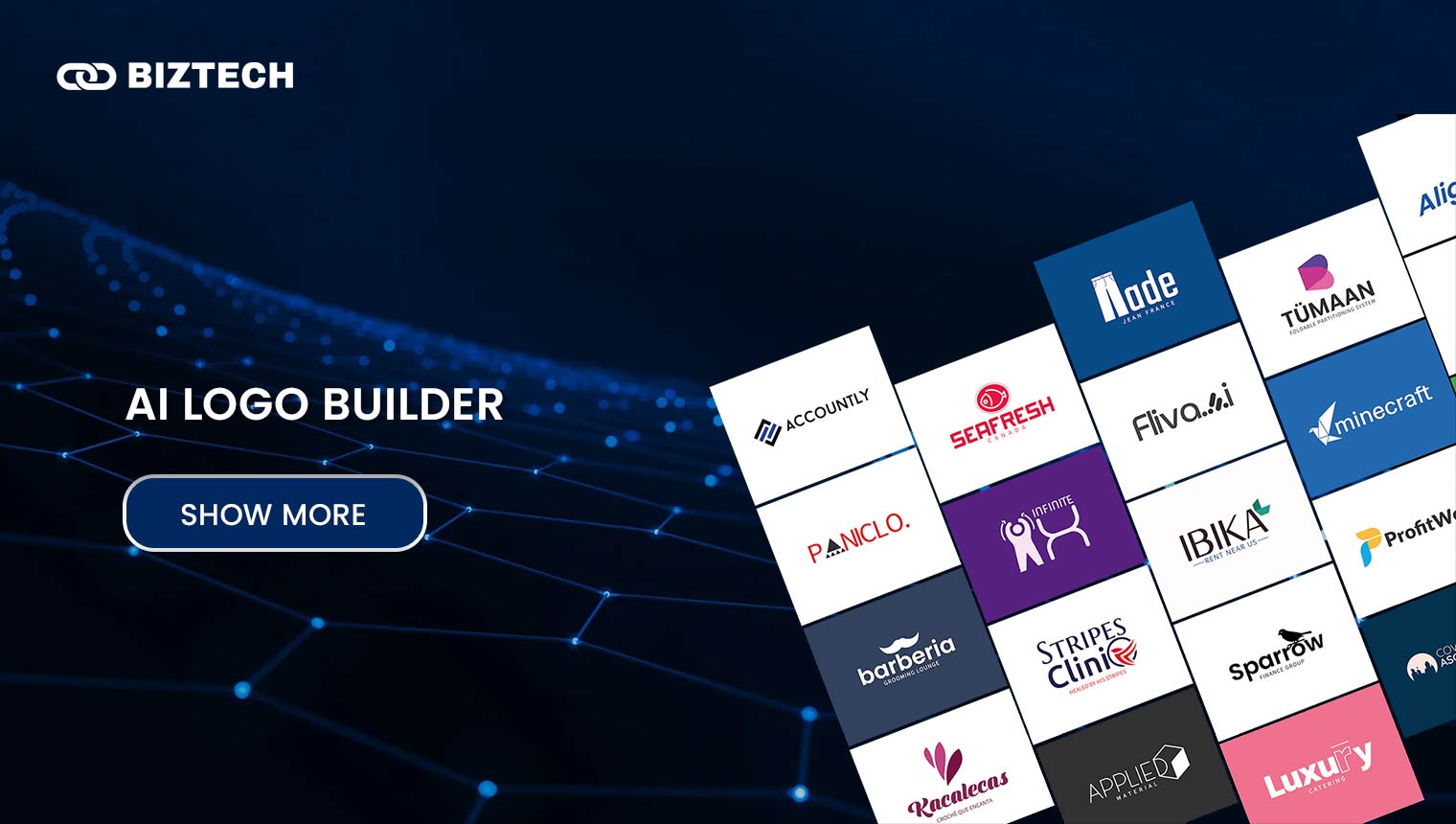
Artificial intelligence has reshaped graphic design, and logo creation is one of the areas it has changed most. A good AI logo builder can turn your business name and a few prompts into a polished, professional logo in seconds — no designer, no Illustrator, and no four-figure invoice required.
- Why Your Logo Matters for Branding
- What Is an AI Logo Builder?
- How AI Logo Builder Pricing Actually Works
- How to Choose the Best AI Logo Builder
- Comparison Table of the 10 Best AI Logo Builders (2026)
- 1. LogoMaker
- 2. Looka
- 3. Shopify Logo Maker (formerly Hatchful)
- 4. Designhill
- 5. Tailor Brands
- 6. Brandmark
- 7. Logaster
- 8. Canva
- 9. Wix Logo Maker
- 10. Placeit
- Other AI Logo Tools Worth Knowing in 2026
- Common Logo-Building Mistakes to Avoid
- For Malaysia & Singapore Users
- Final Thoughts
- Frequently Asked Questions
These tools use generative AI and machine learning to produce unique logo concepts from minimal input, which has made branding accessible to small businesses, startups, side hustles, and solo creators across Malaysia, Singapore, and beyond. In this guide we compare the 10 best AI logo builders for 2026, with verified pricing, an honest look at what each one does well, a decision framework to help you choose, and the pitfalls to avoid before you pay.
All pricing verified June 2026 in USD. Most of these tools bill in US dollars and update their plans often, so always confirm the current price on the provider’s own checkout before you buy.
Why Your Logo Matters for Branding
A logo is more than a graphic — it is the face of your brand and usually the first thing people remember about you. It signals your identity, values, and professionalism in a single glance, and it does a lot of quiet work building recognition and trust every time a customer sees it on your storefront, website, invoice, or social feed.
For a small business or new venture, a clean, consistent logo is one of the cheapest credibility upgrades you can make. The good news in 2026 is that “cheap” no longer means “cheap-looking” — AI tools now produce marks that genuinely hold up next to agency work, provided you choose the right tool and the right file formats.
What Is an AI Logo Builder?
An AI logo builder is a tool that uses algorithms and machine learning to generate logos from simple inputs — typically your business name, industry, a few style preferences, and a colour direction. The tool returns several concepts in seconds, and you refine the font, icon, colour, and layout until you are happy.
There are two broad approaches in 2026. Template-and-assembly tools (Looka, Tailor Brands, Wix, Designhill, LogoMaker, Logaster, Shopify, Placeit) combine curated icon libraries, fonts, and smart layout suggestions — reliable, editable, and print-ready. Generative image models (the logo features inside ChatGPT’s GPT Image, Ideogram, and Canva’s Magic Studio) create artwork from a text description, which is great for unusual, illustrative ideas but can struggle with crisp vector output and readable lettering. The strongest workflow often mixes the two: brainstorm a concept with a generative model, then rebuild it cleanly in a template-based maker that exports proper vector files.
How AI Logo Builder Pricing Actually Works
Almost every tool here lets you design for free and only charges when you download. That “free logo maker” headline is real, but the usable, high-resolution, commercially-licensed files sit behind a paywall. Before you fall in love with a preview, it pays to understand the three pricing models you’ll meet:
One-time purchase (LogoMaker, Looka’s logo packages, Designhill, Brandmark, Wix): you pay once for the files. Best if you just need a logo and nothing else.
Annual or monthly subscription (Tailor Brands, Placeit, Canva, Looka’s Brand Kit): you keep paying for ongoing access to brand assets, social templates, or a website. Best if you want a whole branding system, not just a single mark — but cancel and you may lose access to the extras.
Genuinely free (Shopify Logo Maker, the free tiers of Canva and Wix): great for a quick mark, usually with limited file formats or resolution.
The single most important thing to check before paying: does the plan include vector files (SVG or EPS) and full commercial rights? A PNG-only logo will look fuzzy the moment you scale it up for signage or merchandise.
How to Choose the Best AI Logo Builder
Weigh these factors against what you actually need:
Ease of use: Can a complete beginner get to a usable logo without a tutorial? Most of these can, but some (like Designhill’s fuller suite) have a steeper learning curve.
Customisation: How much control do you have over fonts, icons, colours, spacing, and layout after the AI’s first draft?
Output quality and file formats: Look specifically for vector SVG/EPS, transparent PNG, and a black-and-white version. These are what printers, sign-makers, and app stores ask for.
Commercial rights and ownership: Confirm you get full copyright for business use. Free tiers sometimes restrict commercial use or add watermarks.
Price and what’s bundled: A $25 one-time logo and a $129/year brand kit solve very different problems. Match the spend to whether you need one file or an ongoing system.
Comparison Table of the 10 Best AI Logo Builders (2026)
| Design for Free? | Paid From (USD) | Pricing Model | Best For | |
| LogoMaker | Yes | $40 one-time | One-time | Budget high-res + vector files |
| Looka | Yes | $20 one-time / $96 a year | One-time or subscription | Professional logo + full brand kit |
| Shopify Logo Maker (Hatchful) | Yes | Free | Free | Fast, free e-commerce logos |
| Designhill | Yes | $20 one-time | One-time (or design contest) | Template variety + human designer option |
| Tailor Brands | Yes (Lite) | $3.99/mo (annual) | Subscription | All-in-one branding & business setup |
| Brandmark | Yes | $25 one-time | One-time (lifetime access) | No subscriptions, full ownership |
| Logaster | Yes | ~$9.99 one-time | One-time (tiered) | Quick, simple, affordable |
| Canva | Yes | $15/mo ($120/yr) | Freemium / subscription | Logo + everything-else design |
| Wix Logo Maker | Yes | ~$20 one-time | One-time or subscription | Logo bundled with a Wix website |
| Placeit | Preview | $14.95/mo ($89.69/yr) | Subscription | Logos + mockups + huge template library |
Pricing verified June 2026; figures are in USD and exclude local taxes. Confirm the live price at checkout.
1. LogoMaker
LogoMaker is a long-running, beginner-friendly logo tool with a large library of icons and design elements. You add your business name, pick a few preferences, and get usable concepts almost instantly — no design experience needed. It’s a solid pick if you want a clean logo plus proper files without an ongoing subscription.
You can design and experiment for free; you only pay to download. The Professional package is a one-time $40 and includes high-resolution and vector files, while the Premium package at $60 adds a year of unlimited edits and social-media-optimised files. If you later want a website too, expect roughly $14/month on top — so price the bundle, not just the logo.
Pros
- Affordable one-time pricing — no subscription required
- Genuinely easy for first-timers
- Vector files included from the Professional tier up
Cons
- You must pay to download anything usable
- Fewer advanced design controls than premium suites
2. Looka
Looka (which launched as Logojoy back in 2016) is widely regarded as the benchmark AI logo maker in 2026. It blends your preferences with machine learning to produce professional, on-brand concepts, and its editor is friendly enough that beginners get great results. Enter your business name, choose styles you like, and it generates polished options in seconds.
Designing is free. A Basic Logo is a one-time $20 (PNG only), while the Premium Logo at a one-time $65 unlocks vector SVG/EPS files, colour variations, and full copyright ownership — the package most businesses should buy. If you want ongoing assets, the Brand Kit subscription is $96/year (300+ branded templates) and Brand Kit + Web is $129/year (adds an AI-built website). You can confirm the latest tiers on Looka’s pricing page.
Pros
- Professional, agency-grade output
- Easy customisation and strong brand-kit ecosystem
- Full copyright with the Premium logo package
Cons
- Vector files require the $65 tier, not the $20 one
- Popular styles can feel similar across brands
3. Shopify Logo Maker (formerly Hatchful)
Heads-up on a 2026 change: the standalone Hatchful website and mobile app were retired in 2025, and the tool now lives as the free Shopify Logo Maker at shopify.com/tools/logo-maker. The core experience is unchanged — thousands of templates, a few clicks, and a logo built for entrepreneurs, especially e-commerce sellers.
It’s completely free with no hidden costs, and you can download files sized for web and social. The trade-off is limited customisation depth, so it’s best for a quick, no-budget logo or a placeholder you may upgrade later — particularly if you’re already building a Shopify store.
Pros
- Completely free, no upsell to download
- Very fast and beginner-friendly
- Ideal for Shopify and e-commerce brands
Cons
- Limited customisation and file-format options
- Standalone app discontinued — web only now
4. Designhill
Designhill pairs a capable AI logo maker with something most rivals lack: access to a community of human designers through its logo-design contests. The AI side is straightforward — enter your business name, browse generated concepts, customise, and download.
The AI logo packages are now far more accessible than the old contest pricing: Basic is a one-time $20 (a low-resolution 600×600 PNG), Premium is $65 (high-resolution PNG, SVG, EPS vector, and PDF — the one to get), and Enterprise from $125 adds a one-on-one session with a professional designer. If you want fully bespoke work, the separate design-contest route still exists at a higher cost.
Pros
- AI plus an optional human-designer upgrade path
- Premium package includes all key vector formats
- Wide range of industry styles
Cons
- Basic tier is low-resolution PNG only
- Interface is busier than simpler makers
5. Tailor Brands

Tailor Brands is less a logo maker and more an all-in-one brand-and-business platform. Its AI generates a logo in under a minute, then layers on a full branding suite — business cards, social assets, a website builder, even LLC/business-formation help in some markets.
You can design free on the Lite plan, but downloads and the wider suite are subscription-based: Basic is $9.99/month (or $3.99/month billed annually), Standard is $19.99/month ($5.99 annually), and Premium is $49.99/month ($12.99 annually). Logos export as vector EPS, SVG, and PNG, and you keep commercial rights even if you cancel. It’s the best fit when you want a whole brand system rather than a single file.
Pros
- Complete branding suite, not just a logo
- Vector files and retained commercial rights
- Website builder included on paid plans
Cons
- Subscription model — costs add up over time
- Free Lite plan is limited on its own
6. Brandmark
Brandmark is the pick for anyone who hates subscriptions. It uses machine learning to generate coherent, professional logos and gives you real control over fonts, colours, and layout — all on a one-time payment with lifetime access.
The Basic tier is $25 (PNG), Designer is $65 and adds source files, a brand style guide, business cards, social graphics, app icons, and letterheads, while Enterprise at $175 includes up to 10 original concepts crafted by Brandmark’s design team. Every package comes with full copyright and unlimited lifetime editing and re-downloads.
Pros
- One-time payment, no recurring fees
- Strong customisation and a full brand guide on the Designer tier
- Lifetime editing and full ownership
Cons
- Free preview is limited until you pay
- Top tier is pricier than a basic one-time logo
7. Logaster
Logaster is one of the simplest and most affordable tools here. The interface is clean, a logo takes barely two minutes, and there’s a full branding suite for business cards, letterheads, and social assets alongside the logo maker.
You can create and download a small-size logo for free with no watermark. Paid tiers are priced by download resolution and file formats — roughly from ~$9.99 for a single small format up to around $50–$65 for a full pack with vector files and a social-media kit. Logaster’s exact tiers vary by region and currency, so verify the current price at checkout.
Pros
- Free, watermark-free small logo
- Very fast and easy to use
- Affordable full-branding add-ons
Cons
- Limited advanced customisation
- Tier pricing varies and can be confusing
8. Canva
Canva remains the most versatile option — a logo maker bolted onto a full design platform. Its Magic Studio AI now generates logo concepts from a text prompt, and the drag-and-drop editor makes refining them effortless. The real advantage is everything around the logo: once you’ve made it, you can build matching social posts, decks, flyers, and more in the same place.
The Free plan covers basic logo creation. Canva Pro is $15/month billed monthly, or $120/year (about $10/month) — unlocking premium elements, background removal, and brand-kit tools. Canva frequently runs introductory discounts for new users, so check for a promo before subscribing. One caveat: because logos start from shared templates, take time to customise so yours doesn’t resemble another Canva user’s.
Pros
- Hugely versatile — logo plus all your other design needs
- Free plan is genuinely useful
- Beginner-friendly drag-and-drop editor
Cons
- Template-based logos need real customisation to stay unique
- Not a dedicated logo specialist
9. Wix Logo Maker
Wix Logo Maker is part of the Wix ecosystem and shines when you want a logo and a website from one place. The AI builds customisable concepts based on your answers, and the logo drops straight into a Wix site if you build one.
Creation and customisation are free, and you can even download a basic version at no cost. For high-resolution and commercial-use files, one-time plans start around $20 (Basic PNG), step up to roughly $49 for resizable SVG files, and a Brand/Deluxe tier around $24/month bundles a brand kit, unlimited downloads, business cards, and a matching website. It’s most cost-effective if you’re already committing to Wix for hosting.
Pros
- Seamless logo-to-website workflow
- Free basic download available
- High-quality, industry-flexible designs
Cons
- Best value only if you use Wix hosting
- Premium brand features get pricey
10. Placeit
Placeit, owned by Envato, is a simple, template-driven maker wrapped inside a giant creative library. Beyond logos you get mockups, video templates, and social designs — handy if you want one subscription to cover lots of brand assets, including T-shirt and product mockups.
There’s a free preview, but downloads require a subscription: $14.95/month or $89.69/year (about $7.47/month) for unlimited access to the whole library. It’s great value if you’ll use the wider catalogue, and less so if you only need a single logo file — in that case a one-time tool like Brandmark or LogoMaker is cheaper.
Pros
- Huge template and mockup library
- One subscription unlocks everything
- Very easy to use
Cons
- Subscription-only downloads
- Overkill if you just need one logo
Other AI Logo Tools Worth Knowing in 2026
The 10 above are the safest all-rounders, but a few newer options are worth a look depending on your needs:
LOGO.com — consistently rated the best free starting point in 2026, with a generous no-cost experience and a smooth path to a website and brand assets.
Ideogram — the standout when you need readable text or lettering inside the logo. Its latest models lead on text rendering, where most image generators stumble; paid plans start around $7/month.
ChatGPT (GPT Image) and Microsoft Designer — general generative tools that can sketch creative logo ideas from a prompt. Treat their output as inspiration rather than a final file, since they rarely export clean vectors. For a polished, scalable result, rebuild the concept in one of the template-based makers above.
Common Logo-Building Mistakes to Avoid
Paying before checking the file formats. If the plan doesn’t include vector SVG or EPS, your logo will pixelate on signage and merchandise. Confirm formats before you click buy.
Skipping the commercial-rights fine print. Some free tiers limit business use or watermark the output. Make sure you own full copyright for commercial purposes.
Accepting the first template unedited. AI starts from shared templates, so an uncustomised logo can look like a hundred others. Change the icon, spacing, and colour to make it yours.
Forgetting a trademark check. An AI logo doesn’t guarantee uniqueness. Before you commit, search existing brands and your local trademark register so you don’t build on a name or mark someone already owns.
Buying a subscription for a one-off job. If you only need a single logo, a one-time tool (Brandmark, LogoMaker, Looka’s logo package) is cheaper than an ongoing plan.
For Malaysia & Singapore Users
Nearly all of these tools bill in US dollars, so your final cost depends on the MYR/SGD exchange rate at checkout, plus any card foreign-transaction fee. Watch for local consumption tax too: Malaysia’s SST (currently 8% on many digital services) and Singapore’s GST (9%) can be added to imported digital services, so the figure you pay may be a little above the sticker price.
For payment, most accept international Visa/Mastercard; some MY/SG users prefer a multi-currency card to soften FX fees. And once your logo is final, protect it — you can register a trademark with MyIPO in Malaysia or IPOS in Singapore. If you’d rather have a human refine your AI draft, local freelancers on platforms like Fiverr or designers in KL, Penang, JB, and Singapore can polish the files affordably. For matching marketing assets afterwards, our guides to the best free graphic design apps and best AI marketing tools are good next reads.
Final Thoughts
The right AI logo builder depends on your needs, taste, and budget. Want a quick, free mark? Try Shopify Logo Maker or the free tiers of Canva and Wix. Need professional files without a subscription? Looka’s Premium package or Brandmark are excellent one-time buys. Building a whole brand system? Tailor Brands or Looka’s Brand Kit make sense. And if readable text in the logo matters, look at Ideogram.
Whichever you choose, the principle is the same: design for free, but only pay for a plan that gives you vector files and full commercial rights — that’s what turns a nice preview into a logo you can actually use everywhere. A strong, consistent logo is one of the highest-return, lowest-cost investments a new business can make.
For more AI tools to build your brand and content, see our roundups of the best AI image generators, best AI text generators, and the best landing page builders for your new website.
Read also: The Best AI Video Generator
Frequently Asked Questions
Pricing and features were verified in June 2026 and can change at any time — always confirm the current plan, file formats, and licensing on the provider’s own website before purchasing.
Disclaimer: This article is provided by KayaToday for general informational purposes only and does not constitute professional design, legal, or financial advice. KayaToday is not affiliated with the tools listed and may not be liable for decisions made based on this content. Verify pricing, licensing, and trademark availability independently before committing to any platform.