
Artificial intelligence has completely changed how videos get made. In 2024, “AI video” mostly meant stock-footage editors and talking-head avatars. By 2026, a single text prompt can generate a cinematic clip with synchronised dialogue, realistic motion, and 4K output. The pace has been dizzying, and not every tool has survived it, OpenAI’s high-profile Sora app was shut down in April 2026, while brand-new models from Google, Runway, and Kling now lead the pack.
- What Is an AI Video Generator?
- How AI Video Generators Changed Since 2024
- Best AI Video Generators in 2026 at a Glance
- Best Generative (Text & Image-to-Video) AI Generators
- 1. Google Veo 3.1 (via Google Flow)
- 2. Runway (Gen-4 / Gen-4.5)
- 3. Kling 3.0
- 4. Luma Dream Machine (Ray 3)
- 5. Pika
- Honourable mention: Hailuo AI (MiniMax)
- Best AI Avatar & Presenter Generators
- 6. Synthesia
- 7. DeepBrain AI (AI Studios)
- Best AI Video Editing & Repurposing Tools
- 8. InVideo AI
- 9. Veed.io
- 10. Pictory
- 11. Opus Clip
- 12. Lumen5
- 13. Wondershare Filmora
- What Happened to Sora, Magisto & Other 2024 Favourites
- How to Choose the Right AI Video Generator
- Common Mistakes to Avoid
- AI Video Generators in Malaysia & Singapore
- How To Make Money With AI Video Generators
- 1. Content Creation for Social Media
- 2. Online Courses and Educational Content
- 3. Stock Footage and Assets
- 4. Marketing and Advertising Services
- Frequently Asked Questions
- Conclusion
I have tested dozens of these tools for YouTube, TikTok, Instagram Reels, product ads, and training videos. Some are genuinely magical; others still cap you at 720p or bury the good features behind confusing credit systems. In this guide I share the best AI video generators in 2026, grouped by what they actually do, so you can match a tool to your goal instead of chasing hype.
Whether you want to turn a script into a finished video, spin up a multilingual avatar presenter, or repurpose a long podcast into viral shorts, there is a tool below for you, and near the end we cover how to make money with them.
What Is an AI Video Generator?
An AI video generator is a tool that uses artificial intelligence, deep learning, computer vision, and now large generative models, to create, enhance, or edit video with minimal manual work. Instead of dragging clips on a timeline for hours, you give the AI an input (a text prompt, an image, a blog post, or raw footage) and it produces a video.
By 2026 these tools fall into three broad families, and knowing the difference saves you a lot of wasted subscription money:
- Generative (text/image-to-video) models, such as Google Veo, Runway, Kling, Luma, and Pika, invent brand-new footage from a prompt or a still image. Best for cinematic b-roll, ads, music videos, and concept scenes.
- AI avatar & presenter tools, such as Synthesia and DeepBrain AI Studios, turn a script into a realistic digital presenter speaking dozens of languages. Best for training, explainers, and corporate communication.
- AI editing & repurposing tools, such as InVideo AI, Veed.io, Pictory, Opus Clip, Lumen5, and Filmora, assemble, caption, trim, and polish real footage or stock. Best for social media, marketing, and content repurposing.
How AI Video Generators Changed Since 2024
If you last looked at this space a year or two ago, almost everything has moved. The biggest shift is the arrival of true generative video with sound. Google’s Veo 3.1 now produces 4K clips with native 48kHz synchronised dialogue, not just background effects, and it leads most 2026 benchmarks on prompt adherence. Runway jumped to Gen-4/Gen-4.5 with reference-driven character consistency, and China’s Kling 3.0 (built by Kuaishou) delivers premium cinematic quality at roughly $0.10 per second, the cheapest of the top-tier models.
The other big story is a casualty. OpenAI discontinued Sora: the web and app experiences closed on 26 April 2026, and the API is scheduled to shut down on 24 September 2026. Reports point to unsustainable costs (around $1 million a day) and mounting copyright and deepfake problems. Many “best of 2026” listicles still rank Sora #1, do not subscribe to anything that bundles Sora as its headline feature without checking it still works. We cover the alternatives below.
Meanwhile, some 2024 favourites have quietly faded. Magisto, acquired by Vimeo and folded into Vimeo Create, lost its Vimeo integration at the end of 2024, and Vimeo itself was bought by Bending Spoons in late 2025 and cut most of its staff in January 2026. We have dropped Magisto from this year’s list and replaced it with tools that are actively developed.
Best AI Video Generators in 2026 at a Glance
Here is a quick comparison of our top picks. Prices are the cheapest meaningful paid tier and were verified in July 2026, always confirm live with the provider, as AI pricing changes fast.
| Tool | Type | Best For | Free Tier | Paid From (2026) |
| Google Veo 3.1 (Flow) | Generative | Cinematic clips with real audio | Limited trials | $19.99/mo (AI Pro); full via Ultra $249.99/mo |
| Runway Gen-4.5 | Generative | Pro creative control | 125 one-time credits | $12/mo (annual) |
| Kling 3.0 | Generative | Premium quality on a budget | 66 daily credits | ~$6.99/mo |
| Luma Dream Machine | Generative | Fast, affordable social clips | Daily free credits | $9.99/mo |
| Pika | Generative | Playful effects & short clips | Yes (limited) | $8/mo (annual) |
| Hailuo (MiniMax) | Generative | Cheap native 1080p | 2,000 free credits | $9.99/mo |
| Synthesia | Avatar | Multilingual training videos | ~3 min/mo | $18/mo (annual) |
| DeepBrain AI Studios | Avatar | Avatar videos + dubbing | 3 videos/mo | $24/mo |
| InVideo AI | Editing | Script-to-video with stock | Yes (watermark) | $20/mo (annual) |
| Veed.io | Editing | Browser editing & subtitles | Yes (watermark) | $12/user/mo |
| Pictory | Editing | Blog/article-to-video | Free trial | $14/mo (annual) |
| Opus Clip | Editing | Long video to viral shorts | 60 min/mo | $15/mo |
| Lumen5 | Editing | Simple blog-to-video | 5 videos/mo | $19/mo |
| Wondershare Filmora | Editing | Beginner timeline editing | Yes (watermark) | $49.99/yr or $99.99 once |
Best Generative (Text & Image-to-Video) AI Generators
These are the models that invent brand-new footage from a prompt or a single image. This is where the 2024-to-2026 leap is most obvious, and where most of the excitement lives.
1. Google Veo 3.1 (via Google Flow)
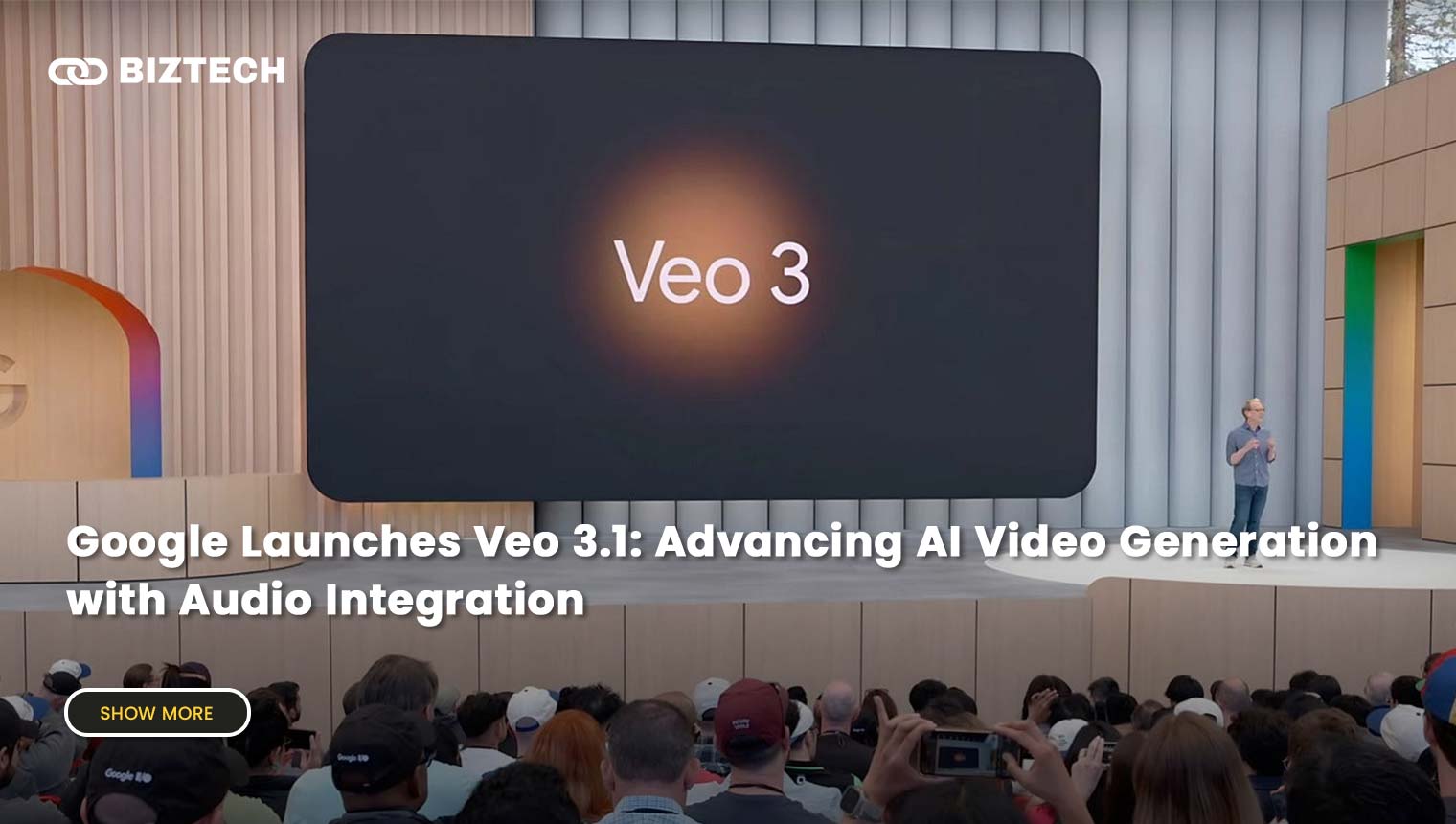
Veo 3.1 is, for most people, the best AI video generator in 2026. It leads on prompt adherence, generates in 4K in both landscape and portrait, and is currently the only major model producing 48kHz synchronised dialogue rather than just sound effects. You access it through Google Flow (Google’s AI filmmaking interface) or the Gemini app. It excels at establishing shots, narrative scenes, and ads that need to feel real.
The catch is access. A 10-second Veo clip burns a lot of credits, so the full, highest-quality experience really lives on the pricey Google AI Ultra tier. If you only need occasional clips, start with AI Pro and generate in Flow.
Google Veo Pricing
- Google AI Pro, $19.99/month, credits usable on Veo in Flow (limited volume; some features are Veo 2 / Fast)
- Google AI Ultra, $249.99/month, full Veo 3.1, 4K, highest limits, Flow, and Gemini flagship access
- Vertex AI / API, roughly $0.03–$0.60 per second for developers
Pros
- Best-in-class realism and prompt following
- Native synchronised dialogue and audio
- 4K landscape and portrait output
Cons
- Full quality needs the expensive Ultra plan
- Credits deplete quickly on long clips
- Some perks are US-only
2. Runway (Gen-4 / Gen-4.5)

Runway remains the professional’s favourite when you need control rather than just a one-shot prompt. Gen-4 and Gen-4.5 add reference-driven character consistency (keep the same character across shots), plus camera moves, a motion brush, and a full suite of AI editing features. For teams that want production control as much as raw model quality, this is the safest pick in 2026.
It has a learning curve, and credits for Gen-4.5 video are pricier than Turbo modes, but the creative ceiling is high. You can pair it with an AI image generator to create reference frames first, then animate them.
Runway Pricing
- Free, 125 one-time credits, limited features
- Standard, $12/user/month (annual), 625 credits/month
- Pro, $28/user/month, 2,250 credits/month
- Max, $76/user/month, 9,500 credits/month
- Enterprise, custom pricing (20% off all annual plans)
Pros
- Granular creative control and consistency
- Deep toolkit beyond generation
- Reasonable entry price
Cons
- Steeper learning curve for beginners
- Gen-4.5 credits burn fast
3. Kling 3.0
Kling, made by Kuaishou, is the value champion of premium generative video. Version 3.0 matches Veo on cinematic lighting and complex motion (hair, liquids, fabric) and adds a multi-shot storyboard mode with audio sync across cuts, all at roughly $0.10 per second, the cheapest of the flagship models. If you want near-top quality without the Google Ultra price tag, start here.
Be aware there is no credit rollover, monthly credits expire, so plan your generations. Introductory discounts often apply only to the first billing period.
Kling AI Pricing
- Free, 66 daily credits (expire after 24 hours)
- Standard, from ~$6.99–$10/month, ~660 credits/month
- Pro, ~$25.99–$37/month, ~3,000 credits/month
- Premier, ~$64.99–$92/month, ~8,000 credits/month
- Ultra, ~$127.99–$180/month, ~26,000 credits/month (annual saves up to ~34%)
Pros
- Flagship quality at the lowest cost
- Excellent motion and multi-shot mode
- Generous free daily credits
Cons
- No credit rollover
- Intro pricing can jump after month one
4. Luma Dream Machine (Ray 3)
Luma’s Dream Machine, now powered by the Ray 3 model line, is a fast, affordable way to make eye-catching social clips. The January 2026 Ray 3.14 update brought native 1080p, 4x faster generation, and cheaper 720p output. It is a favourite for quick image-to-video animations and stylised motion, and the free tier lets you experiment before paying.
Luma Pricing
- Free, limited daily credits
- Lite, $9.99/month
- Plus, $29.99/month
- Unlimited, $94.99/month (newer “Luma Agents” tiers run $30–$300/month)
Pros
- Fast and affordable
- Great for image-to-video
- Easy, friendly interface
Cons
- Less photoreal than Veo/Kling on complex scenes
- Product line-up (Dream Machine vs Agents) can confuse
5. Pika
Pika is the playful option, known for fun “Pikaffects” and quick, stylised clips that do well on TikTok and Reels. It is affordable, beginner-friendly, and improving quickly. It won’t out-render Veo on realism, but for creative, meme-friendly content it is a joy to use.
Pika Pricing
- Free, limited credits
- Standard, $8/month (annual), 700 credits/month
- Pro, $28/month (annual), 2,300 credits/month
- Fancy, $76/month (annual), 6,000 credits/month
Pros
- Fun effects and low entry price
- Fast generations
- Beginner-friendly
Cons
- Not the most realistic output
- Credits expire monthly
Honourable mention: Hailuo AI (MiniMax)
Hailuo, from MiniMax, punches above its price. It offers native 1080p from as little as $9.99/month, 2,000 free credits for new users, and the Hailuo 2.3 model handles complex motion well. It is a strong budget alternative if Kling’s credits run out.
Best AI Avatar & Presenter Generators
Need a human presenter reading your script in 30+ languages, without a camera, studio, or actor? These avatar tools are built for training, onboarding, explainers, and corporate video.
6. Synthesia
Synthesia is still the leading AI avatar platform. Type a script, pick from 180+ avatars, and get a realistic presenter narrating in 140+ languages, ideal for corporate training, how-to videos, and multilingual marketing. Recent avatars are noticeably more expressive than the stiff 2024 versions, though they still can’t fully match a human actor’s emotional range.
Synthesia Pricing
- Free, ~3 minutes of video/month
- Starter, $29/month or $18/month billed annually, 10 min/month, 125+ avatars
- Creator, $89/month or $64/month billed annually, 30 min/month, 180+ avatars, API access
- Enterprise, custom pricing (SCORM export, 1-click translation)
Pros
- Realistic multilingual avatars
- Very easy script-to-video workflow
- Great for training and e-learning
Cons
- Monthly minute caps
- Premium “Studio” avatars cost extra
7. DeepBrain AI (AI Studios)

DeepBrain’s platform, now branded AI Studios, is Synthesia’s main rival. It offers realistic lip-synced avatars, text-to-speech, and AI dubbing across 80+ languages, and it now bundles access to premium generative models on paid tiers. It is well suited to businesses that need virtual presenters plus translation/dubbing in one place.
DeepBrain AI Studios Pricing
- Free, 3 videos/month (up to 3 min each), 720p
- Personal, $24/month (~$19.20 annual), unlimited videos up to 30 min, 1080p, 60 generative credits
- Team, $55/seat/month, 4K, shared workspaces, more dubbing minutes
- Enterprise, custom pricing
Pros
- Realistic lip-sync and dubbing
- Unlimited videos on paid tiers
- Multilingual support
Cons
- Interface can feel technical
- Higher tiers get pricey
Best AI Video Editing & Repurposing Tools
These tools don’t invent footage from scratch, they help you assemble, caption, trim, and repurpose real or stock video quickly. For most social media and marketing work, these save the most time day to day. Pair them with an AI voice generator for narration and an AI text generator for scripts.
8. InVideo AI

InVideo has evolved into InVideo AI, give it a text prompt and it writes a script, adds stock footage, voiceover, captions, and music into a finished video you can refine by chatting with the AI. Its Generative tier even bundles premium models. It is one of the easiest ways to go from idea to full video, great for faceless YouTube and marketing content.
InVideo AI Pricing
- Free, ~10 AI minutes/week, watermarked
- Plus, $25/month ($20 annual), 50 AI minutes/month, no watermark
- Max, $60/month ($48 annual), 200 AI minutes/month
- Generative, $120/month, bundles premium models (note: Sora access is sunsetting, verify what’s included)
Pros
- Prompt-to-full-video in minutes
- Huge stock library and voiceovers
- Edit by chatting with the AI
Cons
- Separate credit pools trip up heavy users
- Free tier is watermarked
9. Veed.io

Veed.io is a browser-based editor with excellent auto-subtitles, translation, background removal, and AI avatars. It works on any device with no install, and it is a reliable all-rounder for social media teams and creators who want fast, engaging edits.
Veed.io Pricing
- Free, watermarked, up to 10-min videos, 30 subtitle minutes/month
- Basic, $12/user/month, 720p, no watermark, 100 subtitle minutes/month
- Pro, $25/user/month, 1080p, unlimited subtitles, AI avatars, brand kit
- Business, $70/user/month (annual billing saves up to ~51%)
Pros
- Works anywhere in a browser
- Excellent subtitles and translation
- Beginner-friendly
Cons
- Needs a stable internet connection
- Best features are on higher tiers
10. Pictory

Pictory turns blog posts, articles, and scripts into videos with stock footage, AI voiceover, and auto-captions. Paste a URL or text and you get a shareable video in minutes, perfect for repurposing written content and for content marketers who publish a lot.
Pictory Pricing
- Free trial available
- Starter, $23/month ($14 annual), 30 videos/month, up to 10 min each
- Professional, $47/month ($29 annual), 600 video minutes
- Teams, $119/month ($79 annual), 1,800 minutes, advanced branding
Pros
- Fast article-to-video
- Large Shutterstock/Getty library
- Good for repurposing
Cons
- Limited fine-grained customisation
- Output can look templated
11. Opus Clip

Opus Clip is the king of repurposing. Paste a long YouTube video or podcast and it finds the most viral moments, adds animated captions, reframes to vertical, and gives each clip a “virality score”, ready for TikTok, Reels, and Shorts. I use it constantly to turn long content into a week of shorts.
One thing to watch: one credit equals one minute of source video processed, so a 60-minute podcast costs 60 minutes regardless of how many clips it produces.
Opus Clip Pricing
- Free, 60 processing minutes/month, watermarked
- Starter, $15/month, 150 minutes, no watermark
- Pro, $29/month, 300 minutes, 1080p, auto-posting, brand kit
- Business, custom pricing
Pros
- Best-in-class auto-clipping
- Ready-to-post captions and reframing
- Virality scoring
Cons
- Credits based on source length, not output
- Niche use (repurposing only)
12. Lumen5

Lumen5 is a simple drag-and-drop tool that converts blog posts and written content into social videos. It is easy for non-designers and good for consistent, on-brand content, though it is less flexible than InVideo AI and the free tier is capped at 480p with a watermark.
Lumen5 Pricing
- Community, free, 5 videos/month, 480p, watermarked
- Basic, $19/month (annual), HD export, watermark removed
- Starter, $59/month, 20 videos/month, 1080p, brand kit
- Professional, higher tier (~$149/month, verify live); Enterprise custom
Pros
- Very easy to learn
- Good stock media library
- Quick blog-to-video
Cons
- Limited customisation
- Free plan is very restricted
13. Wondershare Filmora

If you want a proper timeline editor with AI helpers rather than a one-click generator, Filmora is the friendliest choice. It blends drag-and-drop editing with AI features (auto-captions, motion tracking, AI audio tools) and is what I recommend to beginners before they graduate to Premiere Pro. You need at least 8GB RAM, and the free version watermarks exports.
Wondershare Filmora Pricing
- Free version, watermarked exports
- Annual plan, from $49.99/year
- Perpetual (one-time), $99.99 Windows / $109.99 Mac (covers that version only)
Pros
- Beginner-friendly full editor
- One-time purchase option
- Cross-platform with many export formats
Cons
- Some AI features cost extra credits
- Resource-intensive on older PCs
What Happened to Sora, Magisto & Other 2024 Favourites
The AI video space moves fast, and staying accurate means saying goodbye to tools that no longer make sense:
- OpenAI Sora, the consumer web and app shut down on 26 April 2026, and the API is set to close on 24 September 2026. If a review still ranks Sora as its #1 pick, it is out of date. Migrate to Veo 3.1, Runway, or Kling. You can read OpenAI’s own notice via the source linked below.
- Magisto, folded into Vimeo Create, lost its Vimeo integration at the end of 2024; Vimeo was acquired by Bending Spoons in late 2025 and cut most staff in early 2026. We no longer recommend it.
- Older “720p-only” generators, anything that still caps you at 720p is not worth paying for in 2026 when free tiers of Kling and Luma output 1080p.
How to Choose the Right AI Video Generator
There is no single “best” tool, only the best tool for your goal, budget, and skill level. Use this decision framework to shortlist quickly.
| If you want to… | Best pick(s) | Why |
| Make cinematic clips with real audio | Google Veo 3.1 (Flow) | Native dialogue, 4K, best realism |
| Get pro creative control & consistency | Runway Gen-4.5 | Camera moves, motion brush, character reference |
| Get premium quality on a budget | Kling 3.0 / Hailuo | Flagship look at ~$0.10/sec |
| Make fast, fun social clips | Luma / Pika | Quick, affordable, playful effects |
| Create multilingual training videos | Synthesia / DeepBrain | Realistic avatars, 80–140+ languages |
| Turn a script or blog into a video | InVideo AI / Pictory / Lumen5 | Text-to-video with stock + voiceover |
| Repurpose long videos into shorts | Opus Clip | Auto-clips, captions, virality scores |
| Edit footage manually with AI helpers | Filmora / Veed.io | Full timeline plus AI tools |
Beyond the use case, weigh output quality (insist on 1080p or 4K), pricing model (watch for credits that expire monthly with no rollover), ease of use, commercial-use rights on free plans, and content ownership and privacy. A free trial is the fastest way to judge whether a tool fits your workflow before you commit.
Common Mistakes to Avoid
- Falling for the credit trap. Many generative tools reset credits monthly with no rollover, and a few seconds of 4K can drain them fast. Match the plan to your real output volume.
- Ignoring watermarks and resolution caps. Free tiers often lock you to 480–720p or stamp a watermark, fine for testing, not for client work.
- Subscribing to a discontinued tool. Sora is shutting down; always confirm a tool is still live before you pay, especially through third-party bundles.
- Breaking likeness and copyright rules. Don’t generate real people, celebrities, or trademarked characters without rights, platforms increasingly ban and remove deepfakes.
- Forgetting AI-disclosure rules. YouTube, TikTok, Instagram, and Meta require you to label realistic AI-generated content. Non-disclosure can cost you monetisation.
- Over-relying on templates. Add your own footage, voice, and branding, or your videos will look like everyone else’s.
AI Video Generators in Malaysia & Singapore
The big generative tools, Veo (via Gemini/Flow), Runway, Kling, Luma, Pika, and Hailuo, along with Synthesia and DeepBrain, all work from Malaysia and Singapore through the web. A few local considerations:
- USD billing and FX. Almost all of these price in US dollars. Factor in your card’s foreign-exchange fee and a weak ringgit when budgeting, a “$28/month” plan is closer to RM130+ after conversion.
- Digital service tax. Malaysia applies 8% SST on imported digital services and Singapore applies 9% GST, so the checkout total is a little higher than the sticker price.
- Language support. For Bahasa Malaysia, Mandarin, or Tamil narration, Synthesia (140+ languages) and DeepBrain (80+) are strong; for standalone voiceovers, see our guide to AI voice generators.
- PDPA and consent. Under Malaysia’s PDPA 2010 and Singapore’s PDPA, don’t upload other people’s faces or voices to avatar/deepfake tools without consent, and never use AI video to impersonate anyone for scams.
- Great local uses. SME product ads for Shopee, Lazada, and TikTok Shop; property and F&B promos; multilingual staff training; and tuition or education content, all cheaper and faster than a video crew.
How To Make Money With AI Video Generators
1. Content Creation for Social Media
Build a faceless YouTube, TikTok, or Instagram channel using generative clips and AI avatars. Monetise through YouTube AdSense, brand sponsorships, and affiliate marketing. Repurposing tools like Opus Clip help you turn one long video into a week of shorts. For a fuller toolkit, see our best AI marketing tools guide.
2. Online Courses and Educational Content
Use avatar tools like Synthesia or DeepBrain to create polished, multilingual courses and tutorials without filming yourself. Host on your own site or a course platform that allows AI content.
3. Stock Footage and Assets
Generate high-quality b-roll, backgrounds, and animations to sell on marketplaces, but check each platform’s AI policy and licensing first, and only submit clips you have full commercial rights to.
4. Marketing and Advertising Services
Offer video ad creation to local businesses. With Veo, Runway, or InVideo AI you can produce promotional and branded videos in hours, a strong freelance or agency service for SMEs that can’t afford a production crew.
Read also: 10 Best AI Text Generators for writing your video scripts, and how to use Adobe Firefly for AI visuals.
Frequently Asked Questions
Conclusion
AI video generation in 2026 is a different world from 2024. Generative models like Google Veo 3.1, Runway Gen-4.5, and Kling 3.0 can now produce footage that was impossible two years ago, while avatar tools (Synthesia, DeepBrain) and editing/repurposing tools (InVideo AI, Opus Clip, Veed.io, Pictory, Lumen5, Filmora) cover everything else. The key is to start with your goal, pick from the shortlist above, and test the free tier before you pay.
Pricing and features were verified in July 2026 but change frequently, always confirm the current plan and terms directly with the provider before subscribing. Sources for this guide include Google DeepMind (Veo), Runway, and OpenAI’s Sora discontinuation notice.
Disclaimer: This article is provided by KayaToday for general informational purposes only and does not constitute financial, legal, or professional advice. KayaToday is not affiliated with the tools listed and does not guarantee any income from using them. Do your own research and review each provider’s current terms before making a purchase.
Tried any of these AI video generators? Tell us your favourite in the comments below.