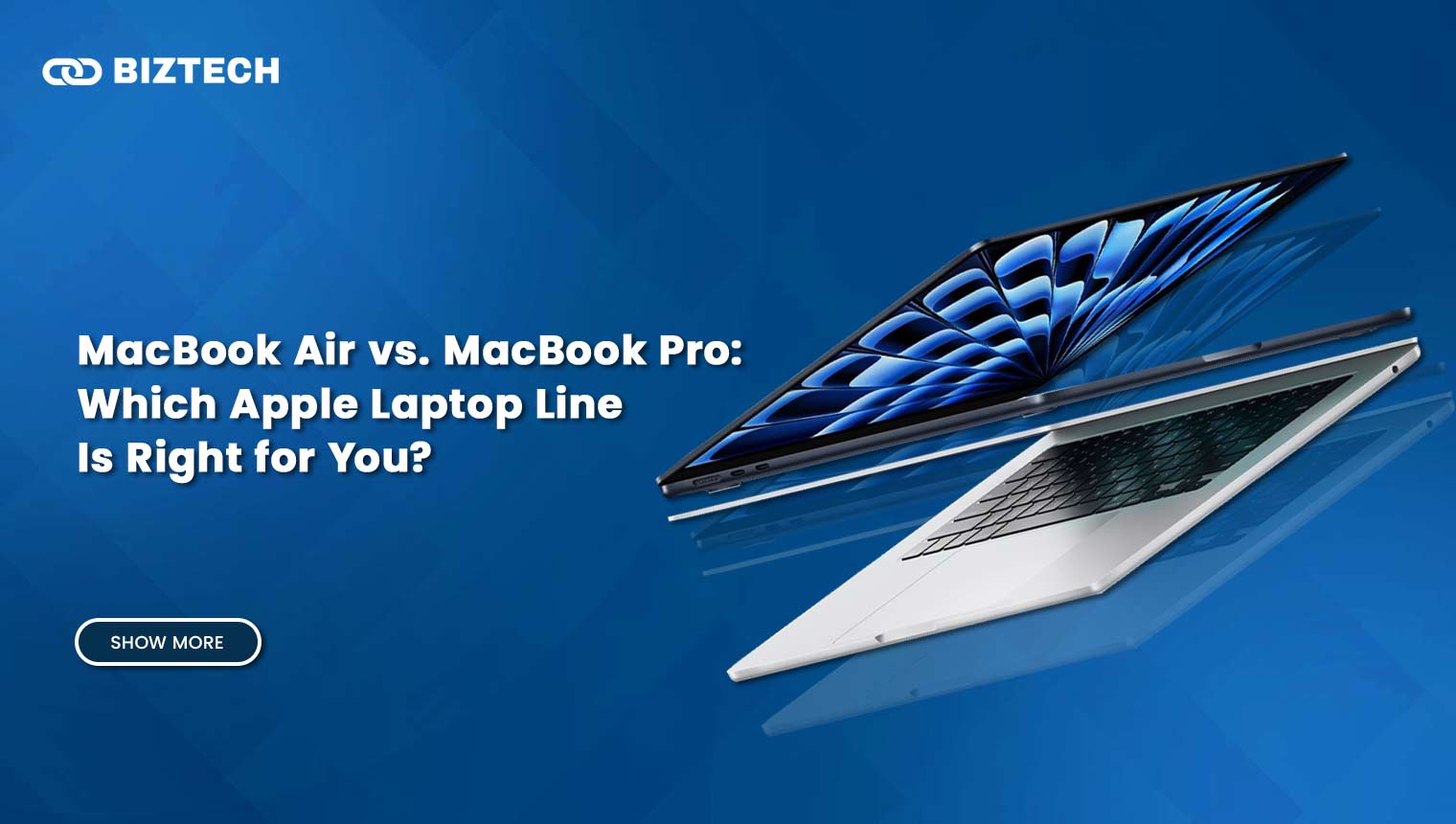
Planning to buy a MacBook in 2026? You’re in good company—and the same identity crisis returns every year: “Should I go with the MacBook Air or the MacBook Pro?” The stakes are a little higher now. Following Apple’s move to the M5 chip across both lines, and a June 2026 price increase driven by the global memory-chip shortage, choosing the wrong model can cost you a few hundred ringgit or dollars you didn’t need to spend. We tested each model in real-world use and came away with some clear, practical guidance.
- Key Features & Comparison Table
- How to Choose in 60 Seconds (Decision Framework)
- Chipset & Performance Architecture
- Thermal Design & Sustained Performance
- Display & Visual Experience
- Battery Life & Real-World Endurance
- Ports, Connectivity & Expansion
- Build, Size & Portability
- Storage, Memory & Expandability
- Price & Global Value
- Use-Case Scenarios & Recommendations
- Real-World Feedback
- Pros and Cons at a Glance
- MacBook Air Pros
- MacBook Air Cons
- MacBook Pro Pros
- MacBook Pro Cons
- Final Verdict
- Frequently Asked Questions (FAQs)
In our own hands-on use, the split was familiar: heavier users reached for the Pro when they needed sustained power and the brighter display, while most everyday users were happier with the Air’s lightness and silence. Both now run the latest Apple Silicon (M5 family), deliver strong battery life, and keep those clean designs—so the right pick comes down to how you work, how you create, and how you travel.
In this guide we break down performance, thermals, display quality, ports, battery, and price—plus a simple decision framework and the pricing pitfalls to avoid in 2026—so you can choose confidently and not regret it later.
Key Features & Comparison Table
| Factor | MacBook Air (M5, 13 & 15-inch) | MacBook Pro (M5 / M5 Pro / M5 Max, 14 & 16-inch) |
| Chip & Performance | M5: 10-core CPU, up to 10-core GPU with Neural Accelerators; up to 32GB RAM | M5 / M5 Pro / M5 Max: up to ~16-core CPU, up to 40-core GPU, up to 128GB RAM |
| Cooling | Passive / fanless (silent, may throttle under long loads) | Active dual-fan (sustained high performance) |
| Display | Liquid Retina, 60 Hz, ~500 nits | Liquid Retina XDR mini-LED, 120 Hz ProMotion, up to 2,000 nits |
| Battery Life | ~15 h real-world, up to 18 h claimed | ~18–21 h tested, up to 24 h claimed |
| Ports & Wireless | 2× Thunderbolt 4, MagSafe, headphone jack; Wi-Fi 7 | 3× Thunderbolt 5, HDMI, SDXC, MagSafe; Wi-Fi 7 (N1 chip) |
| Weight | ~2.7–3.3 lb (very light) | ~3.4–4.7 lb (moderate) |
| RAM & Storage | 16–32GB RAM, 512GB–2TB SSD | Up to 128GB RAM, up to 8TB SSD (1TB base) |
| Starting Price (USD)* | 13-inch from ~$1,099; 15-inch from ~$1,299 | 14-inch M5 from ~$1,999; 16-inch from ~$2,999+ |
| Best For | Portability, everyday use, students | Professionals, creatives, demanding workloads |
*Prices verified July 2026. Apple raised Mac prices in June 2026 because of the global memory-chip shortage—the base MacBook Pro jumped roughly $300 overnight—so always confirm the live price on Apple’s store before buying.
How to Choose in 60 Seconds (Decision Framework)
Before diving into specs, run through this quick framework. It settles most buying decisions faster than any spec sheet:
- Do you edit 4K/8K video, render 3D, or compile large codebases for hours at a time? If yes, buy the Pro for its active cooling and higher-core chips. If no, the Air is almost certainly enough.
- Do you need a bright HDR, high-refresh (120 Hz) screen for colour-critical work? Only the Pro offers the mini-LED XDR display. If you don’t, don’t pay for it.
- Is portability and silence your top priority? The fanless Air wins—it’s lighter, cooler on the lap, and never spins a fan.
- Is budget tight? The Air saves you roughly $900–$1,000 versus a comparable Pro—money often better spent on more storage or RAM.
A useful rule of thumb from our testing: for around 85–90% of buyers—including many professionals whose heavy tasks are occasional—the Air is the smarter value. The Pro earns its premium only when you genuinely push the machine hard every day.
Chipset & Performance Architecture
The 2026 MacBook Air runs Apple’s M5 chip, with a 10-core CPU blending performance and efficiency cores plus a GPU featuring per-core Neural Accelerators. It handles daily work, office apps, photo editing, and casual gaming smoothly and efficiently—and Apple rates its on-device AI performance at up to 4× the previous M4 generation.
The MacBook Pro lineup extends to M5, M5 Pro, and M5 Max. These chips add CPU and GPU cores, higher memory bandwidth, and far more headroom for heavy tasks such as 3D rendering, multi-stream video, and large software builds. Apple cites up to ~25% faster CPU and GPU performance versus the M4 series.
In short single-core bursts the Air and base Pro feel nearly identical—they share the same architecture. The gap opens on sustained, multi-core workloads, where the Pro’s extra cores and thermal headroom pull decisively ahead. Worked example: exporting a 20-minute 4K timeline, an M5 Air stays quick for the first pass but can slow as it warms, while an M5 Pro holds peak speed start to finish—often finishing a long export noticeably sooner.
Thermal Design & Sustained Performance
Thermals are the single biggest real-world difference between these two. The MacBook Air is fanless—completely silent—but it can throttle during long, heavy jobs such as extended 4K editing or continuous rendering. For bursty everyday work you’ll rarely notice; for hours-long grinds you will.
The MacBook Pro uses active dual-fan cooling, so it sustains high performance without heat-based slowdowns. If your workload is measured in hours rather than minutes, this is the feature you’re really paying for.
Display & Visual Experience
The MacBook Air uses a Liquid Retina display with solid brightness (around 500 nits), accurate colour, and a sharp resolution—great for office work, streaming, and light creative tasks. It runs at a standard 60 Hz.
The MacBook Pro steps up to a Liquid Retina XDR mini-LED panel with ProMotion up to 120 Hz and peak brightness up to 2,000 nits, with far stronger HDR. For photographers, video editors, and visual artists, that brighter, smoother, higher-contrast screen is a daily quality-of-life upgrade the Air simply can’t match.
Battery Life & Real-World Endurance
Both last impressively long. The MacBook Air averages around 15–18 hours depending on screen size and workload—excellent for students and travellers who leave the charger at home.
The MacBook Pro pushes endurance even higher: the 14-inch reaches roughly 18–19 hours and the 16-inch around 21 hours of mixed use, among the longest figures for pro-class laptops. Note that heavy sustained loads (rendering, gaming) drain either machine much faster than these all-day web-and-writing numbers suggest.
Ports, Connectivity & Expansion
The MacBook Air keeps it simple: two Thunderbolt 4 ports, a headphone jack, and MagSafe charging. It covers everyday needs but may need a dongle or hub if you run several peripherals or external displays.
The MacBook Pro is far more expandable—three Thunderbolt 5 ports (up to 120 Gbps), HDMI, an SDXC card slot, and MagSafe. Both machines now include Wi-Fi 7; on the Pro it’s powered by Apple’s own N1 wireless chip, which also brings Bluetooth 6. For creators juggling external monitors, fast SSDs, and camera cards, the Pro’s connectivity removes a lot of dongle friction.
Build, Size & Portability
Portability is the Air’s signature strength. The 13-inch weighs roughly 2.7 pounds and the 15-inch about 3.3 pounds—both slip easily into a bag you carry all day.
The MacBook Pro is heavier but still travel-friendly: about 3.4 pounds for the 14-inch and around 4.7 pounds for the 16-inch. The Air wins on sheer portability; the Pro trades some lightness for a more rigid chassis and its bigger, brighter screen.
Storage, Memory & Expandability
The MacBook Air now starts at 512GB storage (doubled from the previous generation) with 16GB unified memory as standard, scaling to 32GB RAM and 2TB SSD. That’s plenty for students, office workers, and casual creators.
The MacBook Pro goes much further—up to 128GB of unified memory and up to 8TB of SSD, with a 1TB base. Those ceilings matter for huge data sets, 8K footage, and large creative or engineering projects. Pitfall to avoid: Apple’s storage and RAM upgrades are expensive and can’t be changed later, and the 2026 memory shortage pushed those costs even higher—so buy the memory you’ll need up front rather than under-spec’ing to save a little now.
Price & Global Value
Price is often the deciding factor. As of July 2026, the 13-inch MacBook Air starts around $1,099 and the 15-inch around $1,299—still Apple’s best-value laptops for most people.
The MacBook Pro is considerably pricier: the 14-inch base M5 starts around $1,999, the 16-inch from roughly $2,999, and fully specced M5 Max configurations can exceed $3,900. A key 2026 caveat: Apple raised Mac prices in late June 2026 in response to the AI-driven memory-chip shortage—the base MacBook Pro rose about $300 essentially overnight. Because component costs are still volatile, confirm the current price on Apple’s store before you commit, and watch for retailer discounts that can undercut Apple directly.
Use-Case Scenarios & Recommendations
The MacBook Air is the smarter pick for students, writers, marketers, and everyday users. It’s lighter, quieter, more efficient, and meaningfully cheaper, with little to no downside for typical daily tasks. If you’re shopping on a budget more broadly, our budget laptop guide is worth a look before you decide.
If your day revolves around video editing, coding, graphic design, or other power-user workloads, the MacBook Pro is worth the investment. Its active cooling, brighter XDR display, faster Thunderbolt 5 ports, and larger memory ceiling let it handle heavy professional work without breaking a sweat. Gamers weighing a Mac against Windows should also skim our gaming laptop picks for context on price-to-performance.
Real-World Feedback
You can’t really go wrong with the MacBook Air if you value long battery life, a thin-and-light design, and value for money. Owners consistently praise how it handles dozens of browser tabs, video calls, and light creative work without missing a beat.
MacBook Pro owners most often highlight the superior screen, richer port selection, and sustained performance under heavy load—especially during long video exports or software builds where the Air would eventually throttle.
Pros and Cons at a Glance
MacBook Air Pros
- Lightweight and highly portable
- Excellent battery life
- Lower entry price and strong value
- Silent fanless design
MacBook Air Cons
- Only two Thunderbolt ports
- Can throttle under long, heavy loads
- 60 Hz display, no ProMotion or XDR
MacBook Pro Pros
- Superior sustained performance and cooling
- Mini-LED XDR display with 120 Hz ProMotion, up to 2,000 nits
- More ports (Thunderbolt 5, HDMI, SDXC) and external display support
- Longer battery life on high-end models
MacBook Pro Cons
- Significantly more expensive (and hit by the June 2026 price hike)
- Heavier and bulkier
Final Verdict
Should you choose the MacBook Air over the Pro? For a versatile, do-everything laptop, yes—it’s the best value for students, travellers, and anyone who doesn’t need a heavy workhorse. The M5 Air is fast, silent, and light, and it covers the vast majority of real-world tasks.
If you earn your living through professional video editing, music production, 3D, or software development, the MacBook Pro is the better tool. Its stronger thermals, brighter HDR screen, Thunderbolt 5 connectivity, and larger memory options pay for themselves in time saved.
Already committed to a phone ecosystem? Our Android vs iOS guide shows how features like AirDrop, iMessage, and Continuity can influence your laptop choice. And if you want a definitive third-party breakdown, Apple’s own Mac comparison tool and Macworld’s MacBook comparison are good sanity checks.
Bottom line: pick the machine that matches your actual work and travel habits—not the hype. Compare the configurations you need, factor in the 2026 pricing shifts, and buy the MacBook that keeps you productive through 2026 and beyond.
Frequently Asked Questions (FAQs)
Specs and prices verified July 2026 and can change—always confirm the latest configuration and price with Apple before purchasing. Disclaimer: This comparison is provided by KayaToday for general informational purposes only and is not financial or purchasing advice; evaluate your own needs and budget before buying.