Filing your income tax in Malaysia starts with one thing: a registered income tax file and a working MyTax account. The good news for 2026 is that the whole process is now faster than ever — as of February 2026, the Inland Revenue Board (LHDN/HASiL) lets you apply for your first-time login PIN digitally through the MyTax portal and the MyTax app, so most people no longer need to queue at a branch.
- Quick Answer: Registering for Income Tax in Malaysia (2026)
- What’s New for 2026
- Do You Need to Register for Income Tax?
- Why Register on MyTax?
- Documents You’ll Need
- Option 1: Register Online via e-Daftar (Recommended)
- Option 2: Register in Person at an LHDN Branch
- After Registering: Key 2026 Filing Deadlines
- How to Choose: e-KYC vs e-CP55D vs Branch
- Common Mistakes to Avoid
- Frequently Asked Questions
This guide walks you through everything a first-timer needs in 2026: who must register, how your Tax Identification Number (TIN) now works, the step-by-step e-Daftar registration, how to get your PIN by e-KYC, and the key filing deadlines so you don’t get caught out. Verified June 2026 — always confirm the latest steps on the official LHDN MyTax portal, as screens and forms are periodically updated.
Quick Answer: Registering for Income Tax in Malaysia (2026)
| Question | Short answer (2026) |
|---|---|
| Where do I register? | Online via e-Daftar at mytax.hasil.gov.my, or at any LHDN branch. |
| Do I already have a tax number? | Likely yes. Since 2022 most Malaysians 18+ were auto-assigned a TIN. From 1 March 2026 your MyKad/MyPR/MyKAS number is officially your single TIN. |
| Who must register & file? | Anyone with annual income above RM34,000 after EPF (about RM2,833/month). |
| How do I get my first-time PIN? | New in 2026: apply digitally — e-KYC (selfie/face recognition on the MyTax app) or e-CP55D (via your registered email). No branch visit needed for most. |
| How long does it take? | e-KYC can be near-instant; document-based applications are typically processed within a few working days. |
| What’s the filing deadline? | For YA 2025 (Form BE, no business income): 30 April 2026 manual / 15 May 2026 e-Filing. |
What’s New for 2026
Two changes make registration much smoother this year:
- Digital PIN application (from February 2026): LHDN now allows first-time taxpayers to request their e-Filing PIN online — either through e-KYC (scan your MyKad and take a selfie on the MyTax mobile app) or e-CP55D (using your registered email address) — instead of visiting a branch counter. The same e-KYC feature can be used to reset a forgotten password or digital certificate.
- One number, one TIN (from 1 March 2026): For holders of MyKad, MyPR or MyKAS, your identification number now officially serves as your single Tax Identification Number. Important caveat: having a TIN does not automatically let you log in and e-file — you still need to activate online access with a PIN/digital certificate the first time.
If you’ve worked before and an employer has ever reported your income, there’s a strong chance a tax file already exists for you. Always check first before creating a new one.
Do You Need to Register for Income Tax?
You are required to register and file an income tax return in Malaysia if any of the following apply:
- Your annual income exceeds RM34,000 after EPF deduction (roughly RM2,833 per month) — you must file even if little or no tax ends up payable.
- You earn business, freelance, gig, commission or rental income in Malaysia.
- You are a foreigner working in Malaysia and meet the income/residence conditions.
As a rule of thumb, a tax-resident individual with chargeable income (after reliefs) of RM10,000 and above will have some tax to pay, while the RM34,000 figure is the practical trigger for when registration and filing become compulsory. Not sure whether you already have a file? Check your TIN status on MyTax before registering a new one.
Why Register on MyTax?
- Convenience: File, amend and pay your taxes online anytime — paper submissions are being phased out for most individuals.
- Speed: e-KYC verification and pre-filled employment data (where available) cut out paperwork and queues.
- Security: A digital certificate protects access to your tax records.
- Transparency: Track filing status, refunds, ledger balances and payment history in one place.
Documents You’ll Need
| Applicant | Documents |
|---|---|
| Malaysian citizen | MyKad (for e-KYC) or a clear scanned copy of the front and back of your IC. |
| Foreigner / expatriate | Passport biodata page + proof of residence in Malaysia (work permit, employment pass, student visa or tenancy agreement). |
| Recommended extras | Latest EA form / payslip and a valid email address you actively use (for PIN and approval notices). |
Option 1: Register Online via e-Daftar (Recommended)
This is the fastest route for most people.
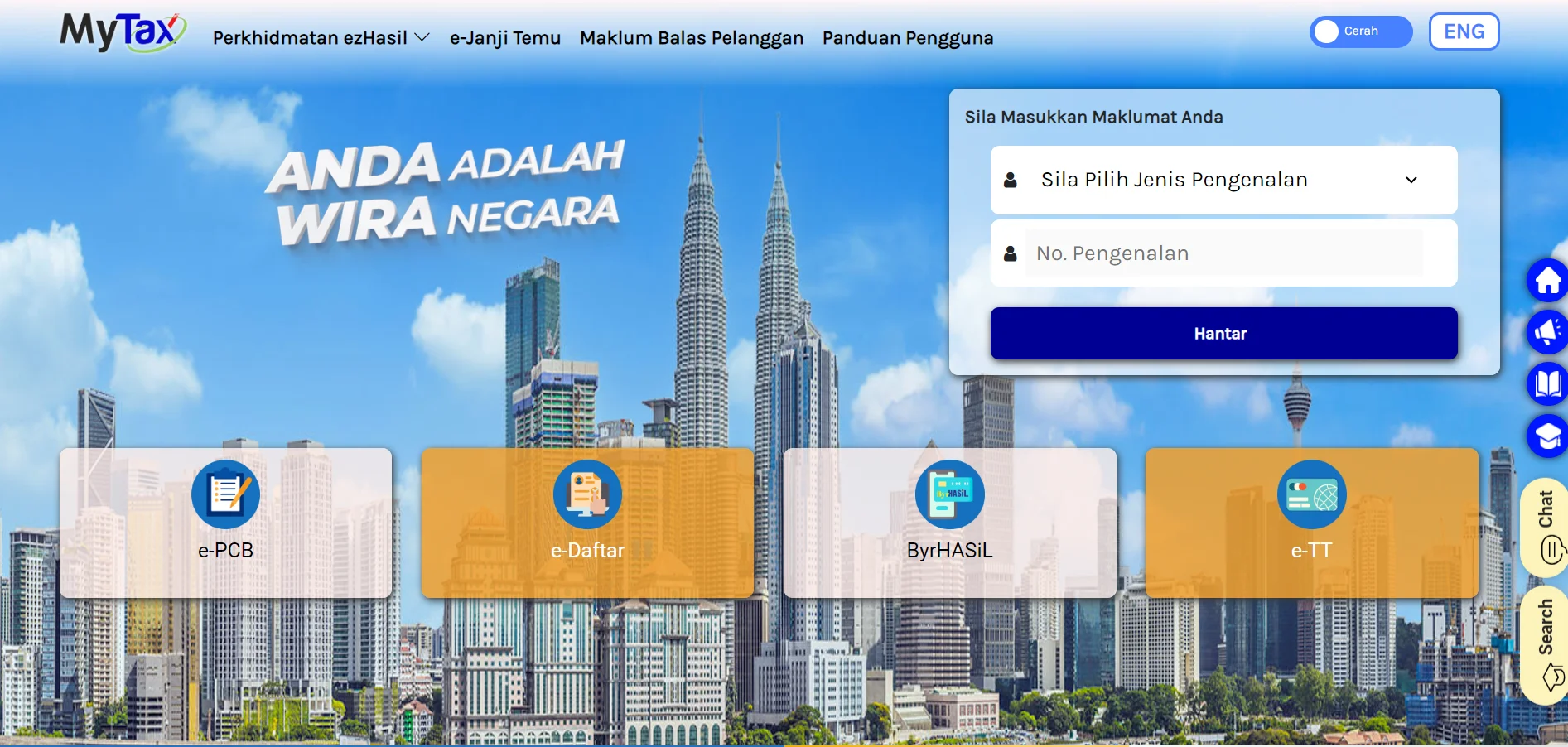
Step 1: Go to the LHDN MyTax portal at https://mytax.hasil.gov.my/ and select e-Daftar.
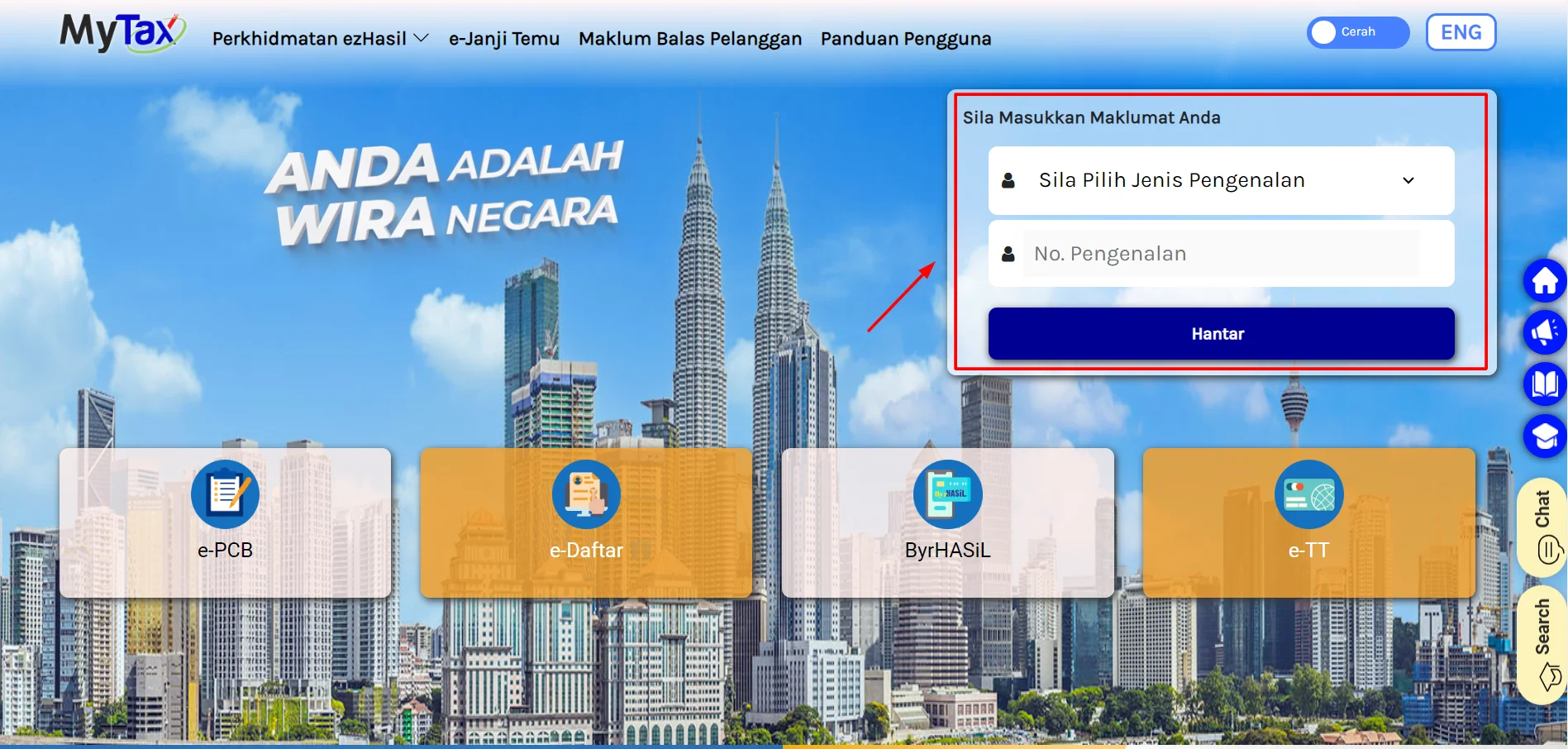
Step 2: Choose the Identification Card No option and key in your IC (MyKad) number, then submit.
Step 3: If no tax file exists yet, the portal prompts you to register. Complete the online e-Daftar form with your IC number, full name (as per MyKad) and active email address.
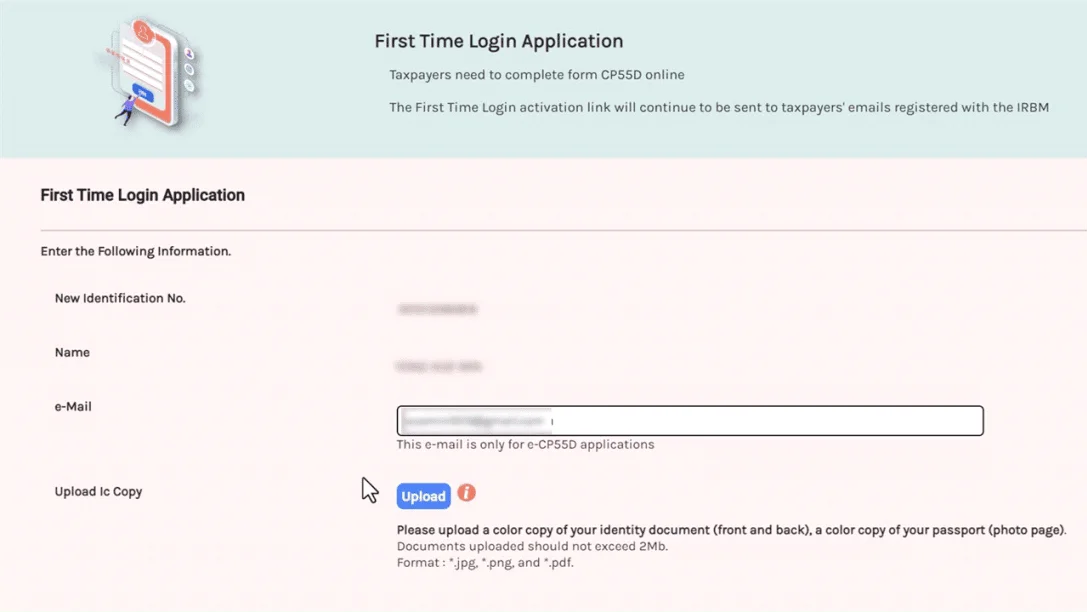
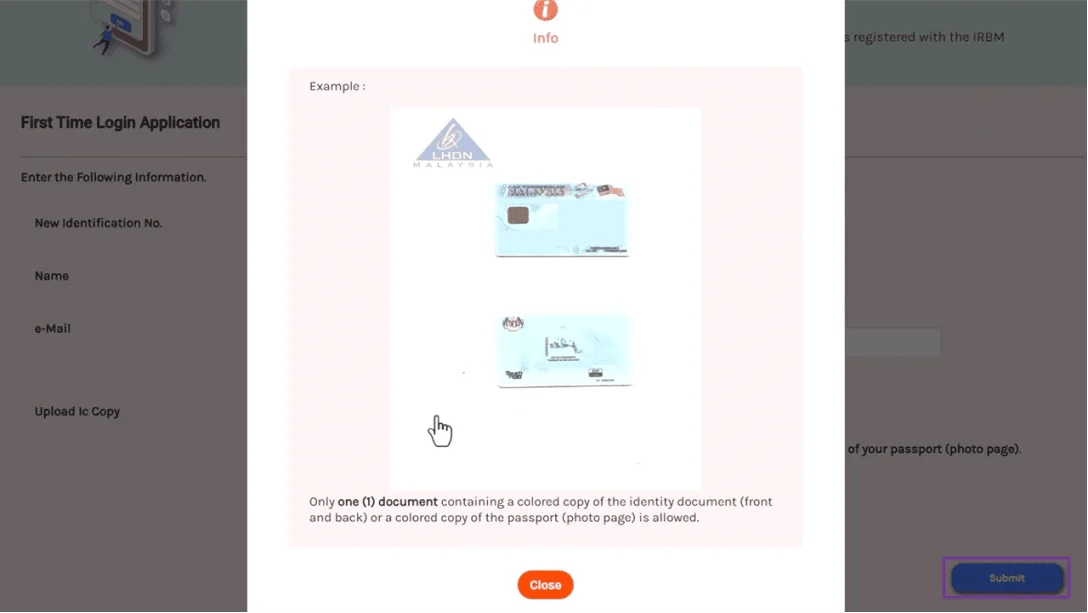
Step 4: Upload a clear copy of the front and back of your IC (foreigners: passport + proof of residence), then submit. Note your application reference number for tracking.
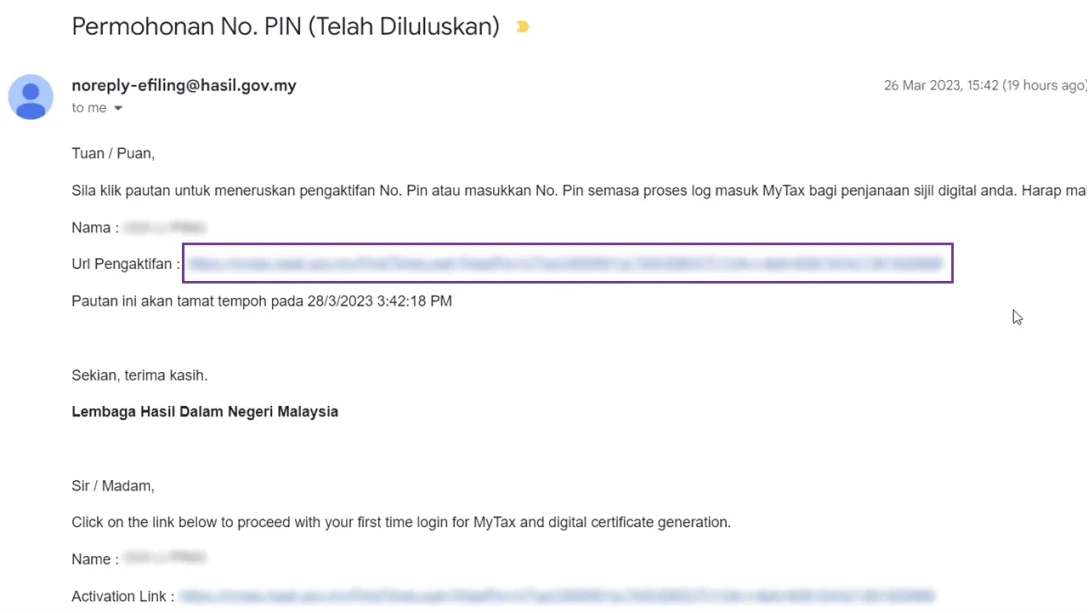
Step 5: LHDN reviews your application. Once approved, your TIN is confirmed and you’ll receive an email (look for one titled “PERMOHONAN NO. PIN (TELAH DILULUSKAN)” if a PIN is issued).
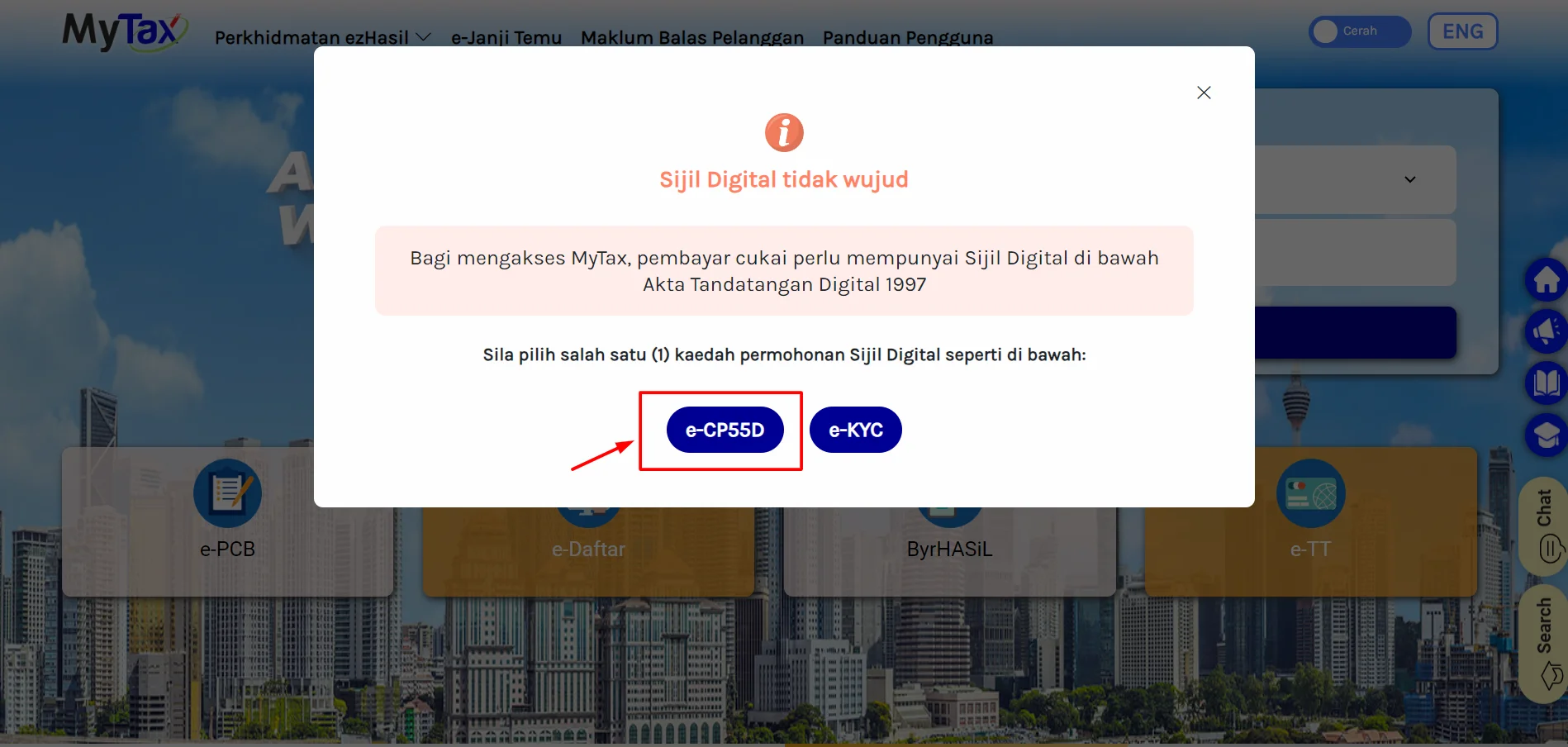
Step 6 — Get your first-time PIN (the 2026 way): To actually log in and e-file, you need a PIN/digital certificate. You now have digital options:
- e-KYC (fastest): On the MyTax mobile app, choose the e-KYC / face-recognition option, scan your MyKad and complete a selfie verification. This issues your access without a branch visit.
- e-CP55D: On the MyTax web portal, apply for the PIN using your registered email address.
Step 7 — First Time Login: Once you have your PIN, go to the MyTax website, click First Time Login, enter your details and PIN, then create a password. You’re now ready to file via e-Filing.
Option 2: Register in Person at an LHDN Branch
If you’d rather register face-to-face (or e-KYC won’t verify), visit your nearest LHDN office:
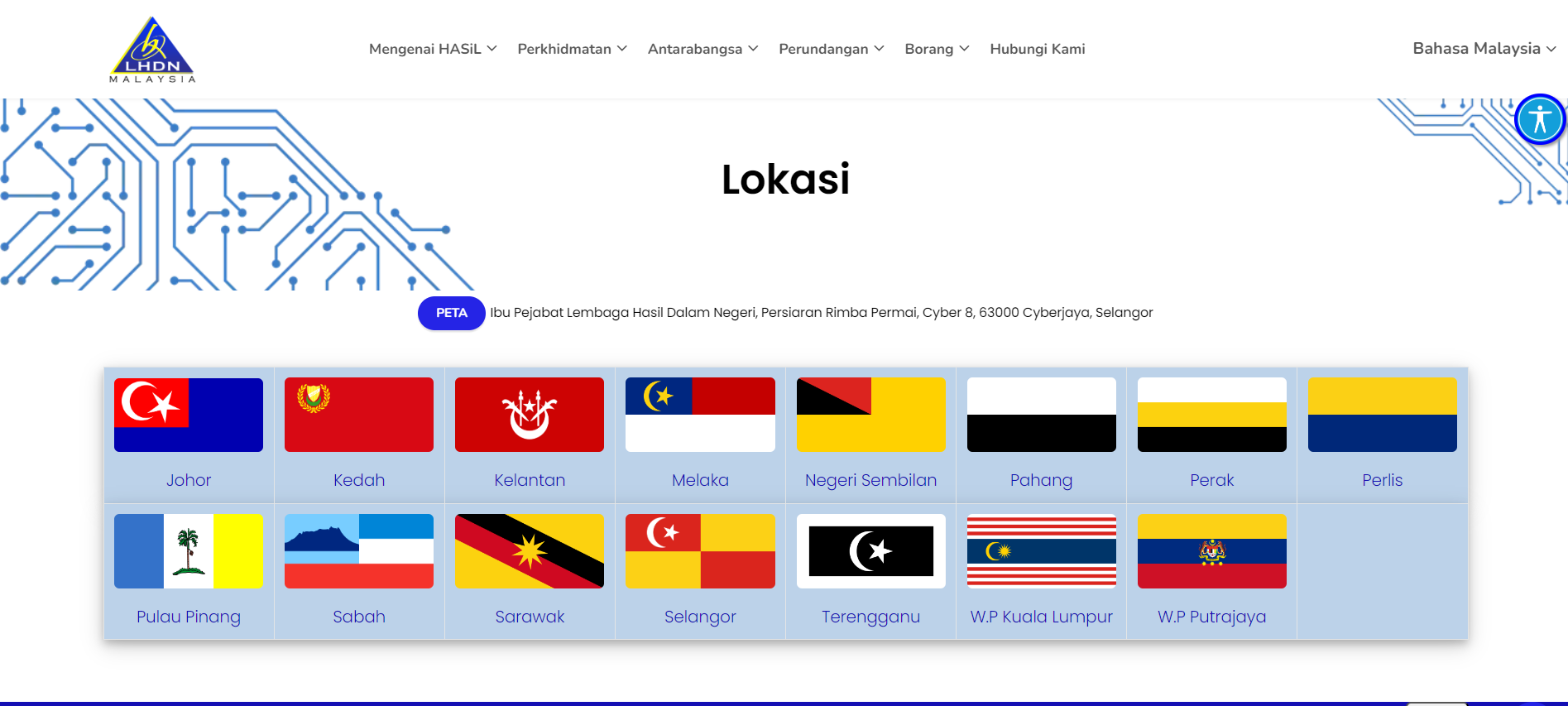
Step 1: Find your nearest branch via hasil.gov.my.
Step 2: Bring your IC (or passport + proof of residence for foreigners) and a recent EA form or payslip.
Step 3: Complete the e-Daftar registration at the counter with the officer’s help and request your first-time login PIN.
Step 4: Submit your documents. The officer will register your tax file and issue your TIN and PIN details.
After Registering: Key 2026 Filing Deadlines
Registration is only step one — don’t miss the filing window. Tax season for Year of Assessment (YA) 2025 opened on 1 March 2026.
| Taxpayer / form | Manual deadline | e-Filing deadline |
|---|---|---|
| Individual, no business income (Form BE) | 30 April 2026 | 15 May 2026 |
| Individual with business income (Form B) | 30 June 2026 | 15 July 2026 |
For YA 2025, LHDN granted a 15-day grace, so the e-Filing deadline for Form BE was 15 May 2026. Filing is now essentially fully online through MyTax, and late submission can attract penalties — so register early and don’t leave it to the last day.
How to Choose: e-KYC vs e-CP55D vs Branch
- Pick e-KYC if you have a smartphone and your MyKad — it’s the quickest, fully digital route and also lets you reset a forgotten password later.
- Pick e-CP55D if you prefer the web portal or e-KYC won’t verify your face/MyKad; you’ll use your registered email.
- Pick the branch if you’re a foreigner with documents that need manual checking, or you simply want in-person help.
Common Mistakes to Avoid
- Creating a duplicate file: Many working adults already have a TIN. Check first — registering twice causes headaches.
- Assuming a TIN means you can file: You still need a PIN/digital certificate and a First Time Login to access e-Filing.
- Using an inactive email: Your PIN and approval notices go there. Use one you check.
- Blurry IC uploads: Unclear scans are the top reason applications get delayed.
- Leaving it to mid-May: Verification and first-time login take a little time — start in March or April.
Frequently Asked Questions
Once your MyTax account is active, your next step is filing. See our Guide to LHDN e-Filing to complete your return, and check which deductions you qualify for in our tax exemptions guide and donation tax deduction guide. To put any refund to work, compare the best savings accounts in Malaysia or review your EPF dividend. It’s also worth keeping an eye on your credit health via our guide to checking your CTOS report.
Disclaimer: This article is provided by KayaToday for general information only and is not professional tax advice. Registration steps, forms and thresholds were verified in June 2026 but may change — always confirm the latest requirements on the official LHDN MyTax portal (mytax.hasil.gov.my) or with a licensed tax agent before acting.