As cryptocurrency ownership keeps growing across Malaysia, Singapore and the rest of Southeast Asia, keeping your private keys off internet-connected devices matters more than ever. The KeepKey hardware wallet is one of the longest-running cold-storage devices on the market — and in 2026 it looks very different from the wallet many older reviews describe. In this updated KeepKey review we cover its current price, the big multi-chain expansion, security model, setup, and exactly who should (and shouldn’t) buy it.
Let’s dive into why the KeepKey wallet review conversation has shifted, and whether it deserves a place in your crypto security toolkit today.
What Is the KeepKey Crypto Wallet?
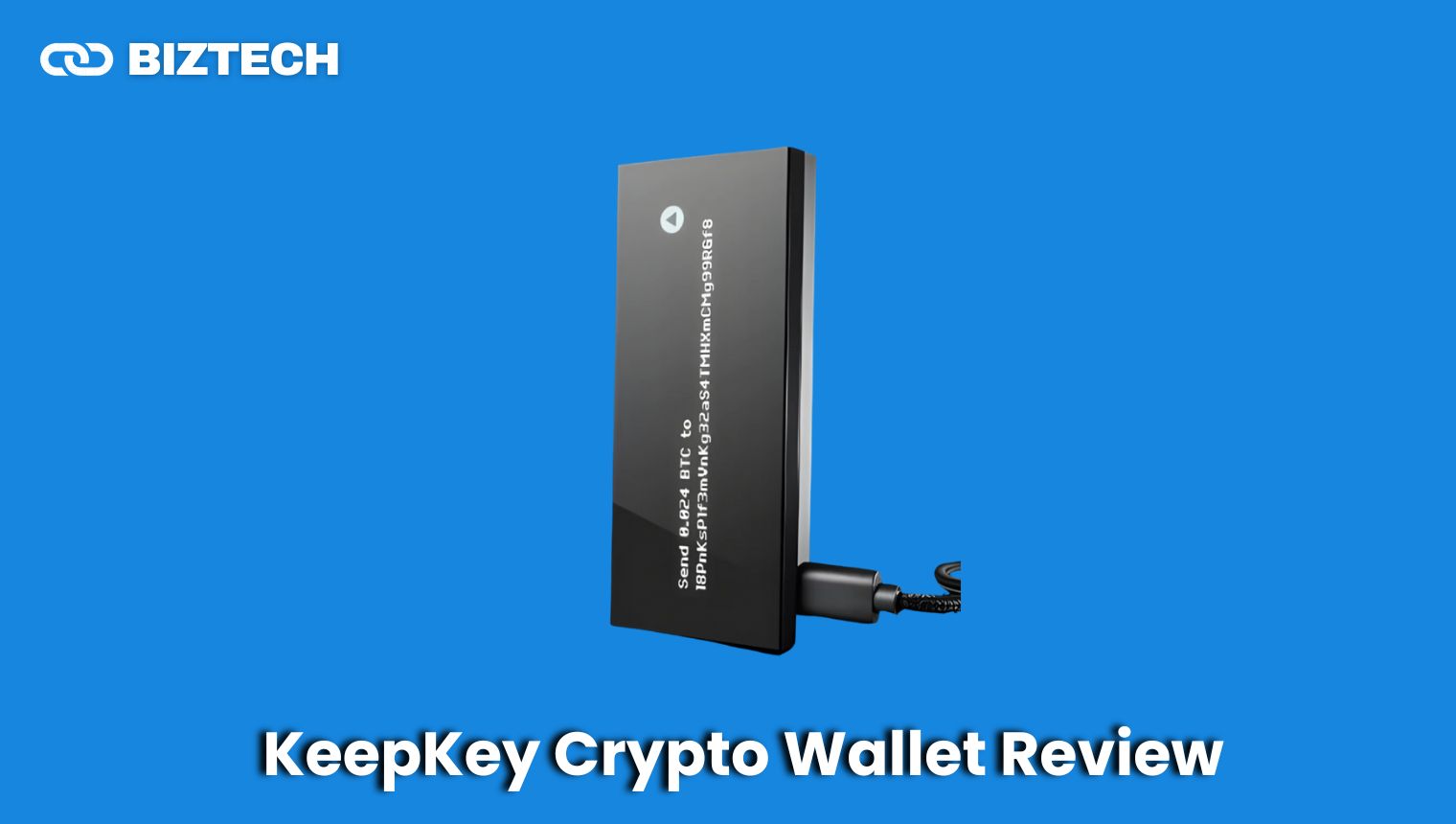
The KeepKey is a hardware (cold-storage) wallet that generates and stores your private keys offline on a dedicated device, so they never touch your internet-connected computer or phone. Every transaction is verified on the device’s large OLED screen and physically confirmed with a button press before it is signed.
KeepKey has been around since 2014, making it one of the earliest hardware wallets. It was acquired by ShapeShift in 2017; after ShapeShift restructured into a DAO, KeepKey became a standalone company again (KeepKey LLC). ShapeShift now lives on inside KeepKey as one of the built-in swap providers rather than as the parent company. The device’s defining philosophy today is “verify, don’t trust” — its firmware and hardware schematics are published on GitHub so anyone can audit the code and even rebuild the device from off-the-shelf parts.
KeepKey Crypto Wallet Summary Table
| Feature | Details (verified September 2026) |
| Product name | KeepKey Hardware Wallet |
| Maker | KeepKey LLC (standalone; ShapeShift heritage) |
| Type | Hardware / cold-storage cryptocurrency wallet |
| On the market since | 2014 |
| Price | US$49.95 (about RM220 / S$65 before local taxes) — free shipping |
| Native chains | 11 — incl. Bitcoin, Ethereum, Solana, XRP, TON, TRON, Cosmos, THORChain, Litecoin — plus all ERC-20 tokens and any EVM chain via chain ID |
| Display | 256×64 OLED (large, for on-device verification) |
| Chip | STM32F405 ARM Cortex-M4 — no proprietary secure element (by design) |
| Connectivity | Wired USB (no Bluetooth or Wi-Fi) |
| Companion apps | KeepKey Vault desktop (macOS / Windows / Linux), browser extension, mobile app |
| Security | Scrambled PIN, BIP-39 12/24-word seed, passphrase (hidden wallets), BIP-85 derived seeds, open-source firmware + hardware |
| Built-in swaps | THORChain, ShapeShift, ChainFlip (decentralised, no KYC) |
| Warranty | Limited lifetime warranty |
| Best for | Value-focused, security-conscious users who want auditable hardware and broad multi-chain support |
This table gives you a quick snapshot of the KeepKey. Below we break down each area in more detail, including how it now stacks up against Ledger and Trezor. For a wider view of your options, see our guide to the best cold storage wallets.
Design and Build Quality
The KeepKey is built around a premium anodised aluminium body and a large, high-contrast OLED display — the design language has stayed consistent for years while the software has evolved dramatically.
Solid, Screen-First Design
The KeepKey is noticeably larger and heavier than a Ledger Nano or a Trezor Safe. That bulk buys you the biggest screen in its class: a 256×64 OLED that makes verifying addresses and transaction amounts genuinely easy to read — a real security benefit, since the whole point of a hardware wallet is to check what you’re signing. If you plan to keep the device in a drawer or safe rather than on a keychain, the size is a non-issue.
Materials and Durability
The aluminium enclosure gives the KeepKey a sturdy, reassuring feel and protects the internals from everyday knocks. Because KeepKey publishes its hardware schematics, PCB layouts and bill of materials on GitHub, tinkerers can even 3D-print a replacement case from the published designs — a nod to the wallet’s open-source, “build-your-own” ethos.
What’s Inside
KeepKey deliberately uses standard, off-the-shelf components: an STM32F405 ARM Cortex-M4 microcontroller and an SSD1322 OLED. Unlike Ledger (and the newer Trezor Safe line), it has no proprietary secure-element chip. KeepKey’s argument is “security through transparency, not obscurity” — every component is documented and auditable. This is the single most important trade-off to understand before buying, and we unpack it in the security and “how to choose” sections below.
Security Features
Security is the whole reason to buy a hardware wallet, and KeepKey covers the fundamentals well — with a couple of nuances worth understanding.
Scrambled PIN Protection
You set a PIN during setup that’s required every time the device connects. KeepKey uses a scrambled (randomised) PIN grid: the number positions shuffle on the device screen, so a keylogger or someone watching your computer screen can’t work out your PIN from your clicks. It’s a small but meaningful defence against a compromised computer.
Recovery Seed (BIP-39)
During setup, KeepKey generates a standard BIP-39 recovery phrase — you can choose 12 or 24 words. This phrase is the master backup for your funds, so write it on the supplied recovery card (or better, a metal backup) and store it offline in a safe place. Anyone with your seed can access your crypto, and no one can help you recover it if you lose it. KeepKey’s recovery uses a scrambled cipher entry, again to defeat keyloggers. For the bigger picture, read our guide on the safest ways to store Bitcoin.
Passphrase and BIP-85 Hidden Wallets
KeepKey supports an optional BIP-39 passphrase (sometimes called a “25th word”) to create hidden wallets for plausible deniability. It also supports BIP-85, which lets you derive additional seed phrases from your master seed — useful for spinning up a separate hot-wallet seed (say, for MetaMask) that you can always re-derive from your KeepKey if you lose it.
Open-Source Firmware and Clear Signing
KeepKey’s firmware is fully open-source, so security researchers can audit it for vulnerabilities. On top of that, it offers clear signing: for smart-contract interactions it auto-detects the contract call from public ABIs and shows decoded, human-readable transaction details on the device screen, instead of raw hex you can’t interpret. That helps you avoid approving a malicious or mistyped transaction.
The Secure-Element Trade-off
Here’s the honest nuance: KeepKey has no dedicated secure-element chip. A secure element (as used by Ledger and Trezor’s Safe range) is a tamper-resistant chip designed to resist sophisticated physical attacks if someone steals your device. KeepKey instead relies on fully open, verifiable hardware. In practice, for the vast majority of users the biggest risks are phishing, malware and losing your seed — not a lab-grade physical attack — and KeepKey’s offline key isolation handles those well. But if defending against physical device theft is high on your threat model, this is a genuine reason to consider a secure-element wallet instead. Our explainer on hot wallet vs. cold wallet security can help you frame your own threat model.
How to Set Up the KeepKey Wallet
Setup takes about five minutes and is handled by the free KeepKey Vault desktop app.
Step-by-Step Initial Setup
- Unbox your KeepKey: you’ll find the device, a USB cable and a recovery card.
- Download KeepKey Vault: get the free companion app for macOS, Windows or Linux from the official KeepKey site. Avoid third-party download mirrors.
- Connect the device: plug the KeepKey into your computer with the supplied USB cable.
- Update firmware: the Vault setup wizard will prompt you to install the latest firmware — always do this first.
- Choose a PIN: set a PIN using the scrambled on-device grid.
- Back up your recovery phrase: write down the 12- or 24-word phrase shown on the device screen and store it offline. Never type it into a computer or phone.
Adding and Managing Assets
Once set up, all supported chains are available immediately in Vault — there are no per-coin “apps” to install or storage limits to manage. You can add accounts, receive and send funds, track your portfolio, and even swap across chains directly in the app. You can also connect KeepKey to web3 dApps via the browser extension or WalletConnect, with every transaction still signed on the device.
Supported Cryptocurrencies
This is where the biggest change has happened. Older KeepKey reviews describe a wallet that supported only a handful of coins — that is no longer accurate. Following a firmware 7.x multi-chain expansion, KeepKey now natively signs 11 blockchains and supports thousands of tokens.
Native Chains and Tokens
Natively supported networks now include:
- Bitcoin (BTC) and UTXO forks: Litecoin (LTC), Bitcoin Cash (BCH), Dogecoin (DOGE), Dash (DASH), Zcash (ZEC), DigiByte (DGB)
- Ethereum (ETH) plus any ERC-20 token and any EVM chain via its chain ID (Avalanche, Arbitrum, Optimism, Polygon, BNB Smart Chain and more)
- Solana (SOL) and SPL tokens
- Cosmos (ATOM), THORChain (RUNE), Maya, Osmosis and other IBC chains
- XRP (Ripple), TON and TRON (TRX)
In short, KeepKey now covers Bitcoin maximalists, Ethereum/DeFi users, Solana holders and multi-chain investors from a single recovery seed. If Solana is your main network, it’s still worth comparing dedicated options in our roundup of the best Solana wallets.
Built-in Cross-Chain Swaps
KeepKey Vault has decentralised cross-chain swaps built in via THORChain, ShapeShift and ChainFlip — so you can trade, say, ETH for BTC without a centralised exchange account or KYC. You see the route, fees and slippage before you sign, and you confirm the exact amounts on the device screen. Note that swaps rely on third-party decentralised protocols, so always review the rate and fees first.
Connectivity and Portability
The KeepKey connects to your computer over a wired USB cable — there’s no Bluetooth or Wi-Fi. Whether that’s a pro or a con depends on you.
Wired-Only, by Design
A wired-only connection removes an entire category of wireless attack surface, which is why many security-focused users prefer it. The downside is convenience: unlike the Bluetooth-enabled Ledger Nano X, you can’t pair the KeepKey with a phone wirelessly, and the larger body is less pocket-friendly for on-the-go use. There’s no battery either — the device draws power over USB, so there’s nothing to charge, but it does need a host device to operate.
Price and Value for Money
At US$49.95 with free shipping, KeepKey is now one of the cheapest reputable hardware wallets available — and it undercuts most direct rivals while offering open-source hardware and broad chain support. Here’s how it compares to current 2026 models:
| Wallet | Approx. price (USD) | Key notes |
| KeepKey | $49.95 | Open-source firmware + hardware; 11 native chains + all EVM; built-in swaps; no secure element |
| Ledger Nano S Plus | ~$79 | Secure-element chip; closed-source OS; very large app/coin ecosystem |
| Ledger Nano X | ~$149 | Adds Bluetooth and mobile use; secure element |
| Trezor Safe 3 | ~$79 | Open-source; secure element; wide coin support |
| Trezor Safe 5 | ~$169 | Colour touchscreen; secure element |
Competitor prices are approximate, exclude local taxes/shipping, and change with promotions — confirm current pricing on each vendor’s official site. On price alone, KeepKey is the clear value pick; whether it’s the right pick depends on the trade-offs below. You can also compare it directly with our Trezor review.
How to Choose: KeepKey vs. Ledger vs. Trezor
Rather than declaring one “best” wallet, it helps to match the device to what you actually value:
- Choose KeepKey if you want the lowest price, fully auditable open-source hardware and firmware, a big verification screen, and broad multi-chain support with built-in no-KYC swaps — and you’re comfortable with a desktop-led, wired workflow.
- Choose Ledger if you prioritise a secure-element chip, a mobile-first Bluetooth experience, and the widest third-party app ecosystem — and you don’t mind a closed-source device OS.
- Choose Trezor if you want open-source software and a secure element, with a polished desktop/mobile Suite and (on the Safe 5) a touchscreen.
The core philosophical split is “verify” vs. “trust the chip.” KeepKey asks you to verify open hardware; Ledger and the newer Trezor Safe line ask you to trust a certified secure element. Both are legitimate approaches — the right one depends on your threat model and budget. If you’re still deciding between device types, our best crypto cold wallets guide lays out the options for Malaysian and Singaporean buyers.
Common Pitfalls to Avoid
- Buying second-hand or from unofficial sellers. Always buy directly from KeepKey or an authorised reseller. A tampered or pre-initialised device is a serious risk.
- Storing your seed digitally. Never photograph, type or cloud-store your recovery phrase. Keep it offline, ideally on metal.
- Skipping the firmware update. Set up firmware first, from the official Vault app only.
- Assuming “hardware wallet” means “can’t be phished.” You can still approve a malicious transaction — always read what’s on the device screen before confirming.
Frequently Asked Questions
Conclusion: Is the KeepKey Worth It?
The KeepKey has quietly transformed from a simple, limited-coin wallet into a genuinely competitive, value-led device. For US$49.95 you get fully open-source firmware and hardware, a large verification screen, scrambled-PIN security, broad support for 11 native chains plus every EVM token, and built-in no-KYC swaps — a lot of wallet for the money.
Its honest weaknesses are the bulkier body, the lack of Bluetooth/mobile-first convenience, and the absence of a dedicated secure-element chip. If those matter to your threat model, a Ledger or Trezor may suit you better. But if you value transparency, multi-chain flexibility and price — and you’re happy with a wired, desktop-led setup — the KeepKey is one of the easiest hardware wallets to recommend in 2026.
Verified September 2026. Prices, supported chains and firmware features change frequently — always confirm the current details with KeepKey (keepkey.com) and review the open-source code on GitHub before purchasing.
Disclaimer: This KeepKey review is provided by KayaToday for educational and informational purposes only and should not be considered financial or investment advice. Cryptocurrency is highly volatile and carries significant risk. Always do your own research, verify product details with the manufacturer, and consult a qualified professional before making any investment or purchase decision. KayaToday is not responsible for any losses incurred from using the information provided. Always follow best security practices — keep your recovery phrase offline and buy hardware wallets only from official sources.