As cryptocurrency becomes a bigger part of how Malaysians and Singaporeans build wealth, keeping your private keys offline is one of the smartest moves you can make. For years, the Trezor Model T — built by Prague-based SatoshiLabs — was the touchscreen hardware wallet that reviewers pointed to as the gold standard. Its intuitive screen and broad coin support made it a favourite among serious holders.
There is one big change you need to know before you buy: the Trezor Model T has been discontinued. Trezor has retired it from its own store, and the Trezor Safe 5 is now the official successor. This updated Trezor Model T review explains what the device did well, why it was retired, whether it still makes sense for existing owners, and exactly which current wallet to choose if you are shopping today. If you are weighing your options, our guide to the best cold storage wallets is a useful companion read.
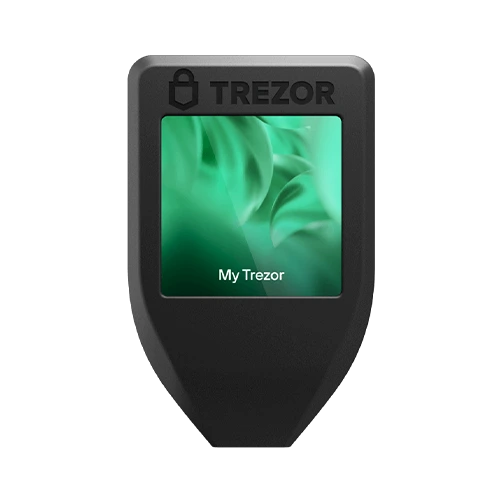
2026 Update: The Trezor Model T Is Discontinued
Let’s get the most important update out of the way. On its official product page, Trezor now states plainly that “the Trezor Model T is no longer sold, but its spirit lives on in the Trezor Safe 5.” The Model T (launched in 2018) had a roughly seven-year run before being retired, alongside the older Trezor Model One.
Being discontinued does not mean the device is unsafe or abandoned. Trezor has committed to:
- Software updates until at least 2031, and
- Critical security fixes until at least 2036.
So if you already own a Model T, there is no need to panic-buy a replacement — your device will keep working and receiving security patches for years. The question of whether to upgrade comes down to whether you want the newer hardware protections described below. If you don’t yet own any hardware wallet, this review still matters because it explains the features to look for, then points you to the current model that delivers them.
Quick guidance: Buying today? Choose the Trezor Safe 5 (the direct Model T successor) or the budget Trezor Safe 3. Already own a Model T? Keep using it — it’s still supported. Only consider second-hand Model T units from someone you trust, and even then, treat a factory-reset and fresh seed setup as mandatory.
What Is (or Was) the Trezor Model T?
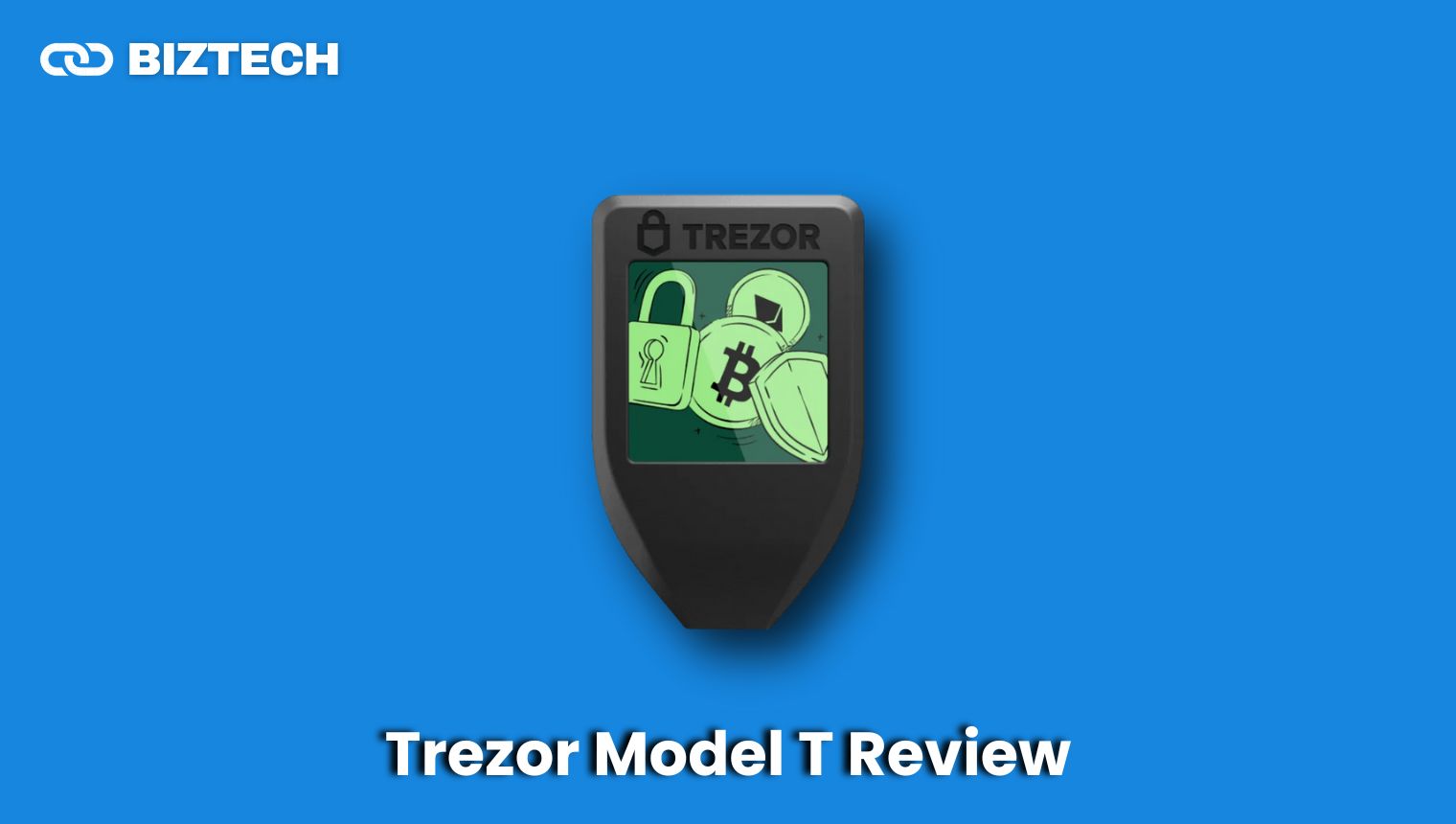
The Trezor Model T is a premium hardware (cold storage) wallet developed by SatoshiLabs. It stores the private keys to your crypto offline on a dedicated device, so that even a malware-infected computer or phone cannot move your funds without your physical confirmation on the wallet itself. It pairs with the Trezor Suite desktop and browser app, and its colour touchscreen made it noticeably easier to use than button-only wallets.
To understand where it sits, it helps to know the difference between an internet-connected “hot” wallet and an offline “cold” one. If that distinction is new to you, read our explainer on hot wallet vs. cold wallet security before deciding how much wallet you actually need.
Trezor Model T Summary Table
| Feature | Details |
| Product Name | Trezor Model T (discontinued 2026) |
| Type | Hardware / cold-storage cryptocurrency wallet |
| Display | 1.54″ colour touchscreen (240 × 240 px) |
| Secure Element | No dedicated Secure Element chip (the newer Safe range adds an EAL6+ chip) |
| Connectivity | USB-C (wired only) |
| Backup | 12-, 20- & 24-word seed; Multi-share (Shamir/SLIP39) Backup |
| Security | Open-source firmware, PIN & passphrase (on-device entry), on-device transaction confirmation |
| Extras | MicroSD slot, FIDO2 2FA, Tor privacy, coin control, magnetic dock |
| Supported Assets | Thousands of coins & tokens (BTC, ETH, and 1,000s more via Trezor Suite and third-party apps) |
| Support Timeline | Software updates to at least 2031; security fixes to at least 2036 |
| Current Successor | Trezor Safe 5 (touchscreen + EAL6+ Secure Element) |
| Best For | Existing owners; anyone who values a proven, touchscreen open-source wallet |
Verified August 2026 against Trezor’s official product pages. Confirm current specs and pricing with the provider before buying.
How the Model T Compares to Today’s Trezor Lineup
Because you can no longer buy the Model T new, the most useful thing this review can do is show you how it stacks up against the wallets that replaced it. Here is the current 2026 range at a glance. Prices are approximate US recommended prices — always check the live figure at checkout.
| Model | Display | Secure Element | Standout Feature | Approx. Price |
| Model T (discontinued) | 1.54″ colour touchscreen | No | The original touchscreen Trezor | No longer sold new |
| Safe 3 | 0.96″ monochrome, two-button | Yes (EAL6+) | Best value; secure element on a budget | ~US$59–79 (≈RM250–330) |
| Safe 5 (successor) | 1.54″ colour touchscreen + haptics | Yes (EAL6+) | Model T experience, now with a secure element | ~US$169 (≈RM690) |
| Safe 7 | 2.5″ colour touchscreen | Yes (next-gen, dual-chip) | Bluetooth, wireless charging, quantum-ready | ~US$249 (≈RM1,020) |
The takeaway: the Safe 5 is the natural upgrade for anyone who loved the Model T’s touchscreen, while the Safe 3 delivers the same core security for far less if you don’t need a screen. For a side-by-side with the main rival brand, see our Ledger Nano X review.
Design and Build Quality
The Trezor Model T was designed with both security and everyday usability in mind, with a clean, minimalist look that still holds up well in 2026.
Compact and Sleek Design
At 64 × 39 × 10 mm and just 22 grams, the Model T fits comfortably in the hand and slips easily into a pocket or bag. The touchscreen interface is the centrepiece, giving it a more modern feel than button-only wallets.
Materials Used and Durability
The device uses a durable PC/ABS engineering-plastic casing, with a transparent polymer layer over the colour LCD touchscreen. It is CE and RoHS certified, X-ray safe, and rated for operating temperatures from −20°C to +60°C — comfortably within the range of a hot Malaysian afternoon. One thing to note for durability-focused buyers: unlike the newer Safe 5 (Gorilla Glass 3) and Safe 7, the Model T does not use reinforced glass.
Touch Screen Interface
The 1.54″ colour touchscreen (240 × 240 pixels) is large enough to display full addresses and transaction details, which is central to the wallet’s security model: you confirm everything on the device, not on your (potentially compromised) computer.
Comparison with Previous Models
Compared with its predecessor, the Trezor Model One, the Model T added the touchscreen, broader coin support, a microSD slot, and Multi-share (Shamir) Backup. Both the Model One and Model T have now been retired in favour of the Safe range.
Security Features
Security is where the Model T built its name — and where the most important nuance for 2026 buyers lives.
PIN and Passphrase Protection
Access is protected by a PIN entered directly on the device’s touchscreen, so a keylogger on your computer can’t capture it. You can add an optional passphrase (sometimes called a “25th word”) as a second secret that creates a separate hidden wallet — powerful, but only if you can remember it, because it can never be recovered.
Backup and Recovery: Multi-share (Shamir) Backup
During setup the Model T generates a recovery seed of 12, 20, or 24 words. Crucially, it was the first hardware wallet to implement Multi-share Backup (SLIP39/Shamir), which splits your backup into several shares — you might create five shares and require any three to restore. This protects you from a single lost or stolen backup card. Whichever method you use, store your seed offline on paper or metal, never as a photo or cloud note.
The Secure Element Difference (Important)
Here is the key technical point the original marketing rarely spelled out: the Model T does not contain a dedicated Secure Element chip. It protects your keys through its open-source firmware and PIN/passphrase design. The current Trezor Safe 3, Safe 5, and Safe 7 all add a certified EAL6+ Secure Element, an extra hardware layer that resists physical extraction attacks and side-channel attacks far better. For most users practising good habits, the Model T remains very secure — but if your threat model includes someone gaining physical access to your device, that Secure Element is the single biggest reason to move to the Safe range.
Open-Source Firmware
The Model T’s firmware is fully open-source, so independent researchers can (and do) audit it for vulnerabilities. This transparency is a genuine advantage over closed-source wallets and is one reason Trezor retains a strong reputation for trust.
On-Device Transaction Confirmation
Every send must be physically confirmed on the Model T’s screen, with the address and amount shown on the device. This is your last line of defence against malware that swaps a copied address — and, as the next section shows, it is exactly the habit that could have prevented one of the largest thefts in crypto history.
The Bybit Hack: Why On-Device Verification Matters
In February 2025, the exchange Bybit lost roughly US$1.5 billion (about 401,347 ETH) — the largest crypto theft on record. The attackers did not brute-force any private keys. Instead, they compromised the interface used to sign transactions, so the signers saw what looked like a routine transfer on their screens while actually approving a malicious one. This is the danger of “blind signing”: approving a transaction you can’t fully read.
The lesson applies directly to personal hardware-wallet users. A device like the Model T — or better, a Safe-series wallet — is only as strong as your discipline in reading the address and amount on the wallet’s own screen every single time, not on your computer. If a transaction shows details you don’t recognise, reject it. For more on the tactics scammers use, see our guide on how to spot crypto scam red flags.
How To Set Up the Trezor Model T Wallet
Setting up a Model T is straightforward. If you buy a Safe 3 or Safe 5 instead, the steps in Trezor Suite are nearly identical.
- Unbox and inspect: Inside you’ll find the Model T, a USB-C cable, a magnetic dock, and recovery cards. Check that the holographic packaging is intact and untampered.
- Connect: Plug the device into your computer with the USB-C cable.
- Install Trezor Suite: Download Trezor Suite only from the official trezor.io site and install the latest firmware when prompted.
- Initialise: Follow the on-screen steps in Trezor Suite to create a new wallet.
- Set a PIN: Choose a PIN, entered on the device’s touchscreen.
- Back up your seed: Write the recovery seed on the supplied cards (or stamp it into a metal backup). Store it offline and never type it into a computer or phone. Consider Multi-share Backup for larger holdings.
Once initialised, you can add coin accounts in Trezor Suite, then send and receive with on-device confirmation for every transaction.
Supported Cryptocurrencies
The Model T supports thousands of coins and tokens. A number of major assets are managed natively in Trezor Suite, while many thousands more — including most ERC-20 tokens — are supported through integrated third-party wallet apps.
Commonly held assets include:
- Bitcoin (BTC), Ethereum (ETH), Litecoin (LTC), Bitcoin Cash (BCH)
- Cardano (ADA), XRP, and many more Layer-1 coins
- ERC-20 tokens such as USDT, USDC, LINK, and DAI
Before buying any wallet, confirm your specific coins on Trezor’s official coin list, since native versus third-party support varies. Holders of specific ecosystems may also want our guides to the best Cardano wallets and best Solana wallets.
Connectivity and Portability
The Model T connects over USB-C only — there is no Bluetooth or battery. For a cold-storage device this is arguably a feature: a wired-only connection removes an entire class of wireless attack surface. It draws power from the connected device, so it’s always ready and never needs charging.
If wireless convenience matters to you, that’s a reason to look at the newer Safe 7, which adds Bluetooth and Qi2 wireless charging while keeping the same offline key protection. The Model T’s included magnetic dock remains a nice touch for a tidy desk setup.
Price and Value for Money
Because Trezor has retired the Model T, there is no current official price. Where resellers still list remaining stock, it often sits near its old range of roughly US$129–169 — but paying near-new money for a discontinued, non-Secure-Element device rarely makes sense when the successor costs about the same.
Here is how today’s realistic options compare (all figures approximate; verify at checkout):
| Wallet | Approx. Price (USD) | Approx. Price (MYR) | Notes |
| Trezor Safe 3 | ~US$59–79 | ~RM250–330 | Best value; EAL6+ Secure Element |
| Trezor Safe 5 | ~US$169 | ~RM690 | Direct Model T successor; touchscreen |
| Trezor Safe 7 | ~US$249 | ~RM1,020 | Bluetooth, wireless charging, quantum-ready |
| Ledger Nano S Plus | ~US$79 | ~RM330 | Budget rival (closed-source, has Secure Element) |
| Ledger Nano X | ~US$149 | ~RM620 | Bluetooth + mobile app |
MYR figures assume roughly RM4.1 to the US dollar (the August 2026 rate) and exclude shipping and any import duties. Value-wise, the Safe 3 is the standout for most Malaysian and Singaporean buyers, while the Safe 5 is the pick if you specifically want the Model T’s touchscreen feel. See more options in our roundup of the best crypto cold wallets in Malaysia.
Buying a Hardware Wallet in Malaysia & Singapore
Where you buy matters as much as which model you buy. A hardware wallet is one product you should never purchase from a random marketplace listing, an auction site, or a second-hand seller — a tampered device can be pre-loaded with an attacker’s seed.
- Buy from the source: Order directly from trezor.io or an officially listed reseller. Trezor ships to Malaysia and Singapore, and the same rule applies to any brand.
- Budget for the landed cost: Add international shipping and, for Malaysia, potential SST/import duty on top of the sticker price when comparing against local resellers.
- Verify on arrival: Check that tamper-evident packaging is intact, and always let the device generate a brand-new seed during setup — never use a pre-filled recovery card.
- Keep your fiat off-ramp ready: When it’s time to sell, our guide on cashing out Bitcoin to a bank or wallet covers the local options.
For the bigger picture on custody and why self-custody beats leaving coins on an exchange, read what crypto custody means and the safest ways to store Bitcoin.
Who Should Buy What? A Simple Decision Guide
- You already own a Model T: Keep it. It’s supported until at least 2031 (updates) and 2036 (security). Upgrade only if you want a Secure Element or wireless features.
- You want the cheapest solid wallet: Buy the Trezor Safe 3.
- You loved the Model T’s touchscreen: Buy the Trezor Safe 5 — it’s the direct successor, plus a Secure Element.
- You want the latest features (Bluetooth, wireless charging, quantum-ready): Buy the Trezor Safe 7.
- You’re only offered a second-hand Model T: Walk away unless you fully trust the seller — and even then, factory-reset and generate a fresh seed.
Conclusion
The Trezor Model T was, and in the hands of existing owners still is, an outstanding hardware wallet — secure, open-source, and genuinely pleasant to use thanks to its touchscreen. Its legacy is real: it introduced Multi-share Backup and set the template that the Safe range now builds on.
But for anyone shopping in 2026, the honest recommendation is simple: don’t chase a discontinued Model T. Buy its successor. The Trezor Safe 5 gives you the same touchscreen experience with an added EAL6+ Secure Element, the Safe 3 delivers that security for far less, and the Safe 7 pushes into wireless and quantum-ready territory. Whichever you choose, the golden rules never change: buy new from an official source, back up your seed offline, and verify every transaction on the device’s own screen.
Frequently Asked Questions
Disclaimer: This Trezor Model T review is provided by KayaToday for general information and educational purposes only. It is not financial, investment, or security advice. Cryptocurrency involves significant risk, and product prices, availability, and specifications can change — the details here were verified in August 2026, so please confirm current information with Trezor and your retailer before making a purchase. Always do your own research and take responsibility for securing your own recovery seed.