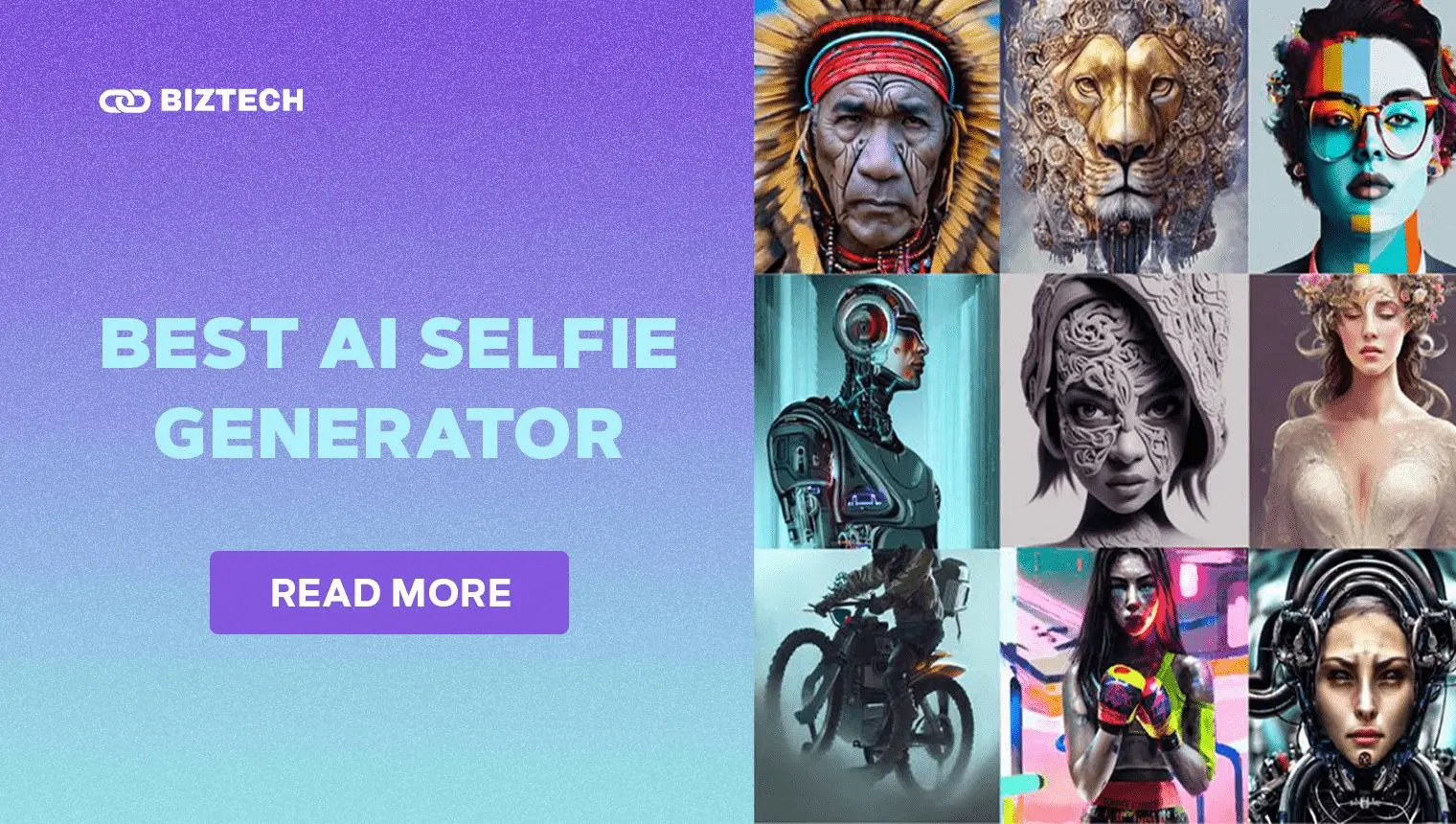
In this age of AI-powered creativity, the days when a perfect shot relied only on angles and lighting are long gone. Today our photos are storytellers — filled with emotion, style and personality — and a good AI selfie generator can turn an ordinary phone snap into a studio-quality portrait, an anime avatar or a polished LinkedIn headshot in seconds.
- The Rise of AI in Photography
- From Selfies to Avatars: Why Create AI Selfies for Social Media, Gaming & Business
- AI Selfies for Social Media
- AI Selfies for Gaming & Character Creation
- AI Selfies for Anime & Art Lovers
- AI Selfies for Business (AI Headshots)
- How to Choose the Right AI Selfie Generator
- Picture Perfect: Top 10 Best Free AI Selfie Generators (2026)
- 1. Google Gemini (Nano Banana)
- 2. Remini
- 3. Lensa
- 4. YouCam Makeup
- 5. Fotor
- 6. PicsArt
- 7. Canva
- 8. FaceApp
- 9. ChatGPT (GPT Image)
- 10. Deep Dream Generator
- Overview of the 10 Best AI Selfie Generators (2026)
- How to Generate an AI Selfie: Step by Step
- Step 1: Pick the Right Tool for Your Goal
- Step 2: Snap (or Select) a Stellar Selfie
- Step 3: Upload and Let the AI Work
- Step 4: Customise Your AI Alter Ego
- Step 5: Download and Share (Mind the Rights)
- Common Pitfalls to Avoid
- Other AI Selfie & Headshot Tools Worth Trying in 2026
- For Malaysia & Singapore Users
- Ethical and Privacy Concerns of AI Selfie Generators
- Data Security and Privacy Policies
- How to Protect Your Identity
- Final Thoughts
- Frequently Asked Questions
2026 has been a breakout year for this technology. Google’s viral “Nano Banana” image model (now built into the free Gemini app) sent millions of people across Malaysia and Singapore into figurine, retro and traditional-outfit selfie trends, while apps like Remini and Lensa kept dominating the app-store charts. With so many tools out there, where do you even begin?
Below is our fully updated guide to the 10 best free AI selfie generators you can use right now — with current features, honest pricing, platform availability, a quick how-to-choose framework, and the privacy pitfalls to watch for. All details were verified in July 2026; prices and features change fast, so always confirm inside the app before you pay.
The Rise of AI in Photography
Thanks to rapid advances in generative AI, powerful photo tools that once needed a desktop and editing skills now live inside a free mobile app. In 2026 the biggest leap has been native image generation baked into mainstream AI assistants — Google Gemini (Nano Banana) and OpenAI’s ChatGPT (GPT Image) can now create and edit realistic portraits directly from a text prompt or an uploaded selfie.
From one-tap enhancers to text-to-image models, AI is making photography more accessible and creative for everyone, not just professional photographers. Here are the main ways AI is reshaping how we take and share photos:
- No editing skills needed: AI selfie generators automatically enhance photos, smooth blemishes, fix lighting and upscale resolution — no Photoshop required.
- Text-to-image creation: Modern models turn a written description into a photorealistic image, so you can invent scenes and styles that never existed.
- Personalised avatars & headshots: Feed in a few selfies and AI builds dozens of styled portraits — from anime and fantasy avatars to corporate headshots.
- On-device & AR effects: AI increasingly runs on your phone for faster, more private editing, and powers augmented-reality filters that blend digital content with the real world.
If you also love creating full artworks (not just selfies), see our companion guides to the best AI image generators and free tools for Studio Ghibli-style artwork.
From Selfies to Avatars: Why Create AI Selfies for Social Media, Gaming & Business
Here’s why it’s worth hopping on the AI selfie trend. First, it’s a creative playground — you can experiment with looks and styles you’d never try in real life. Beyond the fun, AI selfies add polish and personality that make you stand out, whether you’re posting to Instagram or updating a professional profile.
AI Selfies for Social Media
AI selfies help you cut through a crowded feed. Whether you’re an influencer or just want a scroll-stopping profile picture, AI-generated portraits deliver the attention-grabbing, on-trend content today’s algorithms reward — effortlessly and at scale.
AI Selfies for Gaming & Character Creation
Gamers can embrace unique, personalised avatars that mirror their identity in-game. AI-generated portraits intensify immersion, whether you’re battling fantasy beasts or building a recognisable esports persona.
AI Selfies for Anime & Art Lovers
Anime fans can achieve the iconic look — big eyes, colourful hair, whimsical backgrounds — with a single tap. Whether you’re cosplaying or just adding an artistic touch, AI unlocks endless ways to reimagine yourself as your favourite character.
AI Selfies for Business (AI Headshots)
In the business world, first impressions count. AI headshot tools turn casual selfies into clean, professional portraits for LinkedIn, company websites and CVs — a fraction of the cost of a studio shoot. For a phone-first workflow, pair them with the productivity picks in our best AI apps for iPhone guide.
How to Choose the Right AI Selfie Generator
Not every tool suits every goal. Before you download five apps and hit five paywalls, match the tool to what you actually want to create:
- Want realistic AI photoshoots or headshots? Go for Remini, YouCam or a dedicated headshot generator (Aragon AI, HeadshotPro, BetterPic).
- Want stylised avatars (anime, fantasy, cinematic)? Lensa, PicsArt and Gemini’s Nano Banana shine here.
- Want to create images from a text prompt? ChatGPT (GPT Image), Google Gemini and Deep Dream Generator are built for it.
- Want quick beauty edits and filters? YouCam Makeup, FaceApp and Fotor are the fastest.
- Want everything in one place with design templates? Canva combines AI portraits with a full design suite.
Then weigh four practical factors: free-tier limits (watermarks, daily caps, ads), true cost (watch for weekly-billed subscriptions), privacy (where your face data is stored), and output rights (can you use the image commercially?). We break these down for each tool below.
Picture Perfect: Top 10 Best Free AI Selfie Generators (2026)
1. Google Gemini (Nano Banana)
Features: Text-to-image and photo editing powered by Gemini’s “Nano Banana” model; turns selfies into figurines, retro styles, outfits and scenes.
Pros: Free, remarkably realistic, keeps your likeness consistent, huge trend library.
Cons: Requires a Google account; heaviest limits reserved for paid AI plans.
Pricing: Free in the Gemini app/web; higher limits via Google AI Plus/Pro. Personalised image creation rolled out free in 2026.
Platforms: Web, Android and iOS.
Google’s Nano Banana is the AI selfie phenomenon of 2026. After launching Nano Banana 2 in February 2026 and making personalised image generation free for users (starting in the US and expanding), Gemini became the go-to for viral selfie trends across Malaysia and Singapore. Upload a photo, describe the look you want — a 3D figurine, a 90s yearbook shot, traditional festive wear — and it renders a convincing portrait that still looks like you. It’s the strongest free all-rounder on this list.
2. Remini
Features: AI photo enhancer plus viral “AI Photos” photoshoots, headshots, Baby AI and Wedding AI.
Pros: Stunning enhancement of old/blurry photos, realistic AI headshots, very easy to use.
Cons: Best features are behind a subscription; free use is limited and ad-supported.
Pricing: Free with limited daily use; Pro subscription billed weekly or yearly (historically around US$5–10/week — confirm the current in-app price).
Platforms: iOS and Android.
Remini went mainstream on the strength of its AI Photos feature, which turns a handful of selfies into a full studio-style photoshoot — a favourite for professional headshots and dreamy portrait sets. It also breathes life into old, low-resolution family photos. Just be mindful of its subscription: it’s often billed weekly, which adds up quickly, so cancel before renewal if you only need one photoshoot.
3. Lensa
Features: Magic Avatars (stylised AI portraits) plus one-tap selfie retouching from Prisma Labs.
Pros: Artistic, high-quality avatar packs; strong portrait enhancement.
Cons: Avatars are paid; limited fine control over the final look.
Pricing: Free trial; Magic Avatar packs from ~US$3.99, or a Lensa premium subscription (~US$29.99–49.99/year). Verify in-app.
Platforms: iOS and Android.
Lensa helped kick off the AI-avatar craze and still delivers some of the most artistic results. Feed it 10–20 selfies and it generates dozens of styled portraits — fantasy, cinematic, cosmic and more. It’s ideal when you want eye-catching profile art rather than a true-to-life headshot.

4. YouCam Makeup
Features: AI makeup and beautification, AI Avatar, AI Art, AI Headshot and a new conversational AI Beauty Agent from Perfect Corp.
Pros: Realistic makeup try-on, huge feature set, user-friendly.
Cons: Many effects sit behind a subscription; free tier has ads.
Pricing: Free with ads; Premium roughly US$4.99/month or ~US$29.99/year (varies by store — confirm in-app).
Platforms: iOS and Android.
YouCam Makeup is a digital stylist and selfie editor in one. Beyond virtual makeup, its AI Avatar, AI Art and AI Headshot tools let you generate polished portraits, and Perfect Corp’s 2025 AI Beauty Agent adds a chat-based assistant for makeup, hairstyle and styling ideas. A solid choice if you want beauty edits and AI portraits in a single app.
5. Fotor
Features: AI photo editing, AI headshot and avatar generators, background removal and art effects.
Pros: Comprehensive editing suite, works on web and mobile, generous toolset.
Cons: Best AI features and higher resolutions are paid.
Pricing: Free tier; Pro ~US$8.99/month (about US$3.33/month billed annually); Pro+ US$19.99/month.
Platforms: iOS, Android and web.
Fotor pairs classic photo editing with modern AI — including an AI headshot generator and one-click enhancers. Because it runs in the browser too, it’s handy when you want to touch up a selfie on a laptop. A great middle-ground between a simple filter app and a full design tool.
6. PicsArt
Features: AI avatars, AI image generation, stickers, effects and a huge editing toolkit.
Pros: All-in-one creative platform, great for social content, beginner-friendly.
Cons: Free version has ads; premium tools gated.
Pricing: Free with ads; Plus ~US$5/month and Pro ~US$7/month (billed annually, ~US$84/year); higher month-to-month.
Platforms: iOS, Android and web.
PicsArt is a Swiss-army knife for social creators. Its AI avatar and image tools generate shareable portraits, while the editor handles everything from cut-outs to collages. If you post to social media daily, having generation and editing in one app is a real time-saver. For more design-focused work, compare it with our best free graphic design apps.
7. Canva
Features: Magic Studio AI (image generation, editing, background removal) plus a full design suite and templates.
Pros: Versatile, excellent templates, turns AI portraits into finished posts and headshots.
Cons: Best AI features need Canva Pro; prices rose in 2025 for AI.
Pricing: Free plan; Canva Pro around US$12.99/month or US$119.99/year (Malaysia/Singapore see localised pricing).
Platforms: iOS, Android and web.
Canva is less a selfie app and more a creative platform with AI built in. Its Magic Studio tools can generate and edit portraits, then drop them straight into a resume, social banner or presentation. If you want your AI selfie to become a finished, branded graphic, Canva is unbeatable for convenience.
8. FaceApp
Features: Age, gender and style transformations, backgrounds, hairstyles and realistic face filters.
Pros: Fun, uncannily realistic edits, simple one-tap results.
Cons: Past privacy concerns — review its data policy before uploading.
Pricing: Free with watermark; Pro US$19.99/year or a one-time Lifetime around US$79.99.
Platforms: iOS and Android.
FaceApp remains the king of viral face transformations — aging yourself decades, swapping styles, or trying a new hairstyle in seconds. The results are impressively realistic, which is exactly why you should read its privacy terms before feeding it your most personal photos.
9. ChatGPT (GPT Image)
Features: Text-to-image and image editing via OpenAI’s GPT Image model inside ChatGPT (the successor to DALL·E).
Pros: Understands detailed prompts, edits uploaded photos, can produce multiple variations.
Cons: Free tier has daily image limits; strict content rules.
Pricing: Free tier includes limited image generation; ChatGPT Plus US$20/month for higher limits.
Platforms: Web, iOS and Android.
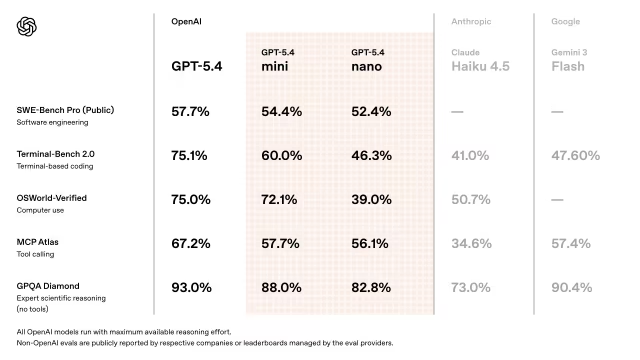
Important 2026 update: OpenAI retired the DALL·E 2 and DALL·E 3 image models on 12 May 2026. Image creation in ChatGPT now runs on GPT Image (ChatGPT Images 2.0), which can edit an uploaded selfie, follow detailed prompts and generate several coherent images at once. It’s a natural pick if you already use ChatGPT and want to restyle a portrait through conversation. For a deeper look at chat-based AI tools, see our best ChatGPT apps roundup.
10. Deep Dream Generator
Features: Text-to-image and photo-to-art generation with a strong artistic, dreamlike style; active AI-art community.
Pros: Unique surreal effects, browser-based, free tier to start.
Cons: Free “energy” is limited; best for art, not true-to-life headshots.
Pricing: Free with rechargeable energy; Basic US$9/month, Advanced US$19, Professional US$39, Ultra US$99 (25% off billed annually).
Platforms: Web-based.
Deep Dream Generator turns photos and prompts into surreal, painterly artwork. It won’t give you a corporate headshot, but if you want your selfie reimagined as dreamlike art — think Van Gogh swirls or cosmic fantasy — it’s a fun, creative option with a welcoming community.
Overview of the 10 Best AI Selfie Generators (2026)
| AI Selfie Generator | Best For | Free Tier | Paid From | Platforms |
|---|---|---|---|---|
| Google Gemini (Nano Banana) | Viral, realistic AI selfies & trends | Yes — free image generation | Google AI Plus/Pro (higher limits) | Web, iOS, Android |
| Remini | AI photoshoots & headshots | Limited daily use + ads | ~US$5–10/week (verify in-app) | iOS, Android |
| Lensa | Stylised avatars & portraits | Free trial | ~US$3.99/avatar pack | iOS, Android |
| YouCam Makeup | Beauty edits + AI headshots | Yes (with ads) | ~US$4.99/month | iOS, Android |
| Fotor | All-round editing + AI headshots | Yes | ~US$3.33/month (annual) | iOS, Android, Web |
| PicsArt | Social content + AI avatars | Yes (with ads) | ~US$5/month (annual) | iOS, Android, Web |
| Canva | AI portraits inside a design suite | Yes | ~US$12.99/month (Pro) | iOS, Android, Web |
| FaceApp | Fun face & style transformations | Yes (watermark) | US$19.99/year | iOS, Android |
| ChatGPT (GPT Image) | Prompt-based portraits & edits | Yes (daily limit) | US$20/month (Plus) | Web, iOS, Android |
| Deep Dream Generator | Surreal, artistic portraits | Yes (energy points) | US$9/month | Web |
Pricing verified July 2026 and shown in USD; most apps bill in USD, so Malaysia/Singapore users will see currency conversion (and possibly SST/GST) at checkout. Always confirm the current price in the app before subscribing.
How to Generate an AI Selfie: Step by Step
Step 1: Pick the Right Tool for Your Goal
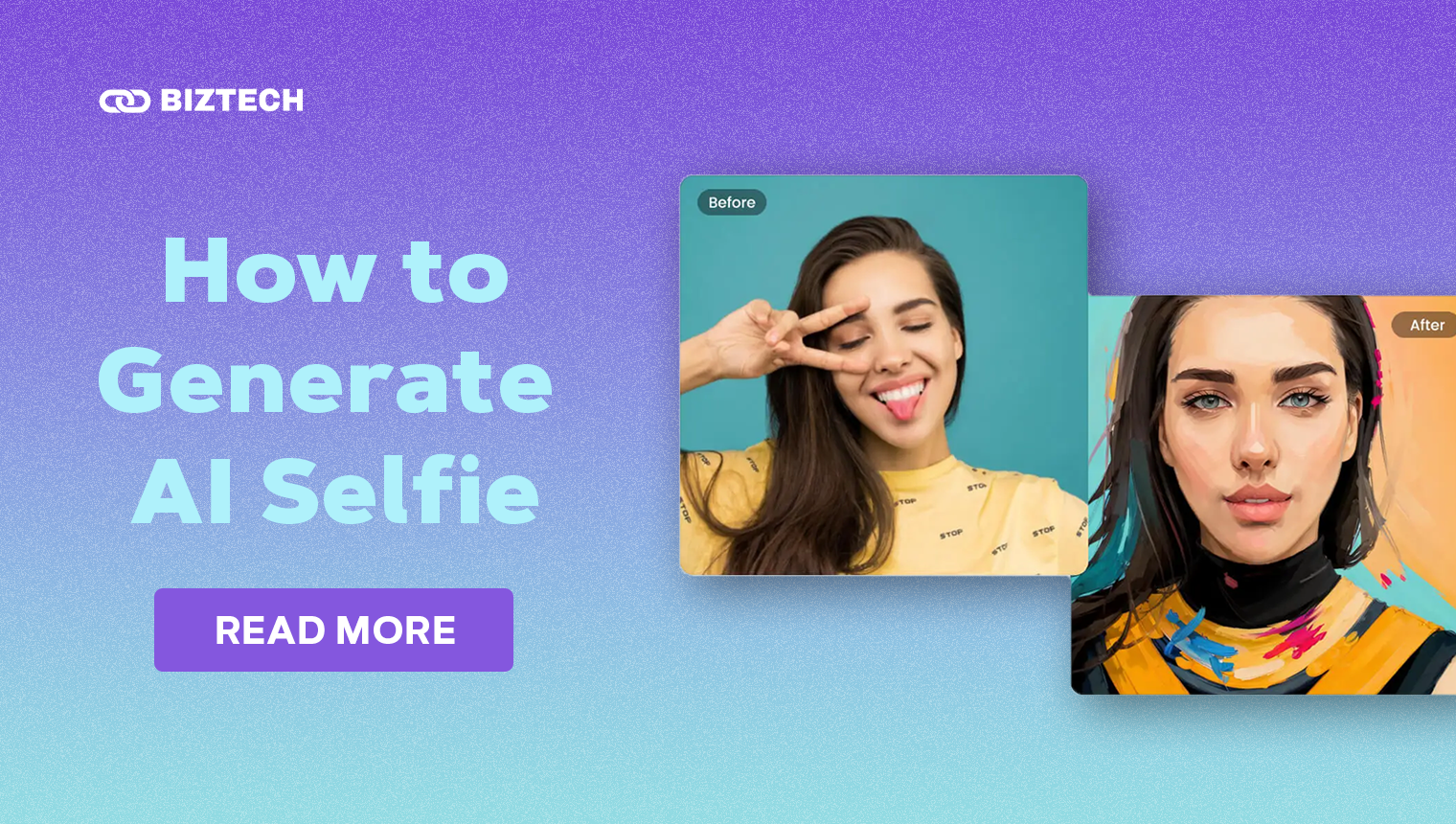
Start by choosing an app that matches what you want — a realistic headshot, a stylised avatar or a prompt-based creation. Use the “how to choose” guide above, and pick just one or two to avoid stacking subscriptions.
Step 2: Snap (or Select) a Stellar Selfie
Quality in, quality out. Use a well-lit, front-facing photo with a clear view of your face, a neutral expression and a clean background. Higher resolution gives the AI more detail to work with. Many photoshoot tools ask for several angles — provide varied but clear shots for the best likeness.
Step 3: Upload and Let the AI Work
Upload your photo(s) and, if the tool supports prompts, describe the style, outfit or setting you want. The AI analyses your features and generates portraits — this can take anywhere from seconds (filters) to several minutes (full photoshoots).
Step 4: Customise Your AI Alter Ego
Refine the result: change hairstyle, outfit, background or lighting. Prompt-based tools like Gemini and ChatGPT let you say “make the background a studio grey” or “add soft rim lighting,” and re-generate until it’s right.
Step 5: Download and Share (Mind the Rights)
Export in the highest quality available and put it to use — profile pictures, gaming avatars, LinkedIn headshots or marketing. Before commercial use, check the app’s licence terms so you know you own the rights to the image.
Common Pitfalls to Avoid
- The weekly-subscription trap: Several selfie apps bill weekly, not monthly. A “cheap” RM20-ish plan can quietly cost far more over a year. Check the billing period and cancel before renewal.
- Fake or copycat apps: Search results and app stores are full of look-alikes. Download only the official app from the verified developer.
- Over-sharing your face data: Every upload is a biometric identifier. Avoid apps with vague privacy policies, and don’t upload children’s photos.
- Unrealistic likeness: AI can subtly change your features. For professional headshots, choose results that still look genuinely like you.
- Ignoring output rights: Free tiers often add watermarks or restrict commercial use. Confirm the licence before using an image for business.
Other AI Selfie & Headshot Tools Worth Trying in 2026
Beyond the top 10, a few specialist tools are worth a look, especially for professional headshots: Aragon AI, HeadshotPro and BetterPic focus on corporate-quality portraits, while Photo AI creates full AI photoshoots from your selfies. For quick beauty edits, Meitu, BeautyPlus and AirBrush remain popular across Southeast Asia. These typically cost a one-off or monthly fee rather than a free tier, so weigh them up if headshots are your main goal.
For Malaysia & Singapore Users
A few local notes to keep in mind:
- Pricing & tax: Most of these apps bill in US dollars via the Apple App Store or Google Play. Expect currency conversion and, where applicable, Malaysia’s 8% SST or Singapore’s 9% GST added at checkout.
- Free options first: Google Gemini (Nano Banana) and ChatGPT’s free image tools cover most casual selfie needs without any subscription — a good starting point before paying.
- Data protection: Your face is personal data under Malaysia’s PDPA and Singapore’s PDPA. Favour apps that let you delete your photos and models, and read the privacy policy before uploading.
- Language & trends: Prompt-based tools understand Bahasa Malaysia and Manglish reasonably well — useful for festive or local-style selfie trends.
Ethical and Privacy Concerns of AI Selfie Generators
AI-generated selfies inspire creativity but raise real ethical and privacy questions. Misuse can lead to deepfakes, impersonation and identity theft — concerns that have only grown in 2026 as image models become more realistic. Responsible use, informed consent and control over your own data are essential.
Data Security and Privacy Policies
These tools require uploading personal photos, so prioritise apps with clear, strong privacy policies — encryption, secure storage and an option to delete your data and any trained model. Trustworthy providers spell out how long they keep your images and whether they’re used to train AI. Always read the policy before you upload. In Malaysia, you can learn more about your rights from the Department of Personal Data Protection (JPDP).
How to Protect Your Identity
Safeguard yourself by not uploading your most sensitive images, avoiding children’s photos entirely, and deleting your data from the app when you’re done. Be selective about where you share AI images — once online, they’re hard to control. Where possible, choose tools that process images on-device and let you opt out of AI training.
Read also: How to Use Adobe Firefly to Create AI Art
Final Thoughts
AI selfie generators have come a long way — from novelty avatar apps to genuinely useful tools that produce professional headshots and viral, share-worthy portraits. In 2026, free options like Google’s Nano Banana and ChatGPT’s GPT Image put remarkable power in your pocket at no cost, while apps like Remini, Lensa and YouCam add polished, purpose-built results.
Whether you’re an influencer chasing engagement, a gamer building an avatar, or a professional refreshing your LinkedIn photo, there’s a tool here for you. Start with a free option, mind the weekly-billing traps, and always protect your face data. Happy snapping!
Details verified July 2026. Prices, features and free-tier limits change frequently — please confirm the latest details with each provider before subscribing. This guide is provided by KayaToday for general information only and is not professional, legal or financial advice.