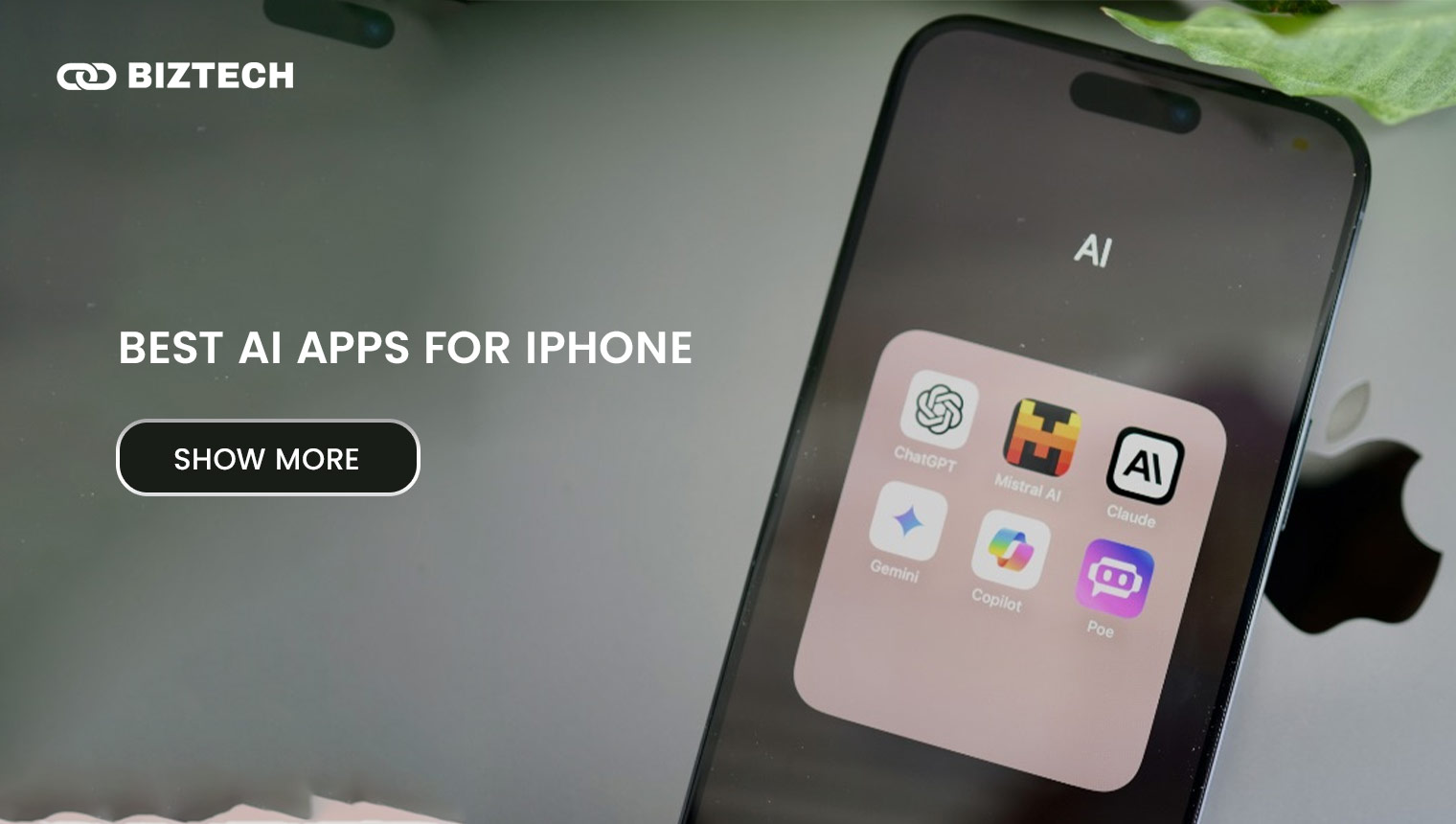
Artificial intelligence has gone from a novelty to the most-used category on the App Store, and iPhone users are spoiled for choice in 2026. The right AI app can draft your emails, transcribe a meeting, edit a photo, solve a calculus problem, or hold a full voice conversation — often for free.
- Quick Comparison Table: Best AI Apps for iPhone
- The Best All-Round AI Assistants for iPhone
- 1. ChatGPT — Best Overall
- 2. Google Gemini — Best for the Google Ecosystem
- 3. Claude — Best for Writing & Long Documents
- 4. Microsoft Copilot — Best for Office Users
- 5. Perplexity — Best for Research & Cited Answers
- Best AI Apps for Creativity & Media
- 6. Picsart
- 7. Murf AI
- 8. LOVO AI (Genny)
- Best AI Apps for Productivity & Study
- 9. Otter.ai
- 10. QuillBot
- 11. Photomath
- 12. Jasper AI
- How to Choose the Right AI App for Your iPhone
- Common Mistakes to Avoid
- A Note for Malaysia & Singapore Users
- Conclusion
- Frequently Asked Questions (FAQs)
This guide covers the best AI apps for iPhone right now, organised by what you actually want to do: chat and research, create and edit media, or get more done and study smarter. For every app we list the standout AI features, who it suits, and the current pricing so you can choose without guesswork.
A quick word on Apple Intelligence, Apple’s built-in AI. On iOS 26 it runs on the iPhone 15 Pro and Pro Max, the entire iPhone 16 line (including the iPhone 16e), the iPhone 17 series and iPhone Air — but not the standard iPhone 15, iPhone 15 Plus, or any iPhone 14 and older. The most advanced on-device Siri features need 12GB of RAM, so they light up fully only on the iPhone Air and iPhone 17 Pro/Pro Max. If your iPhone is older, or you want capabilities Apple doesn’t offer, the third-party apps below give you powerful AI regardless of your model. You can check your eligibility on Apple’s official support page.
Quick Comparison Table: Best AI Apps for iPhone
| AI App | Best For | Standout AI Features | Free Tier? | Paid (from, USD) |
| ChatGPT | All-round assistant, voice & images | Advanced chat, voice mode, vision, image generation | Yes (with ads) | Go $8/mo; Plus $20/mo |
| Google Gemini | People living in Gmail, Docs & Calendar | Gemini Live voice, Deep Research, Canvas, image/video | Yes | AI Plus $7.99/mo; AI Pro $19.99/mo |
| Claude | Long-form writing & careful reasoning | Large context, document analysis, web search | Yes | Pro $20/mo |
| Microsoft Copilot | Microsoft 365 / Office users | Chat, voice, vision, Word/Excel/Outlook help | Yes | Microsoft 365 Premium ~$19.99/mo |
| Perplexity | Cited research & up-to-date answers | Web-first search with sources, follow-up questions | Yes | Pro $20/mo ($200/yr) |
| Picsart | Photo & video editing on the go | AI enhance, background removal, AI image & video | Yes | Plus from ~$5–13/mo (varies) |
| Murf AI | Voiceovers & text-to-speech | Realistic TTS, voice cloning, 100+ voices/languages | Trial | Creator $29/mo ($19/mo annual) |
| LOVO AI (Genny) | Short AI videos with voiceover | Script generator, AI voices, online video editor | Yes | Basic $24/mo ($12/mo annual) |
| Otter.ai | Meeting & lecture transcription | Live transcription, speaker ID, AI summaries | Yes (300 min/mo) | Pro $16.99/mo |
| QuillBot | Paraphrasing & polishing writing | Paraphraser, summariser, grammar checker | Yes | Premium $19.95/mo ($99.95/yr) |
| Photomath | Maths help & study (students) | Camera solve, step-by-step, interactive graphs | Yes | Plus $9.99/mo ($69.99/yr) |
| Jasper AI | Marketing teams & long-form content | Templates, brand voice, campaign workflows | Trial | Creator $49/mo ($39/mo annual) |
Pricing verified June 2026 in USD, before local taxes. App Store prices in Malaysia and Singapore are billed in your local currency and may differ slightly — see the section for MY/SG users below.
The Best All-Round AI Assistants for iPhone
If you only install one AI app, make it a general assistant. These five handle the widest range of tasks — answering questions, drafting and rewriting, summarising documents, coding help, brainstorming, and increasingly voice and image input. All five have genuinely useful free tiers, so you can try before you pay.
1. ChatGPT — Best Overall
ChatGPT from OpenAI remains the best default if you’re starting from zero. It handles almost everything: writing and editing, explanations, coding, brainstorming, and analysing photos or screenshots you upload. Voice mode lets you have a natural, hands-free conversation — handy while driving or cooking — and image generation is built in.
The free tier is generous (now ad-supported in some regions) and includes voice and image input without a subscription. Paid tiers unlock the newest models, higher limits, and faster responses.
Pricing: Free $0 (with ads); Go $8/month; Plus $20/month; Pro tiers higher. See OpenAI’s pricing page for the latest.
Best for: Anyone who wants one capable assistant for everyday tasks. If you mainly want a chatbot, see our roundup of the best ChatGPT apps.
2. Google Gemini — Best for the Google Ecosystem
Gemini is the natural pick if your life already runs on Gmail, Google Docs, Calendar and Drive. It can pull context from those apps, draft replies, and summarise long threads. With more than 450 million monthly users in 2026, it’s also one of the fastest-growing assistants. Gemini Live handles free-flowing voice chats, Canvas is great for collaborative writing and code, and Deep Research compiles multi-source reports.
Pricing: Free to download and use; Google AI Plus $7.99/month; Google AI Pro $19.99/month (Gemini 3-class models, larger context, more credits); AI Ultra $99.99/month.
Best for: Google Workspace users and students who want AI woven into the tools they already use.
3. Claude — Best for Writing & Long Documents
Claude, by Anthropic, is the writer’s favourite. It excels at long-form drafting, nuanced rewriting, and reading lengthy documents or PDFs and answering questions about them. Its large context window means you can paste in a whole report or contract and discuss it without losing the thread. The free iOS app covers text, image and code generation with daily limits.
Pricing: Free $0; Pro $20/month; Max $100–$200/month for heavy users.
Best for: Students, writers, and professionals working with long or sensitive documents. For pure content drafting, also compare our best AI text generators.
4. Microsoft Copilot — Best for Office Users
If you live in Word, Excel, PowerPoint and Outlook, Copilot is the assistant that plugs straight into them. The standalone iPhone app is free and offers chat, voice and vision; the deeper in-app Office features come with a subscription. Note that Microsoft retired the old standalone Copilot Pro in late 2025 (existing subscribers are supported until 1 August 2026) — for new sign-ups, Microsoft 365 Premium now carries those AI features forward alongside the Office apps and cloud storage.
Pricing: Copilot app free; Microsoft 365 Premium ~$19.99/month for in-app Office AI, priority access and up to 6TB storage.
Best for: Microsoft 365 subscribers and anyone who drafts documents and spreadsheets daily.
5. Perplexity — Best for Research & Cited Answers
Perplexity behaves more like an AI-powered search engine than a chatbot. It searches the web first, then gives you a concise answer with numbered sources you can click to verify — a big advantage for research, shopping decisions, and any question where accuracy matters. It’s one of the best free AI apps on iPhone and a strong antidote to “confident but wrong” answers.
Pricing: Free $0; Pro $20/month ($200/year); Education Pro $10/month for verified students and educators; Max $200/month.
Best for: Researchers, students, and anyone who wants sources attached to every answer.
Best AI Apps for Creativity & Media
When you need to make something — edit a photo, generate a voiceover, or produce a short video — these specialised apps go deeper than a general assistant can.
6. Picsart

Picsart brings professional-grade photo and video editing to anyone, powered by AI. Its one-tap AI Enhance improves sharpness, lighting and colour, while AI background removal cleans up product shots and portraits in seconds. There’s also AI image generation, video editing, filters and a huge sticker library, making it a favourite of social-media creators.
Pricing: Free tier; Picsart Plus from roughly $5–$13/month and Pro higher, depending on billing term and region (annual plans can save up to 60%). Confirm current tiers in the App Store before subscribing.
Best for: Social-media influencers, marketers and casual users who want quick, polished visuals.
Pros:
- Versatile photo and video tools in one app
- Fast AI enhance and background removal
- Beginner-friendly interface
Cons:
- Best features are behind a subscription
- Pricing varies and can change with promos
7. Murf AI
Murf AI specialises in realistic text-to-speech. You type a script and get a natural-sounding voiceover in over 100 voices and many languages — useful for YouTube videos, e-learning, presentations and ads. It also offers voice cloning and a library of licensed background tracks. Language learners use it to hear correct pronunciation.
Pricing: Free trial; Creator $29/month, or $19/month billed annually (commercial rights included).
Best for: Content creators, marketers and educators who need quality voiceovers. For more options, see our guide to the best free AI voice generators.
Pros:
- High-quality, natural voices
- Voice cloning and 100+ languages
- Easy to use
Cons:
- Free tier is limited
- Advanced features can get pricey
8. LOVO AI (Genny)
LOVO’s all-in-one platform, Genny, combines an AI script generator, hyper-realistic voiceovers and an online video editor in one place. You can turn a rough idea into a short, captioned video with a voiceover in minutes — handy for social clips and quick explainers. It supports HD exports and royalty-free assets.
Pricing: Free tier; Basic $24/month ($12/month billed annually); Pro $48/month ($24/month annual); Pro+ $149/month.
Best for: Marketers and creators who need short video content fast. If full video is your goal, compare the best AI video generators.
Pros:
- Script, voice and video in one tool
- Multi-language AI voices
- HD export
Cons:
- Free tier has watermarks/limits
- Higher tiers are expensive
Best AI Apps for Productivity & Study
These apps target specific jobs — capturing meetings, polishing writing, solving maths, and scaling content — and do them better than a general chatbot.
9. Otter.ai
Otter.ai turns meetings, lectures and interviews into searchable text in real time. It identifies different speakers, generates AI summaries and action items, and integrates with Zoom, Google Meet and Microsoft Teams. The searchable archive means you can find any quote later in seconds.
Pricing: Free plan with 300 minutes/month (90-minute cap per conversation); Pro $16.99/month ($99.96/year); Business $30/month.
Best for: Students, journalists and professionals who sit in a lot of meetings.
Pros:
- Accurate live transcription and speaker ID
- AI summaries and meeting integrations
Cons:
- Free minutes run out quickly
- Accuracy drops with strong accents or noise
10. QuillBot
QuillBot is a focused writing assistant for rephrasing, summarising and grammar-checking. Its paraphraser offers several modes (Standard, Fluency, Formal, Simple, Creative, Expand, Shorten) to rewrite text while keeping the meaning — useful for clarity, tone changes, and avoiding repetition. The summariser condenses long readings into key points.
Pricing: Free with limits; Premium $19.95/month, or $99.95/year (about $8.33/month).
Best for: Students and professionals polishing emails, essays and reports.
Pros:
- Strong paraphrasing with multiple modes
- Built-in summariser and grammar checker
- Capable free version
Cons:
- Best modes need Premium
- Always review output for accuracy
11. Photomath
Now part of Google, Photomath lets students point their iPhone camera at a maths problem and get a step-by-step solution. It covers arithmetic through algebra, calculus and trigonometry, with interactive graphs to visualise equations. The goal is understanding the method, not just the answer.
Pricing: Free core solving; Photomath Plus $9.99/month or $69.99/year unlocks animated tutorials and textbook deep-dive solutions.
Best for: Students, parents and tutors who want a reliable maths helper.
Pros:
- Camera-based, step-by-step solutions
- Wide topic coverage and graphs
Cons:
- Handwriting recognition can misread
- Deep explanations need Plus
12. Jasper AI
Jasper is built for marketing teams rather than casual chat. It offers templates, brand-voice controls and campaign workflows to produce blog posts, ads and product copy at scale, and supports many languages. For a solo user a general assistant is usually cheaper, but for teams that need consistent on-brand output, Jasper earns its place.
Pricing: No free plan (free trial); Creator $49/month ($39/month annual); Pro $69/month ($59/month annual).
Best for: Marketers and content teams. See also our roundup of the best AI marketing tools.
Pros:
- Brand voice and team workflows
- Lots of templates; 100+ languages
Cons:
- No free plan and pricier than general assistants
- Overkill for individual users
Honourable mentions: Elephas is a tidy AI writing assistant for people deep in the Apple ecosystem (iPhone + Mac), great for drafting emails and summarising research (subscription, pricing varies). Grok suits users who want real-time, less-filtered answers tied to X. And Replika remains popular as an AI companion for casual conversation — if you use it, treat it as light entertainment rather than a substitute for real mental-health support, and reach out to a qualified professional or someone you trust if you’re going through a hard time.
How to Choose the Right AI App for Your iPhone
With so many options, the trick is to match the app to the job rather than collecting subscriptions. A simple way to decide:
- Start with what you do most. General questions, writing and brainstorming? A single assistant (ChatGPT, Gemini or Claude) covers 80% of needs.
- Follow your existing tools. Heavy Gmail/Docs user → Gemini. Word/Excel/Outlook → Copilot. Long documents → Claude.
- Pick specialists for specialist jobs. Transcription → Otter; maths → Photomath; voiceovers → Murf; photo edits → Picsart; cited research → Perplexity.
- Try the free tier first. Every assistant here has one. Live with it for a week before paying — you may never hit the limits.
- Mind your iPhone’s power. Older models can’t run Apple Intelligence, but every app above works regardless of model because the heavy lifting happens in the cloud.
Worked example: A university student in Kuala Lumpur could run a completely free stack — ChatGPT or Gemini for everyday questions and study help, Otter’s free 300 minutes for lectures, Photomath for maths, and QuillBot’s free tier to tidy up essays — and only upgrade the one app they hit limits on (often transcription). A freelance content creator, by contrast, might pay for one assistant plus Picsart or Murf, and skip the rest.
Common Mistakes to Avoid
- Paying for overlap. Three chatbot subscriptions rarely beat one. Consolidate.
- Trusting answers blindly. AI can sound confident and still be wrong. For facts, figures and anything financial or medical, verify with a primary source — Perplexity’s citations help.
- Forgetting to cancel trials. Free trials auto-renew. Set a reminder, and cancel in Settings → [your name] → Subscriptions on your iPhone, not just inside the app.
- Oversharing sensitive data. Don’t paste passwords, IC/NRIC numbers, or confidential work documents into consumer AI apps. Check each app’s data and training settings.
- Ignoring privacy controls. Most apps let you turn off chat history or model training — worth doing if you handle client information.
A Note for Malaysia & Singapore Users
Almost all of these apps bill in US dollars, so your final cost depends on the exchange rate and card fees. A “$20/month” plan typically lands around RM90–95 or about S$27 once converted, and some foreign-currency cards add a 1–3% conversion fee — a multi-currency card or one with no FX markup can save a little.
App Store purchases made through your Apple ID are charged in your local currency (MYR or SGD) and Apple applies the relevant tax — Malaysia’s 8% Service Tax on digital services and Singapore’s 9% GST — so the in-app price you see already includes it. Subscriptions bought directly on a provider’s website may show the pre-tax USD figure instead. Either way, treat the USD numbers above as a guide and confirm the local total at checkout. For data privacy, remember Malaysia’s PDPA and Singapore’s PDPA apply to your personal information, so be selective about what you upload.
Conclusion
The best AI app for your iPhone in 2026 is the one that fits how you already work. For most people, a single capable assistant — ChatGPT, Gemini or Claude — plus one or two specialists for media, transcription or study is all you need, and you can build that stack mostly for free. Start with the free tiers, upgrade only where you hit a wall, and keep an eye on subscriptions so they don’t quietly stack up.
Read also: Best ChatGPT Apps, Best AI Text Generators, and Best AI Coding Tools.
All features and prices were verified in June 2026 and are shown in USD before local taxes. AI apps update frequently — always confirm the latest details with the provider before subscribing.
Disclaimer: This guide is provided by KayaToday for general informational purposes only and is not financial, technical or purchasing advice. App features, availability and pricing change often and vary by region, billing term and App Store currency. Always confirm current details directly with each provider before making a decision.