Introduction
Balancing client work, coursework, meetings, and deadlines can feel like juggling on a tightrope. Students bounce between study sessions, part-time shifts, and group projects; professionals wrestle with overflowing inboxes, back-to-back calls, and projects that never quite fit into the workday.
- Introduction
- Quick Comparison: Top 10 Productivity Apps (2026)
- Task & Project Management Apps
- Motion – AI-Powered Task & Calendar Scheduler
- Sunsama – Digital Daily Planner
- Notion – All-in-One Workspace
- Communication & Writing Productivity Apps
- Superhuman Mail – The Fastest Email Experience
- Grammarly – Smarter Writing Assistance
- Focus & Distraction Management Apps
- Forest – Gamified Focus App
- Cold Turkey – Website & App Blocker
- Time Tracking & Workflow Apps
- RescueTime – Time Awareness & Reports
- Clockify – Free Time Tracking Tool
- Bonus Efficiency App
- Raycast – Keyboard-First Launcher (Mac, Windows & iOS)
- How to Choose the Right Productivity Apps
- Common Pitfalls to Avoid
- A Note for Malaysia & Singapore Users
- Conclusion
- Frequently Asked Questions
The right productivity apps can turn that avalanche into a manageable system — one that saves you real hours every week while keeping your head clear. This guide walks through the top 10 productivity apps I’ve tried, tested, or researched extensively, updated with current 2026 pricing and the big changes that landed over the past year (including one of the biggest shake-ups in the category: Grammarly and Superhuman merging into a single suite).
Every app here made the cut because it solves a real problem: automating your schedule, decluttering your inbox, protecting your focus, or tracking your time without manual effort. Alongside each pick you’ll find who it suits best, what it actually costs in 2026, and the honest trade-offs.
Quick Comparison: Top 10 Productivity Apps (2026)
| App | Category | Free Plan | Paid From (USD) | Best For |
|---|---|---|---|---|
| Motion | AI task & calendar scheduling | No (7-day trial) | ~$19/mo (~$12.73/mo annual) | Auto-planning a chaotic day |
| Sunsama | Daily planner | No (14-day trial) | $25/mo ($20/mo annual) | Mindful, sustainable daily planning |
| Notion | All-in-one workspace | Yes | Plus $10/user/mo annual; Business (full AI) $20 | Notes, wikis, projects in one place |
| Superhuman Mail | No (suite Business tier) | $33/user/mo annual ($40 monthly) | Power users living in email | |
| Grammarly | Writing assistant | Yes | Pro $12/user/mo annual ($30 monthly) | Anyone who writes daily |
| Forest | Gamified focus | Yes (free download since Dec 2025) | Forest Plus subscription; Android ad-free unlock ~$1.99 | Phone-addiction busting |
| Cold Turkey | Website/app blocker | Yes (basic blocker) | Pro $39 one device / $49 unlimited (one-time) | Hardcore distraction blocking |
| RescueTime | Automatic time tracking | Yes (Lite) | ~$6.50/mo annual ($12 monthly) | Seeing where your hours really go |
| Clockify | Time tracking & timesheets | Yes (unlimited users) | Basic $3.99/user/mo annual | Freelancers billing clients |
| Raycast | Launcher / command bar | Yes | Pro $8/user/mo annual | Keyboard-first Mac (and now Windows) users |
Prices verified July 2026 in USD; most apps bill in USD worldwide. Always confirm on the provider’s pricing page before subscribing.
Task & Project Management Apps
Motion – AI-Powered Task & Calendar Scheduler

Motion is more than a calendar — it’s a personal assistant powered by AI. Drop in your tasks, deadlines, and meetings, and Motion plans your day for you, automatically reshuffling everything when a last-minute call lands or a task runs long. In 2026 it has grown into a broader AI work suite, adding AI chat, meeting notes, docs, and sheets on top of its core auto-scheduling.
I watched it shuffle my study blocks when I needed to take a last-minute client call — no manual dragging, no stress. For students, that means less time worrying about schedules; for teams, it makes meetings and deadlines fall into line.
2026 pricing: No free plan. Pro AI is $19/month (about $12.73/month billed annually) and Business AI is $29/seat/month (about $19.43 annually), each with a monthly AI-credit allowance and a 7-day free trial. It’s one of the pricier picks here, so use the trial seriously before committing.
- Unique Touch: Motion isn’t just a reminder — it re-plans your day live as things change.
- Who Benefits: Students juggling exams, teams managing multistep projects, freelancers with unpredictable schedules.
Sunsama – Digital Daily Planner
Sunsama is about planning mindfully, not just dumping tasks into a list. Each morning it guides you through choosing what you’ll actually do today — pulling in tasks from Todoist, Trello, Asana, Gmail, and your calendar — and each evening it nudges you to reflect on what got done.
What I love most? Its soft push to move tasks to tomorrow when I overload my day. It feels less like a tool and more like a daily coach saying, “You can do this — just not all of it today.”
2026 pricing: $25/month, or $20/month billed annually — Sunsama raised prices in 2026 for the first time in five years (previously $20/$16). There’s a 14-day full-feature trial with no credit card required, and no free tier.
- Unique Touch: Turns daily planning into a calm ritual instead of a chore.
- Who Benefits: Professionals prone to overcommitting, and students who thrive on structured days.
Notion – All-in-One Workspace
Notion neatly brings together notes, projects, databases, and wikis in one flexible workspace. Its AI has levelled up significantly: beyond writing help, Notion now offers AI agents that can search your whole workspace (and connected tools like Google Drive and Slack), build pages, and automate multi-step work.
I use it as one giant knowledge bank and team-sharing space — great for group projects or documenting business processes. If you write a lot with AI elsewhere, our guide to the best AI text generators pairs well with a Notion setup.
2026 pricing: The free plan remains excellent for individuals. Plus is $10/user/month billed annually ($12 monthly). Since Notion’s May 2025 restructure removed the old AI add-on, full AI (agents and Ask Notion) now comes with the Business plan at $20/user/month annually ($24 monthly).
- Unique Touch: Completely customizable — build your productivity system the way you think.
- Who Benefits: Students collaborating on group projects and businesses building centralized knowledge bases.
Communication & Writing Productivity Apps
Superhuman Mail – The Fastest Email Experience

Email can eat hours, and Superhuman remains the gold standard for blasting through it — keyboard shortcuts, split inbox, AI triage, instant replies, and auto-drafts that sound like you.
Big change since our last update: Grammarly acquired Superhuman in July 2025, then rebranded the whole company as Superhuman and launched the Superhuman Suite (Mail + Grammarly + Coda + the Superhuman Go assistant) in late 2025. You can no longer buy Superhuman Mail on its own — it now comes with the suite’s Business plan.
2026 pricing: Superhuman Mail is included in the Superhuman Business plan at $33/user/month billed annually ($40 monthly), which also bundles Grammarly Pro, Coda, and Go. Pricey — but if you live in your inbox, the four-hours-a-week claim isn’t far off in practice.
- Unique Touch: Predicts your next move — bookings, follow-ups, and AI-generated replies in your own voice.
- Who Benefits: Founders, sales teams, and professionals drowning in high-volume email.
Grammarly – Smarter Writing Assistance
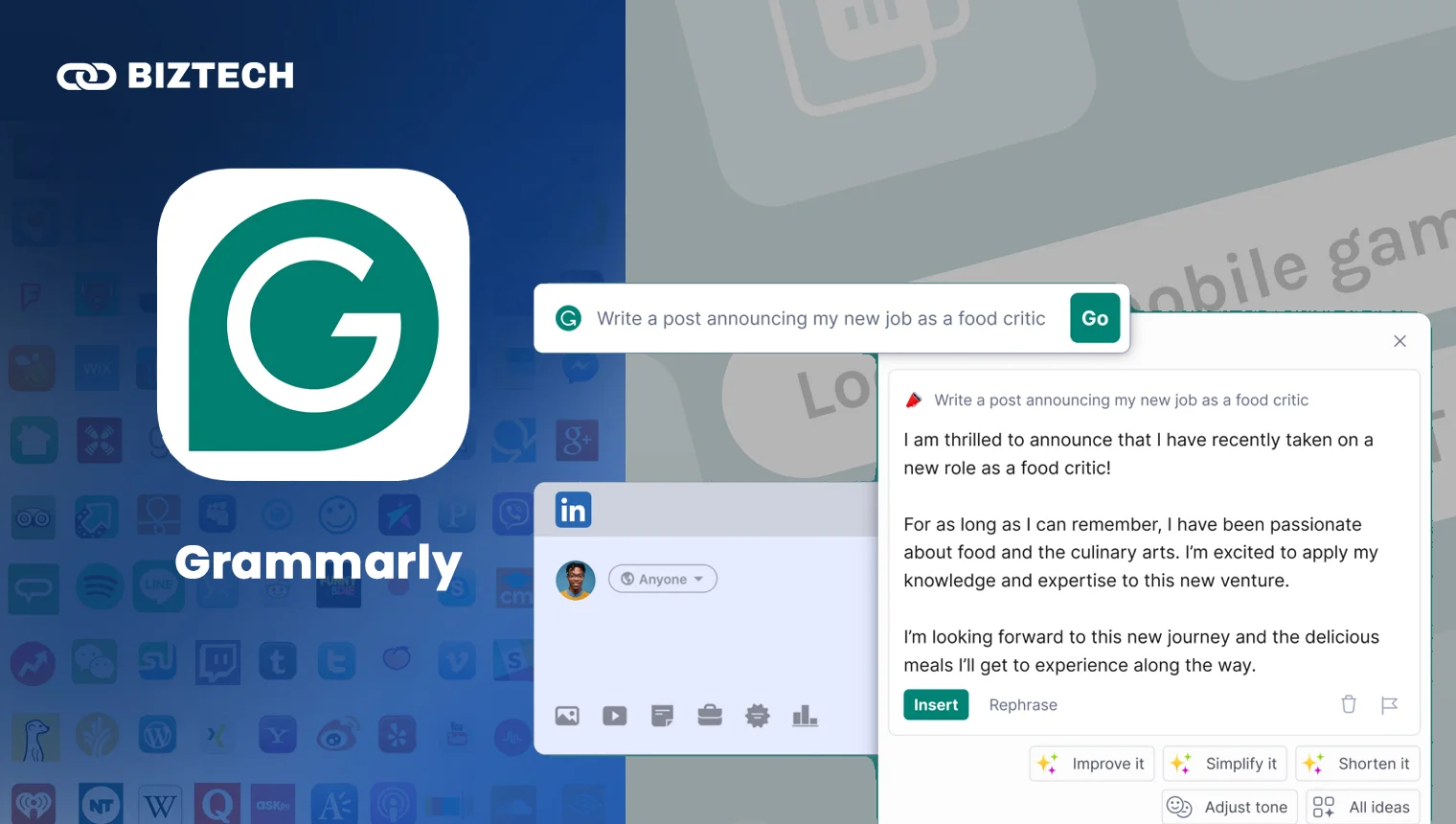
Grammarly long ago outgrew being a grammar checker. It improves tone, clarity, and flow as you write — in your browser, email, docs, and messaging apps — and now includes AI detection, plagiarism checking, and translation across 19 languages on paid plans.
I use it for reports and rapid-fire emails; it’s a lifesaver for essays and research papers too. Following the merger above, Grammarly is now part of the Superhuman Suite, so the paid tier also unlocks Coda docs and the Superhuman Go assistant.
2026 pricing: The free plan covers core grammar, spelling, and tone checks. Pro (sold as Superhuman Pro) is $12/user/month billed annually or $30 month-to-month — that monthly-vs-annual gap is unusually large, so pick annual if you’re staying.
- Unique Touch: Flags how your tone lands with the reader, from formal to friendly.
- Who Benefits: Anyone who writes frequently — students, marketers, freelancers.
Focus & Distraction Management Apps
Forest – Gamified Focus App

Forest gamifies staying focused: you plant a virtual tree, and it grows as long as you stay off your phone. Quit early and the tree dies. I used it for exam prep, and watching that virtual forest fill up was a small but real motivator. The community has also planted over 2 million real trees through Forest’s partnership with Trees for the Future.
2026 pricing: In December 2025 Forest switched from a paid iOS download (previously $3.99) to a free download with an optional Forest Plus subscription for extra tree species and bonus rewards — core focus features stay free. On Android, the ad-supported version is free with a small one-time unlock (~$1.99) for ad-free. Check current Plus pricing in-app, as it varies by region.
- Unique Touch: Focus becomes visually rewarding — and contributes to real reforestation.
- Who Benefits: Students studying for exams, workers wanting distraction-free sprints.
Cold Turkey – Website & App Blocker

Cold Turkey is for when you need the nuclear option. It can block entire websites, apps, or even your whole internet connection — and once a block is locked, there’s no talking your way out of it.
I once used it to finish a 12-page proposal overnight, minus the usual YouTube rabbit hole.
2026 pricing: The basic website blocker is free. Cold Turkey Blocker Pro — which adds app blocking, scheduled blocks, and the “Frozen Turkey” lock-out — is a one-time purchase: $39 for one computer or $49 for all your personal computers, with lifetime updates and no subscription.
- Unique Touch: Unapologetically strict — once blocked, there’s no going back.
- Who Benefits: Late-night students and deep-work professionals; anyone who negotiates with their own willpower and loses.
Time Tracking & Workflow Apps
RescueTime – Time Awareness & Reports

RescueTime reveals where your hours actually go. It runs silently in the background, logging app usage and website visits, then scores your day and pinpoints productivity leaks — no manual timers needed.
My weekly report is often sobering: four hours perfecting slides? Yes, really. That visibility is exactly what makes it useful.
2026 pricing: The free Lite plan handles basic tracking. Premium is about $6.50/month billed annually (~$78/year) or $12 month-to-month, adding Focus Sessions, distraction blocking, and detailed reports. Teams pay from $6/user/month annually.
- Unique Touch: Makes invisible habits visible.
- Who Benefits: Students fighting procrastination, managers understanding team workloads.
Clockify – Free Time Tracking Tool
Clockify is a time tracker and timesheet app that works on Windows, Mac, web, and mobile. Its headline feature is a genuinely unlimited free plan — unlimited users, projects, and tracked time — which is rare in this category.
I use it to track prep time on proposals and to generate client-ready reports and invoices.
2026 pricing: Free for unlimited users. Paid tiers add admin controls and billing: Basic $3.99/user/month billed annually ($4.99 monthly), Standard $5.49 ($6.99), Pro $7.99 ($9.99), Enterprise $11.99 ($14.99).
- Unique Touch: Simple logs, detailed reports, and a free plan with no user limits.
- Who Benefits: Freelancers, agencies, and anyone billing by the hour.
Bonus Efficiency App
Raycast – Keyboard-First Launcher (Mac, Windows & iOS)
Raycast is a keyboard-driven command bar: open apps and files, search, add todos, run scripts, trigger AI — all without touching the mouse. Its unsung hero is clipboard history; I’ve rescued notes from days back thanks to it. Once Mac-only, Raycast now has an iOS companion app and a Windows version in public beta, so it’s no longer just for Mac users.
2026 pricing: The core launcher is free (and generous). Pro is $8/user/month billed annually ($10 monthly) for AI chats, cloud sync, and custom themes; an Advanced AI add-on (+$8) unlocks frontier models like GPT-5 and Claude. Developers should also see our guide to the best AI coding tools.
- Unique Touch: Learns your routine and surfaces what you need before you search.
- Who Benefits: Keyboard-first power users with several workflows in play.
How to Choose the Right Productivity Apps
Don’t pick apps by hype — pick by your biggest leak. Here’s a simple framework:
| Your Biggest Problem | Start With | Budget Alternative |
|---|---|---|
| My day never goes to plan | Motion (auto-rescheduling) | Sunsama trial + Google Calendar |
| I overcommit and burn out | Sunsama (mindful planning) | Notion free with a daily template |
| Notes and projects everywhere | Notion | Notion free plan (it’s the same core) |
| Email eats my mornings | Superhuman Mail | Gmail keyboard shortcuts + Grammarly free |
| I can’t stop checking my phone | Forest | Forest free tier (core features included) |
| Specific sites destroy my focus | Cold Turkey Pro (one-time $39) | Cold Turkey free blocker |
| No idea where my hours go | RescueTime Premium | RescueTime Lite (free) |
| I bill clients by the hour | Clockify free | Clockify free (seriously — start there) |
Two rules of thumb: prefer tools with a real free tier or trial so you can test against your actual week, and favour one-time purchases (like Cold Turkey) or annual billing for tools you’re sure about — monthly rates in this list run 25–150% higher.
Common Pitfalls to Avoid
App-stacking. Installing five planners doesn’t make you five times more organized — it fragments your tasks across five inboxes. Start with one or two apps that hit your biggest pain point.
Subscription creep. A “cheap” stack of Motion + Sunsama + Superhuman + RescueTime is over $80/month on monthly billing. Audit what you actually open every quarter, and cancel the rest.
Confusing tracking with improving. RescueTime and Clockify show you the problem; they don’t fix it. Pair a tracker with a blocker (Cold Turkey) or a planner (Sunsama) to close the loop.
Productivity procrastination. Endlessly rebuilding your Notion dashboard is still procrastination — it just feels virtuous. Set your system up once, then let it be boring.
Ignoring platform fit. Raycast is Mac-first (Windows is still in beta), Cold Turkey is desktop-only, and Forest is phone-first. Check your devices before you commit.
A Note for Malaysia & Singapore Users
All ten apps work fine in Malaysia and Singapore, but almost all bill in USD, so your bank’s foreign-exchange rate and card fees apply — and prices shown may exclude Malaysia’s 8% service tax on imported digital services or Singapore’s 9% GST, which can appear at checkout. A $19/month tool is roughly RM85–90 or S$26 after conversion and tax, so annual billing (and yearly audits of your stack) matters even more here.
Students should hunt for education discounts: Notion offers free Plus for students with an academic email, and several others discount .edu accounts. If you’re building an AI-heavy workflow on your phone instead, see our guides to the best AI apps for iPhone and the best ChatGPT apps.
Conclusion
Here’s a quick recap of the top 10 productivity apps for 2026:
| Category | Apps |
|---|---|
| Task & Project Management | Motion, Sunsama, Notion |
| Communication & Writing | Superhuman Mail, Grammarly |
| Focus & Distraction | Forest, Cold Turkey |
| Time Tracking & Workflow | RescueTime, Clockify |
| Bonus Efficiency | Raycast |
Pro Tip: Don’t install everything at once. Begin with one or two apps that address your greatest pain point — for example, Sunsama for daily planning paired with Forest for distraction-free focus. Once the routine sticks, add others only if a specific gap remains.
It’s not about being busy, it’s about being effective. The right productivity tools, chosen thoughtfully, give you back the one thing that’s truly priceless: your time. For more ways to reclaim your week, our roundup of the best journaling apps pairs well with any of the planners above.
Frequently Asked Questions
Pricing and features verified July 2026. Plans change frequently — always confirm on the provider’s official pricing page (for example, Motion, Superhuman, or Raycast) before subscribing.
Disclaimer: This article is for general information only and reflects KayaToday’s independent research and opinions. KayaToday is not affiliated with the apps listed, and prices may vary by region, platform, and promotion.