ChatGPT has come a long way since OpenAI launched it on 30 November 2022. In 2026 it runs on OpenAI’s latest GPT-5 series, answers with built-in web search, talks back with native voice, reads images and even builds small apps. That raises an obvious question: with so much now baked into ChatGPT itself, do you still need ChatGPT Chrome extensions?
- Do you still need ChatGPT Chrome extensions in 2026?
- Convenience — AI where you already are
- Productivity — fewer copy-pastes
- More models, one place
- What you no longer need an extension for
- 10 best ChatGPT Chrome extensions (2026): quick comparison
- 1. ChatGPT Search (Official, by OpenAI)
- 2. Sider: All-in-One AI Sidebar
- 3. ChatGPT for Google
- 4. WebChatGPT (Web Access)
- 5. AIPRM for ChatGPT
- 6. Merlin AI
- 7. Monica AI
- 8. Superpower for ChatGPT
- 9. YouTube Summary by Glasp
- 10. Compose AI
- How to choose the right ChatGPT extension
- Other extensions worth knowing in 2026
- Common pitfalls to avoid
- Over-permissioning
- Fake and copycat extensions
- Subscription creep
- Trusting AI answers blindly
- For Malaysia & Singapore users
- Conclusion
- Frequently Asked Questions
For most people, the answer is still yes — but the right ones have changed. A few 2023-era favourites now simply duplicate features ChatGPT ships out of the box (web browsing, voice input), while a new wave of extensions brings AI into your Gmail, Google Docs, YouTube and everyday search box, lets you switch between GPT-5, Claude and Gemini from one sidebar, and saves you from copy-pasting between tabs all day.
Below are the 10 best ChatGPT Chrome extensions for productivity in 2026 — each tested against what ChatGPT can already do on its own, with current pricing, free-tier limits and an honest “who it’s for”. We’ve also added a comparison table, a how-to-choose framework, common pitfalls, and a section for Malaysian and Singaporean readers on billing and data privacy. If you also want ChatGPT on your phone, see our guide to the best ChatGPT apps for iPhone and Android.
Do you still need ChatGPT Chrome extensions in 2026?
A good extension earns its place on your toolbar by doing something ChatGPT.com can’t — or by doing it faster and closer to where you already work. The reasons haven’t changed much since 2023, but the bar is higher now:
Convenience — AI where you already are
The best extensions put ChatGPT one keystroke away inside Gmail, Google Docs, YouTube or your search results, so you’re not constantly tab-hopping to chatgpt.com and back.
Productivity — fewer copy-pastes
Summarising a two-hour video, drafting a reply, or rewriting a paragraph in place saves the copy-out, copy-back shuffle. Over a week, those seconds add up to real time back.
More models, one place
Several 2026 extensions are no longer “ChatGPT only” — a single sidebar can run GPT-5, Claude, Gemini, Grok and DeepSeek so you can compare answers without five separate subscriptions.
What you no longer need an extension for
Be honest with your toolbar. ChatGPT now has native web search and voice mode built in, so extensions whose only job was “give ChatGPT internet access” or “let me talk to it” add far less than they did in 2023. Install for the gap you actually have — not for features you already own.
10 best ChatGPT Chrome extensions (2026): quick comparison
| Extension | Best for | Free tier | Paid from (USD) | Where it works |
|---|---|---|---|---|
| ChatGPT Search (Official) | Making ChatGPT your default search | Free | — | Chrome address bar |
| Sider | All-in-one sidebar, multi-model | ~30 credits/day | ~$8.30/mo | Chrome, Edge, most sites |
| ChatGPT for Google | AI answer beside search results | Free | Optional | Google, Bing, DuckDuckGo |
| WebChatGPT | Web results + custom prompts | Free | — | chatgpt.com |
| AIPRM for ChatGPT | Ready-made prompt library | Free | $20/mo | Chrome, Edge; chatgpt.com |
| Merlin AI | Multi-model assistant on any page | ~102 queries/day | $19/mo | Chrome, Edge |
| Monica AI | Sidebar with GPT-5 + Claude | ~40 queries/day | $9.90/mo | Chrome, Edge, most sites |
| Superpower for ChatGPT | Organising heavy ChatGPT use | Free | — | chatgpt.com |
| YouTube Summary by Glasp | Summarising videos & articles | Free | — | Chrome, Edge, Safari, Brave |
| Compose AI | AI autocomplete in any text box | Free | Premium | Chrome |
Prices are in US dollars and were verified in July 2026. Free-tier limits are often credit- or query-based and change often — confirm on the Chrome Web Store or the developer’s page before subscribing.
1. ChatGPT Search (Official, by OpenAI)
If you only install one thing, start here. OpenAI’s own ChatGPT Search extension sets ChatGPT as your browser’s default search engine, so typing a question in the address bar opens a full ChatGPT answer — with clickable source links — instead of a page of blue links. It’s the safest pick because it comes straight from OpenAI, with no third-party middleman reading your queries.
- Best for: anyone who wants ChatGPT as their day-to-day search box.
- Key features: address-bar search, cited sources, works for free and logged-out users.
- Price: free (a ChatGPT Plus/Pro plan unlocks more, but isn’t required).
2. Sider: All-in-One AI Sidebar
Sider is the extension that most 2026 “best of” lists put at the top, and for good reason. It docks an AI assistant to the side of almost any web page and lets you switch between GPT-5, Claude, Gemini, Grok and DeepSeek without opening new tabs. Highlight text to translate, summarise or explain it; ask questions about the page or a PDF; or run its Deep Research agent to pull a cited report from dozens of sources. Sider grew out of the same team behind the hugely popular “ChatGPT Sidebar” and now serves millions of users.
- Best for: people who want one tool that replaces several single-purpose extensions.
- Key features: 20+ models in one sidebar, page/PDF chat, highlight-to-act, deep research, YouTube summaries.
- Price: free plan (~30 credits/day); paid plans from about US$8.30/month (cheaper billed annually, from roughly US$4.20/month), up to ~US$25/month for the unlimited tier.
3. ChatGPT for Google
Source: ChatGPT for Google
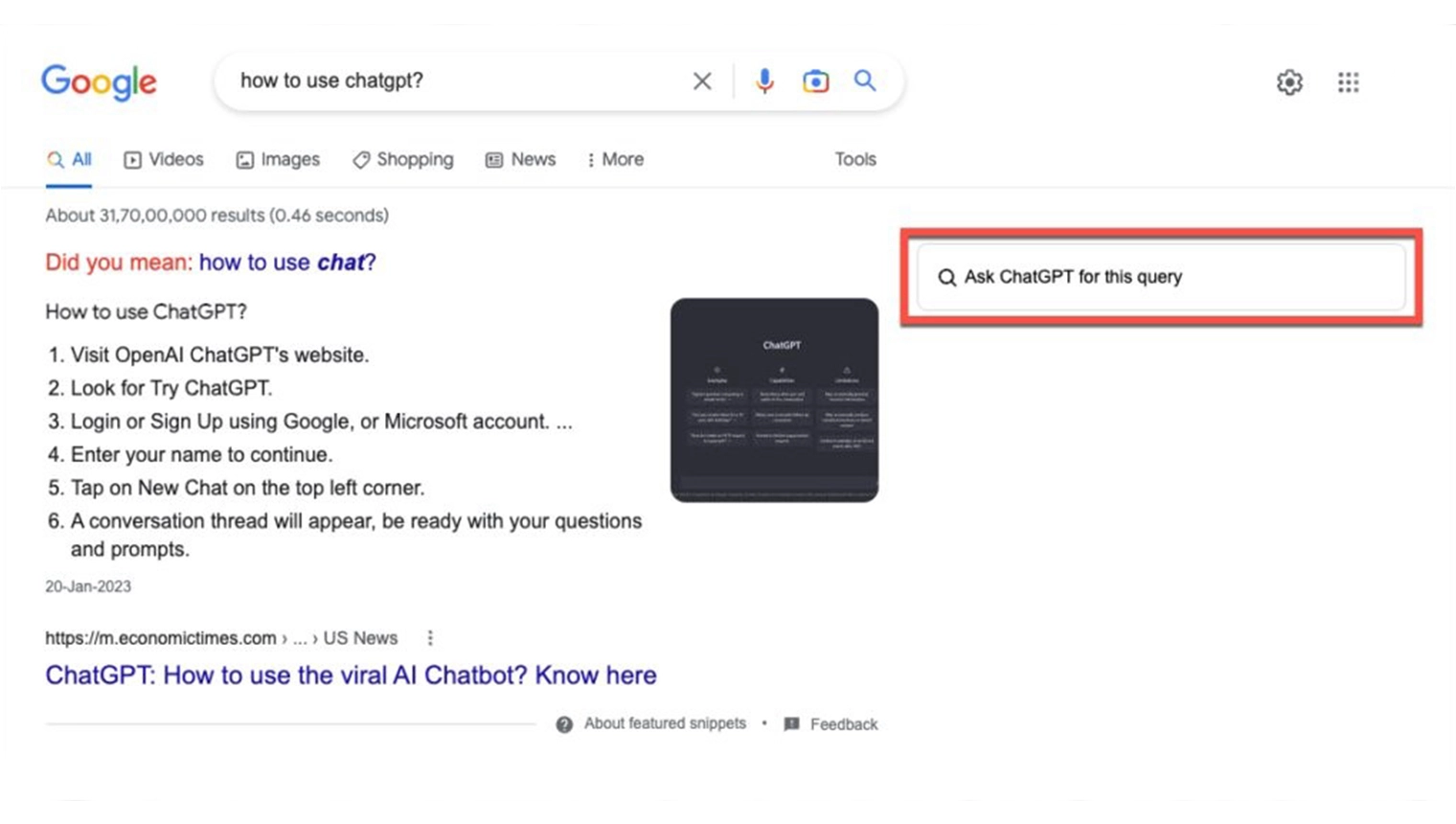
A long-time favourite that still earns its spot. ChatGPT for Google shows a ChatGPT answer in a panel right next to your normal Google, Bing or DuckDuckGo results — so you get the AI summary and the traditional links side by side and can decide which to trust. It’s a gentler alternative to making ChatGPT your only search engine, and it’s free to use with optional premium features via its parent app.
- Best for: keeping normal search but adding an AI second opinion.
- Key features: side-by-side AI answers, multiple search engines, adjustable trigger settings.
- Price: free; optional paid upgrades through the developer.
4. WebChatGPT (Web Access)
WebChatGPT was the go-to fix back when ChatGPT couldn’t browse the internet. It injects current web-search results into your prompt and stores reusable prompt templates. In 2026 its web-access role matters less — ChatGPT now searches natively — but power users still like it for its prompt library and fine control over what sources get fed into a query.
- Best for: prompt tinkerers who want precise control over the web context ChatGPT sees.
- Key features: web-result injection, saved prompt templates, region/time filters.
- Price: free.
5. AIPRM for ChatGPT
If you write for a living, AIPRM is still one of the most useful add-ons around. It drops a library of thousands of community and expert prompt templates directly into the ChatGPT interface — for SEO, copywriting, marketing, coding and more — so you start from a proven prompt instead of a blank box. It’s used by millions and works with both ChatGPT and Claude. The trade-off: the best templates and higher usage sit behind a paid plan. If you want to build your own prompt skills first, see our rundown of the best AI text generators.
- Best for: marketers, SEOs and writers who want repeatable, high-quality prompts.
- Key features: 5,000+ prompt templates, one-click insertion, tone/format controls, ChatGPT + Claude.
- Price: free plan; paid Solo plans from about US$20/month.
6. Merlin AI
Merlin brings a ChatGPT-style assistant to any website via a keyboard shortcut. Highlight text and ask Merlin to summarise, reply or rewrite; generate content on the page you’re on; or summarise YouTube videos for free. Like Sider and Monica, it’s multi-model, tapping GPT-5, Claude and others. Its generous free tier — around 100 queries a day — makes it easy to try before you commit.
- Best for: a free-first, everywhere assistant with a light daily cap.
- Key features: shortcut access on any site, multi-model, unlimited YouTube summaries, chat with docs.
- Price: free (~102 queries/day); Pro about US$19/month for premium models and unlimited use.
7. Monica AI
Monica is Sider’s closest rival — another all-in-one AI sidebar that runs GPT-5, Claude and other top models, summarises pages and PDFs, translates, and helps you write anywhere in the browser. Many users pick it for its cleaner free tier and lower entry price. If you’re torn between Sider and Monica, try both free versions for a week and keep whichever fits how you actually work.
- Best for: a lower-cost all-in-one sidebar alternative to Sider.
- Key features: multi-model chat, page/PDF summaries, translation, in-field writing, image tools.
- Price: free plan (~40 basic queries/day); Pro about US$9.90/month, Pro+ about US$19.90/month.
8. Superpower for ChatGPT
If chatgpt.com is your workshop, Superpower for ChatGPT tidies it up. It adds folders, full chat-history search, bulk export, pinned messages, a prompt manager and a model switcher — the organisational features OpenAI never quite built. With hundreds of thousands of users and a 4.5-star rating, it’s the go-to for anyone whose chat list has become an unmanageable scroll.
- Best for: heavy ChatGPT users drowning in past conversations.
- Key features: folders, search, export, pinned messages, prompt library, tone/language presets.
- Price: free.
9. YouTube Summary by Glasp
Source: Glasp
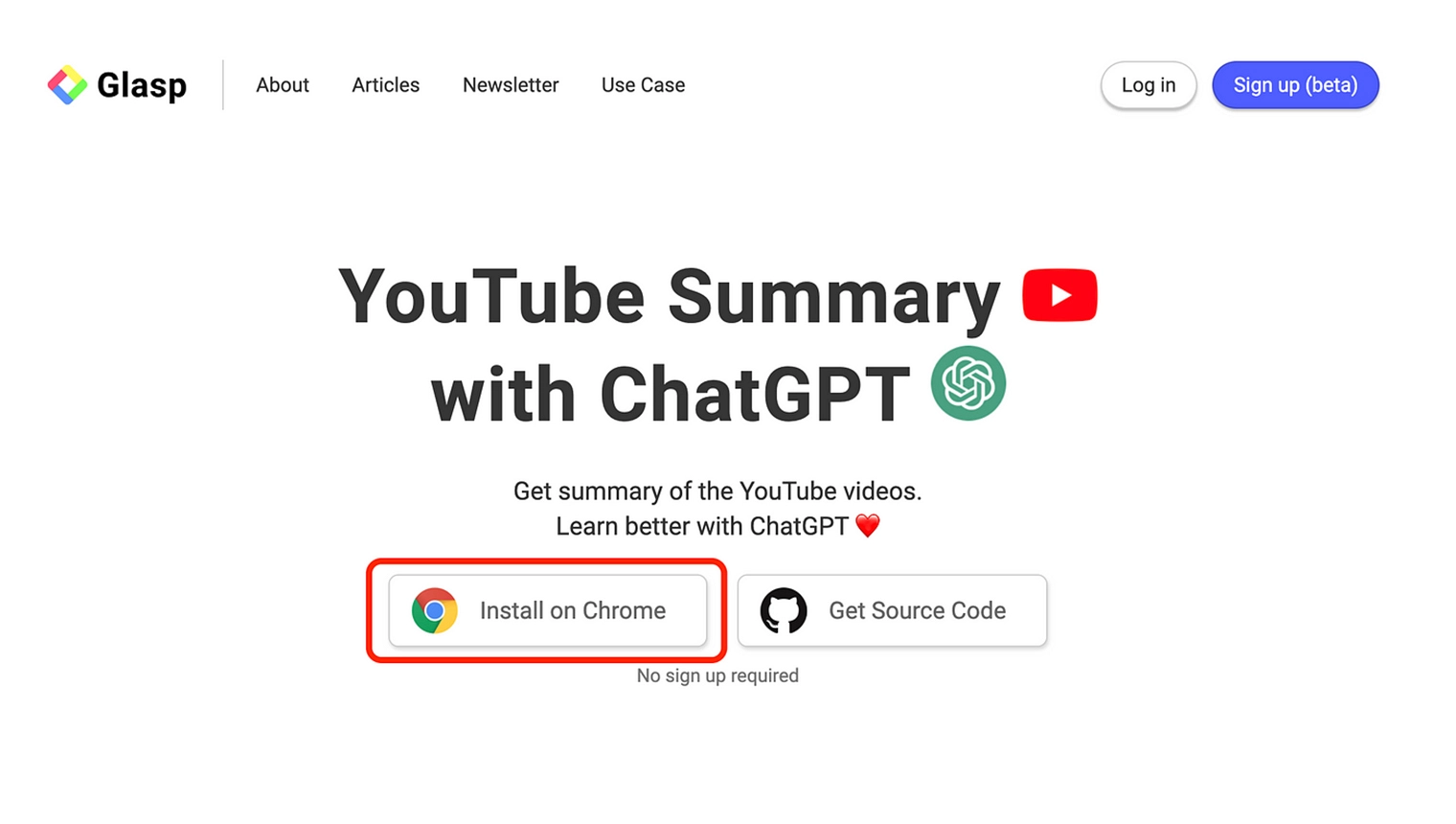
Now branded YouTube Summary with ChatGPT & Claude, Glasp’s extension is still the simplest way to skip to the point of a long video. Open a video, click the icon, and it feeds the transcript to ChatGPT (or Claude, Gemini or Mistral) to produce a bullet-point summary with timestamps you can jump to. It also grabs transcripts in multiple languages and summarises web articles. Loved by more than two million users, and free.
- Best for: students and researchers who watch a lot of long-form video.
- Key features: transcript + timestamped summaries, multi-model, multilingual, article summaries.
- Price: free.
10. Compose AI
Compose AI is autocomplete on steroids. It sits quietly in Gmail, Google Docs and most text fields, finishing your sentences, drafting whole replies from a short instruction, and rewriting or shortening what you’ve written. Because it works inside the box you’re already typing in, it’s the least disruptive way to speed up everyday writing — no separate chat window required.
- Best for: faster email and document writing without leaving the page.
- Key features: AI autocomplete, one-line-to-full-email drafting, rephrase/shorten, works across sites.
- Price: free to use; premium unlocks advanced personalisation.
How to choose the right ChatGPT extension
You don’t need five extensions fighting for toolbar space. Start with the one gap you actually have, then add more only if something’s still missing. Use this quick framework:
| What you want | Best pick |
|---|---|
| One tool that does almost everything | Sider or Monica AI |
| The official, no-frills option | ChatGPT Search (Official) |
| AI answers beside normal search | ChatGPT for Google |
| Better prompts, less blank-page staring | AIPRM for ChatGPT |
| Organise heavy ChatGPT use | Superpower for ChatGPT |
| Summarise long videos fast | YouTube Summary by Glasp |
| Write faster inside any text box | Compose AI |
| Automate repetitive web tasks | HARPA AI (below) |
A simple rule of thumb: if a paid sidebar (Sider, Monica, Merlin) replaces two or three tools you’d otherwise juggle, it’s usually worth it. If you only need one job done, a free single-purpose extension is the smarter buy.
Other extensions worth knowing in 2026
Source: Fireflies
These didn’t make the top 10 but are excellent for specific jobs:
- HARPA AI — a browser “agent” that automates repetitive web tasks (monitoring prices, scraping data, running multi-step workflows) using GPT-5, Claude or Gemini. Free tier (~100 command runs); premium from about US$12/month billed annually, or a one-time “For Life” plan around US$240.
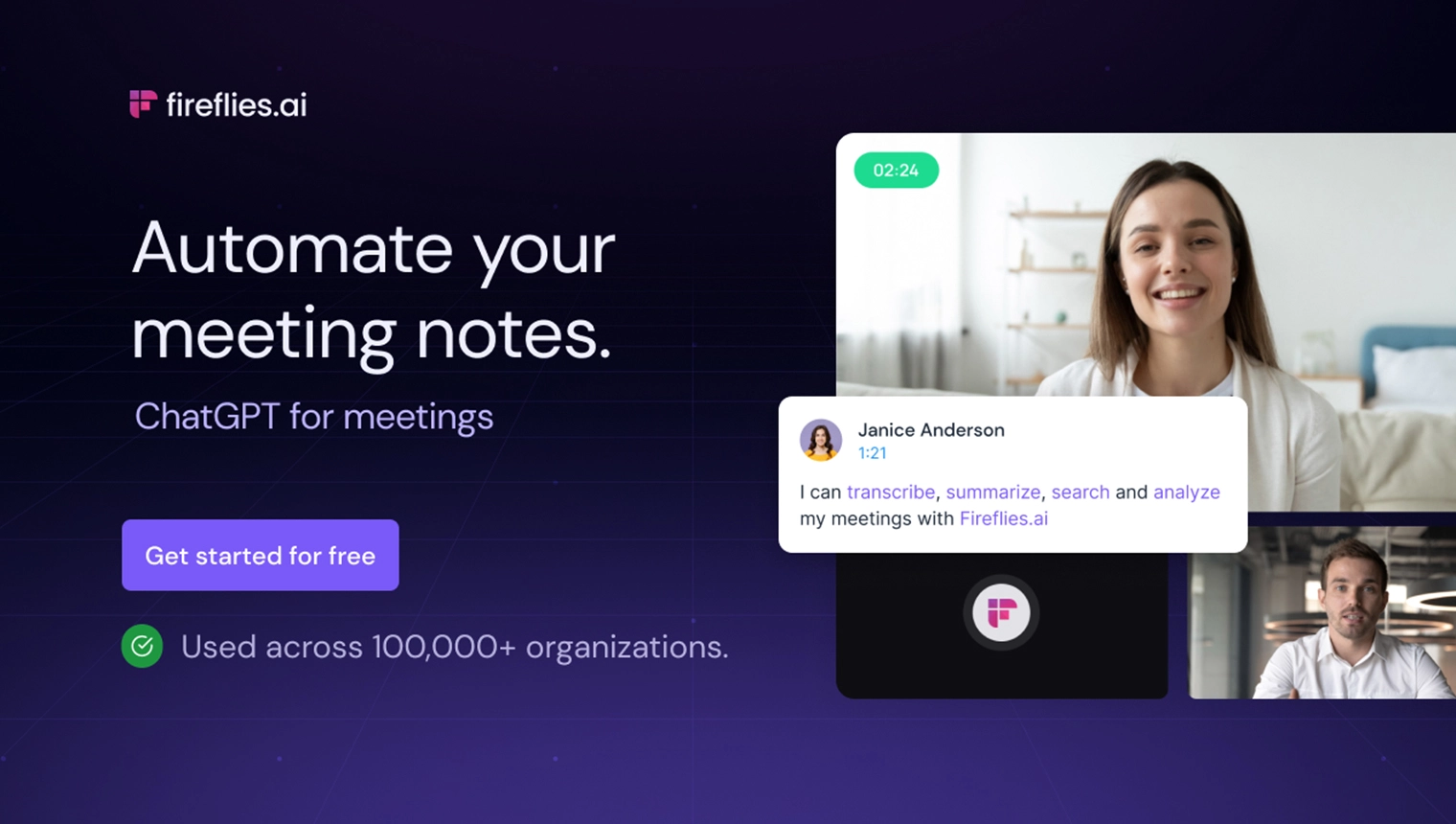
- Fireflies — records, transcribes and summarises your Zoom, Google Meet and Teams calls, with an AI assistant that answers questions about the meeting. Free plan plus paid tiers (verify current pricing at fireflies.ai).
- GPT for Work (formerly GPT for Sheets and Docs) — brings ChatGPT and Claude functions into Google Sheets and Docs for bulk writing, cleaning and classifying data. Great for spreadsheet-heavy workflows.
- Promptheus — lets you talk to ChatGPT by holding the spacebar. Still free and handy, though ChatGPT’s built-in voice mode now covers most of this.
Building content or campaigns with these tools? Pair them with our guides to the best AI marketing tools and the best AI coding tools.
Common pitfalls to avoid
Over-permissioning
Most of these extensions ask to “read and change data on all websites” — that’s how they work, but it also means they can see whatever is on your screen, including confidential documents. Install only from the official Chrome Web Store, check the developer name, and review the permissions before you click Add.
Fake and copycat extensions
Search “ChatGPT” in the store and you’ll find dozens of look-alikes, some of which have harvested login cookies in the past. Match the publisher (for example, OpenAI’s official account for ChatGPT Search) and check the review count before installing.
Subscription creep
It’s easy to end up paying for ChatGPT Plus and a sidebar and a prompt tool. Decide whether you want the official ChatGPT subscription or an all-in-one extension — you rarely need both at full price.
Trusting AI answers blindly
Extensions make ChatGPT faster, not more accurate. It can still be confidently wrong, so verify anything that matters — prices, dates, medical, legal or financial details — against a primary source.
For Malaysia & Singapore users
All of these extensions work normally in Malaysia and Singapore, but a few local points are worth noting:
- Billing is in US dollars. Prices above are USD, so your card is charged the ringgit or Singapore-dollar equivalent plus any foreign-exchange fee. A “US$9.90/month” plan can land closer to RM45–50 after conversion.
- Digital-service tax applies. Foreign digital services are subject to Malaysia’s 8% Sales & Service Tax and Singapore’s 9% GST, which may be added at checkout.
- Free tiers are usually enough. For most Malaysian and Singaporean users, the free plans of Sider, Monica, Merlin, Glasp and the official ChatGPT extension cover daily needs — pay only if you hit the limits regularly.
- Mind your data (PDPA). Because extensions can read page content, avoid running them over confidential work systems, customer records or anything covered by Malaysia’s or Singapore’s Personal Data Protection Act. When in doubt, disable the extension on sensitive sites.
Prices, free-tier limits and features were verified in July 2026. Extensions update frequently — always confirm the latest details on the Chrome Web Store or the developer’s official page before installing or paying.
Conclusion
The best ChatGPT Chrome extension in 2026 is the one that fills your specific gap. Want a single, low-friction upgrade? Install OpenAI’s official ChatGPT Search. Want one tool to rule them all? Sider or Monica put GPT-5, Claude and Gemini in a single sidebar. Writers should look at AIPRM and Compose AI; heavy users at Superpower; and video-watchers at Glasp. Start with one, keep it only if it saves you real time, and don’t pay for features ChatGPT already gives you for free. For more on where AI is heading, browse the rest of our ChatGPT and AI software guides.
Frequently Asked Questions
Disclaimer: This guide is provided by KayaToday for general information only. Extension prices, free-tier limits and features are set by each developer and change frequently — always confirm the current details on the Chrome Web Store or the provider’s official page before installing or subscribing. KayaToday is not affiliated with, and does not endorse, any of the extensions listed.